What Happens When You Minify CSS? (Explained with Examples)

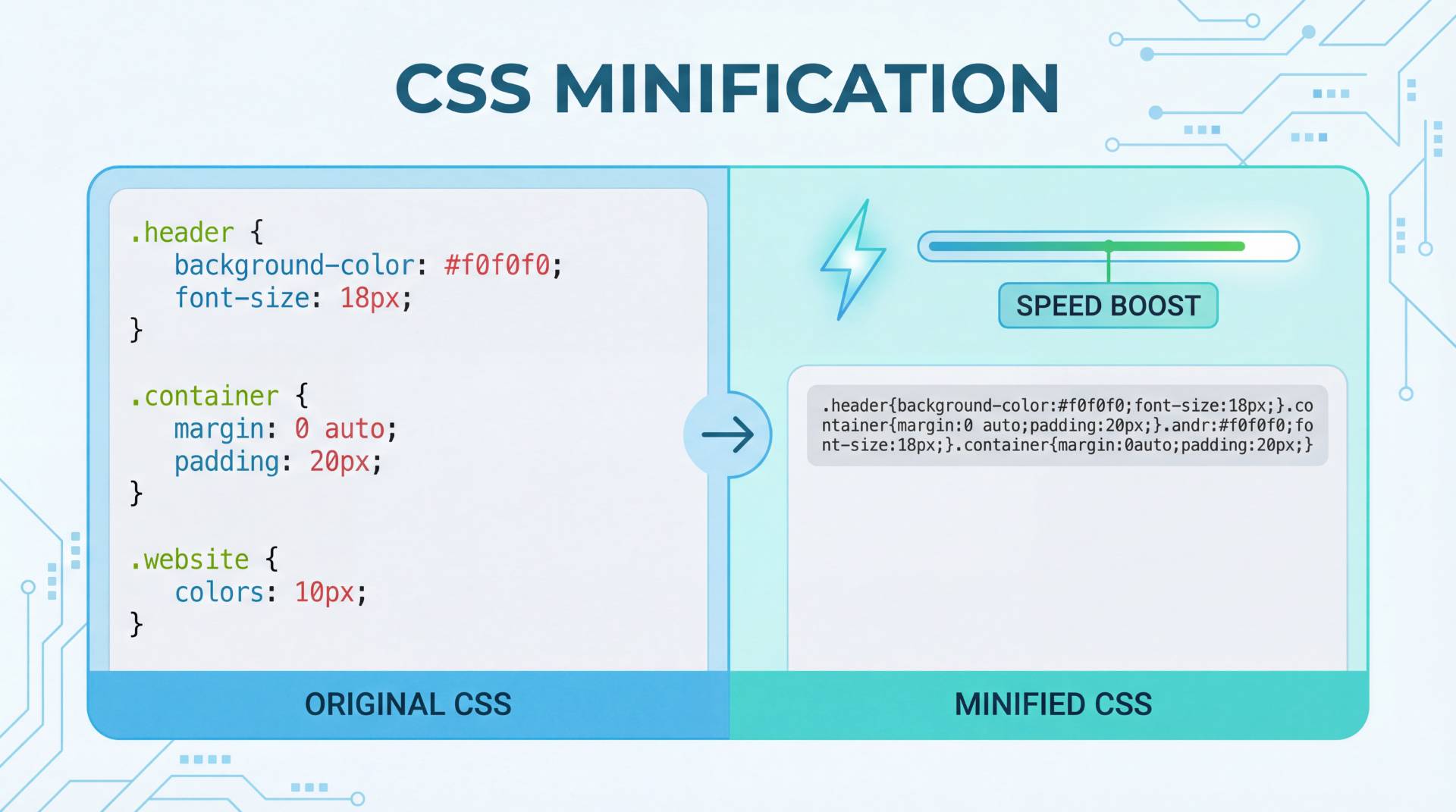
Website speed and performance are critical factors for both user experience and search engine rankings. One of the simplest optimization techniques developers and website owners use is CSS minification. If you've ever heard about using a CSS minifier or been told to minimize CSS, you might wonder what actually happens to your code during this process.
Minifying CSS does not change how your website looks or functions. Instead, it removes unnecessary characters and formatting from your stylesheet to reduce file size and improve loading speed.
In this detailed guide, we’ll explain:
- What a minifier does
- What happens when you CSS minimize
- Real examples of minified vs original CSS
- How CSS minification improves website performance
- Best practices for using a CSS minifier
- How to quickly minimize CSS.
Let’s start with the basics.
What Is CSS Minification?
CSS minification is the process of removing unnecessary characters from CSS code without affecting how it works. These characters are useful for developers when writing and organizing code, but they are not required for browsers to interpret the stylesheet.
A CSS minifier removes elements such as:
- Extra spaces
- Line breaks
- Comments
- Indentation
- Redundant characters
The result is a compact CSS file that contains the same instructions but takes up less space.
Simple Definition
CSS Minification = Smaller CSS file + Same functionality
Because browsers download fewer bytes, pages load faster and perform better.
Why CSS Files Are Often Larger Than Necessary
During development, CSS files are written in a human-friendly format so they are easy to read and maintain.
Example of readable CSS:
body {
    background-color: white;
    color: #333;
    font-family: Arial, sans-serif;
}

h1 {
    font-size: 32px;
    margin-bottom: 10px;
}
Developers intentionally add:
- indentation
- spacing
- comments
- line breaks
This makes debugging and editing easier. However, these formatting elements increase file size even though browsers do not need them.
Minification removes these unnecessary parts while keeping the styling intact.
What Actually Happens When You CSS Minimize?
When you run your stylesheet through a CSS minifier, several automatic transformations take place.
1. Whitespace Is Removed
Spaces, tabs, and line breaks are eliminated because they do not affect how browsers interpret CSS.
Original CSS
body {
    background-color: white;
    color: #333;
}
Minified CSS
body{background-color:white;color:#333}
The formatting disappears, but the browser still reads the code the same way.
2. Comments Are Deleted
Comments are helpful for developers but unnecessary for browsers.
Original CSS
/* Main text color */
body {
    color: #333;
}
Minified CSS
body{color:#333}
Removing comments reduces the overall file size.
3. Extra Characters Are Removed
Sometimes CSS contains redundant characters that can be simplified.
Example:
margin: 0px;
Minified version:
margin:0
Browsers interpret both versions the same way.
4. Code Is Condensed Into a Single Line
A CSS minifier compresses multiple lines into one compact line.
Original CSS
h1 {
    font-size: 32px;
}

p {
    line-height: 1.6;
}
Minified CSS
h1{font-size:32px}p{line-height:1.6}
This significantly reduces the number of characters in the file.
5. Duplicate or Redundant Code May Be Optimized
Advanced minifier tools can also optimize repeated values and redundant declarations, making the CSS more efficient.
Example:
margin:10px 10px 10px 10px;
Optimized version:
margin:10px;
Before and After CSS Minification Example
Below is a simple comparison showing how CSS changes during minification.
Original CSS
body {
    background-color: white;
    color: #333;
    font-family: Arial, sans-serif;
}

.container {
    width: 1200px;
    margin: 0 auto;
}
Minified CSS
body{background-color:white;color:#333;font-family:Arial,sans-serif}.container{width:1200px;margin:0 auto}
Both versions generate the exact same layout and styling, but the second file is significantly smaller.
Why Website Owners Should Use a CSS Minifier
1. Faster Page Load Speed
Smaller files load faster because browsers need to download less data. When CSS files are large, they can delay the rendering of a webpage.
By using a CSS minifier, you reduce the amount of data transferred, helping pages load more quickly.
2. Improved SEO Rankings
Search engines prioritize fast-loading websites. Page speed is an important ranking factor, especially for mobile searches.
When you CSS minimize, your website becomes lighter and faster, which can help improve search visibility.
3. Reduced Bandwidth Usage
Minified CSS files consume less bandwidth. This can be especially helpful for:
- high-traffic websites
- mobile users
- slower internet connections
Lower bandwidth usage can also reduce hosting costs.
4. Better User Experience
Visitors expect websites to load almost instantly. If pages take too long to load, users may leave before interacting with your content.
Minified CSS contributes to:
- faster page rendering
- smoother browsing
- improved engagement
How Much Size Can CSS Minification Save?
The size reduction depends on how large and complex your stylesheet is.
Typical savings range between 20% and 50%.
| Original CSS Size | After Minification |
|---|---|
| 100 KB | ~60–75 KB |
| 200 KB | ~120–150 KB |
| 500 KB | ~300–380 KB |
How to Minimize CSS Using FileReadyNow's CSS Minifier
The easiest way to optimize CSS is to use an automated CSS minifier tool.
FileReadyNow's CSS minifier allows website owners to instantly minimize CSS without manual editing.
Step-by-Step Guide
- Copy your CSS code from your stylesheet.
- Open FileReadyNow’s CSS minifier tool.
- Paste the CSS code into the input field.
- Click the Minify CSS button.
- Copy the optimized CSS output and replace the original file on your website.
The tool automatically removes unnecessary characters and optimizes the code structure.
When Should You Minify CSS?
CSS minification should typically be used before deploying a website to production.
| Stage | Use Minified CSS |
|---|---|
| Development | No |
| Testing | No |
| Live Website | Yes |
Are There Any Downsides to CSS Minification?
CSS minification has very few disadvantages.
The main issue is readability.
body{background:#fff;color:#333;font-family:Arial}
This format can be difficult to edit or debug.
Best Solution
- Original CSS (for development)
- Minified CSS (for production)
Best Practices for CSS Minification
1. Keep Your Original CSS File
Never overwrite your original stylesheet.
2. Use a Reliable CSS Minifier
Automated tools like FileReadyNow’s CSS minifier help prevent errors.
3. Combine Minification With Other Optimizations
- browser caching
- gzip compression
- content delivery networks (CDN)
- CSS file merging
4. Test After Minification
Always test your website to ensure styles still work correctly.
Quick Summary
Minifying CSS is a simple yet powerful optimization technique. When you use a CSS minifier, the tool removes unnecessary characters such as spaces, comments, and line breaks while keeping the functionality intact.
This process helps:
- reduce CSS file size
- speed up website loading
- improve SEO performance
- reduce bandwidth usage
- enhance user experience
If you want to improve your site's performance without changing your design, CSS minification is one of the easiest optimizations you can implement.
Frequently Asked Questions
A CSS minifier is a tool that removes unnecessary characters such as spaces, comments, and line breaks from CSS files. This process reduces file size without changing how the styles work.
Minimizing CSS helps reduce the size of your stylesheet, which makes your website load faster. Faster loading pages improve user experience and can also help improve search engine rankings..
No, CSS minification does not change the appearance of your website. It only removes extra formatting that browsers do not need to read the CSS.
Table of Contents
Recent Posts

PDF to JPG Blurry? How to Convert a PDF Page With Sharp Text
5 days ago
HEX vs RGB vs HSL vs CMYK: Which Color Code Should You Use?
1 week ago
Video Converter Online Free: Which Format to Pick and Why
2 weeks ago
Audio Trimmer Online Free: Cut, Keep, or Remove Any Section
2 weeks ago
How Strong Should Your Password Actually Be in 2026?
3 weeks ago
HEIC vs JPG: Which Should You Actually Use?
1 month ago