Dive into Big Shark: An Addictive Ocean Survival Game

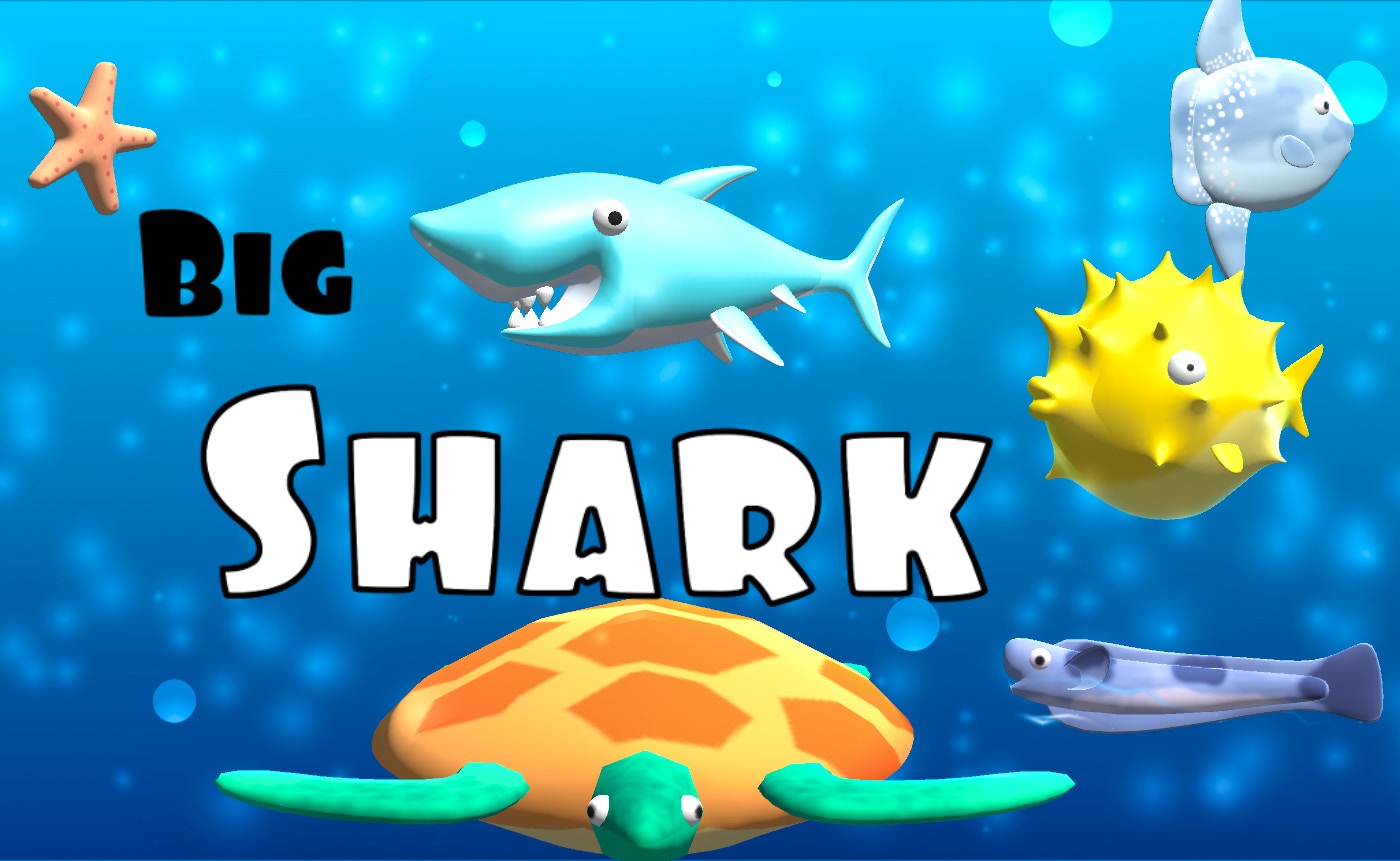
TL;DR: Big Shark is a fun, intuitive ocean survival game where you grow into the ocean's top predator by eating smaller fish and avoiding bigger threats.
Have you ever found yourself mindlessly tapping through a mobile game during a short break? I played Big Shark for the first time during a lunch break, and before I knew it, 20 minutes had passed. Big Shark is a landscape-oriented animal game that draws you in with its simple yet engaging gameplay. You control a shark navigating through an underwater world, eating smaller fish to grow while avoiding larger predators.
What is Big Shark?
Big Shark is an ocean survival game where you control a shark that must eat smaller fish to grow.
The game features vibrant underwater graphics and intuitive tap-to-move controls. As you progress, you'll encounter various obstacles and larger threats that require quick reflexes to avoid. We love how the game balances simplicity with challenge, making it perfect for short play sessions.
How do you play Big Shark?
You play Big Shark by tapping to move your shark left or right, consuming smaller fish to grow while avoiding larger fish and obstacles.
The controls are straightforward: tap on either side of the screen to move your shark. The goal is to eat as many smaller fish as possible while avoiding collisions with larger fish and other hazards. As you grow, the challenge increases with more aggressive predators and obstacles.
Tips That Actually Work
One effective strategy is to focus on eating schools of smaller fish, as they often appear in clusters. Timing your movements to coincide with these clusters can help you grow quickly. Be cautious of larger fish and other hazards, as collisions can set you back significantly. If you've played other animal-themed games like Hungry Shark Evolution or Fish Eat Fish, you'll find the gameplay mechanics familiar.
Is Big Shark good for casual gamers?
Yes, Big Shark is perfect for casual gamers looking for a fun, easy-to-pick-up experience.
The game's intuitive controls and straightforward gameplay make it accessible to players of all skill levels. It's an excellent choice for short breaks or when you need a quick gaming session. The relaxing underwater environment and satisfying sound effects add to its casual appeal.
The Feel of Playing Big Shark
What I noticed early on was the smooth, responsive controls that made navigating through the underwater world a breeze. The sound effects, such as the splashing sounds when consuming fish, enhance the overall experience. However, after a while, the music can start to feel a bit repetitive. Still, the engaging gameplay keeps you coming back for more.
Is Big Shark worth playing?
Yes, Big Shark is worth playing if you enjoy casual, action-packed games with simple controls.
While it may not offer deep strategy, the game excels at providing a fun, challenging experience that's hard to put down. You can play Big Shark directly in your browser, making it easily accessible. If you're looking for more games like it, be sure to check out more animal games on our site.
To get the most out of Big Shark, try to focus on your surroundings and plan your movements ahead. You can also browse our games library for other fun titles. For a similar experience, give Big Shark a try and see how far you can grow your shark. Or, start playing here and dive into the depths.
In summary, Big Shark is a fun, addictive game that's perfect for casual gamers and short play sessions. With its intuitive controls and challenging gameplay, it's sure to keep you entertained. So why not ▶ give it a try?
Frequently Asked Questions
Is Big Shark available on mobile?
Yes, Big Shark is available to play on mobile devices through your browser.
Can I play Big Shark on my desktop?
Yes, you can play Big Shark on your desktop by visiting the game's page in your browser.
Are there in-app purchases in Big Shark?
No, Big Shark is a free-to-play game with no mandatory in-app purchases.
How do I reset my progress in Big Shark?
To reset your progress, you'll need to clear your browser's local storage or wait for the game's default reset mechanism, if available.
Is Big Shark suitable for children?
Big Shark is generally suitable for children due to its simple gameplay and colorful graphics, but parental discretion is advised.
Table of Contents
Recent Posts
Monkeys Fighting Review: Fast Jungle Brawls in Your
3 hours ago
Froggee Review: The Timing Game That Hooks You Fast
4 hours ago
Skibidi Toilet Game Review: Orbs, Goos, and One More
4 hours ago
Car Driving Test Review: A Free Parking Game That
4 hours ago
Happy Kittens Puzzle Review: 60 Levels of
4 hours ago
Snake Swipe Puzzle Review: A Maze Game Worth Your Break
4 hours ago