Duck Escape Review: A Quirky Puzzle Game Worth Your Break

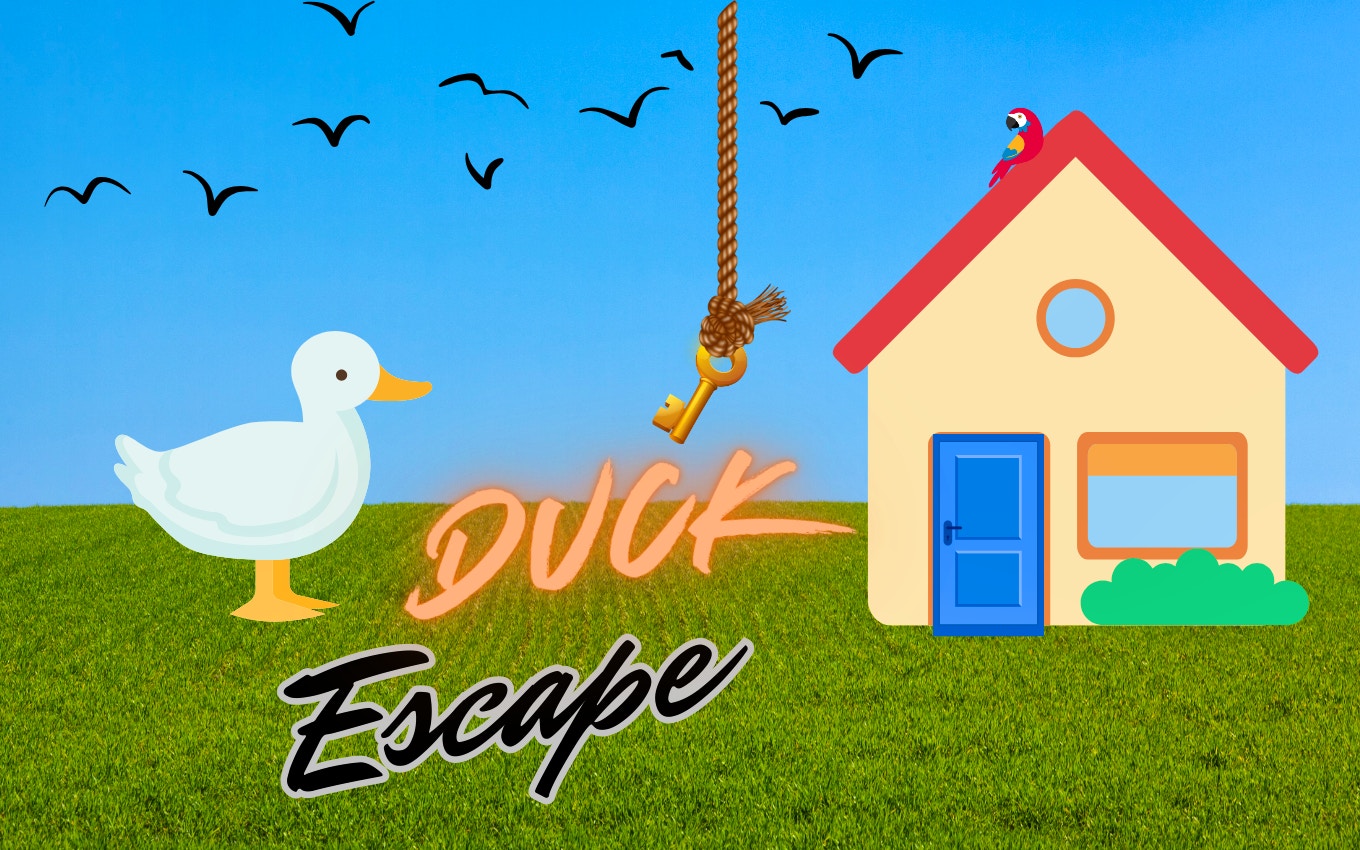
TL;DR: Duck Escape is a free browser puzzle game where you guide a duck through clever levels by collecting keys and dodging obstacles. It mixes quick reflexes with light strategy. The visuals are charming, the controls are simple, and it's a solid pick for a quick mental reset. You can play Duck Escape here.
I stumbled onto this game during a coffee break, expecting just another quick distraction. What I got was a surprisingly polished little adventure. In the first 30 seconds, I was already dodging a spinning blade while reaching for a shiny key. The duck wobbles when it moves, which made me smile. The game doesn't scream for your attention. It just pulls you in with clean design and a clear goal: get the key, find the exit. If you need a break from noisy games, this one feels like a quiet puzzle nook. You can browse our games library for more titles like this.
What is Duck Escape?
Duck Escape is a browser-based puzzle game where you control a duck through maze-like levels. Your goal is to collect a key and reach the exit door. The challenge comes from obstacles, locked gates, and timing puzzles that require both thought and quick fingers.
After my first session, I realized it's not a frantic arcade game. It's a methodical puzzler. Each level is a small diorama. You look at the layout, spot the key, and figure out the path. Some levels have moving enemies. Others have buttons that open gates. The game never explains much, which I liked. It trusts you to figure things out. The 800x600 resolution feels cozy, like a classic Flash game era title that's been given a fresh coat of paint.
How do you play Duck Escape?
You use the arrow keys or WASD to move your duck around the level. The goal is to collect the key, which unlocks the exit door, then reach that door. Obstacles include moving enemies, spikes, and locked gates that require buttons to open. Timing your moves is often just as important as knowing the path.
On my third try of a level with three spinning blades, I learned that patience beats speed. The hitbox is generous, which helps. You can brush against an obstacle slightly without failing. That's a relief. The controls feel tight, but the duck has a tiny slide to its movement. It's not slippery, just a bit of momentum. You'll adjust in the first few levels. The game saves your progress automatically. No need to worry about losing your spot when you close the tab.
Tips That Actually Work
First, pause and scan the whole level before you move. I died twice on level 4 because I rushed in. The key is often in a spot that requires a specific route. Look for buttons on the ground. They open gates, sometimes for a limited time. If a gate closes too fast, you need to find a different path or time your run better.
Second, use the duck's momentum. When you stop pressing a key, the duck slides a tiny bit. Plan for that slide near hazards. Third, some levels have hidden paths behind walls. I found one by accident when I bumped into a wall and the duck slipped through. That was a nice surprise. If you get stuck, restart the level. The reset is instant. No penalty, no lost progress. If you enjoy this kind of thinking, check out more puzzle games in the same category.
Is Duck Escape good for kids?
Yes, Duck Escape is a great puzzle game for kids. The controls are simple, the visuals are cute, and there's no violence. The puzzles teach spatial reasoning and planning. The difficulty curve is gentle enough that younger players won't hit a wall of frustration early on.
I handed this to my nephew, who's 9. He figured out the first five levels without help. The duck's wobbly walk made him laugh. The enemies are more like moving toys than threats. There's no timer, so kids can take their time. The only snag: some later levels require precise timing. That's where a younger kid might need a grown-up to step in. But overall, it's a safe, smart choice for a family game session. You can start playing here with no downloads needed.
The Visuals and Sound: Simple but Charming
The game uses bright, flat colors and clean shapes. It looks like a well-drawn children's book. The duck is a simple yellow blob with an orange beak. Enemies are geometric: spinning squares, sliding circles. Nothing is scary or complicated. The backgrounds are abstract but pleasant, with soft gradients that don't distract.
What surprised me was the lack of music. The game is mostly silent except for small sound effects when you pick up a key or open a door. That's not a bad thing. It means you can listen to your own music while playing. The silence also makes the game feel calm. A minor criticism: the sound effects are a bit basic. They get the job done, but a little more variety would be nice. If you want a game with a full soundtrack, this isn't it. But for a quiet puzzle session, the minimal sound design works.
Conclusion
Duck Escape is a small game with a clear vision. It wants to give you a puzzle, a duck, and a quiet space to think. It succeeds at that. The controls are tight, the puzzles are clever, and the whole thing runs smoothly in your browser. It's not a deep strategy game, and it won't last you weeks. But for a lunch break or a quick brain teaser, it's a solid pick.
Give it a few levels. If you don't crack a smile when the duck wobbles through a door, I'd be surprised. Ready to try it? ▶ Play Duck Escape now and see how far you can get.
Frequently Asked Questions
Is Duck Escape free to play?
Yes, Duck Escape is completely free. You can play it in your browser without any downloads or sign-ups. There are no in-game purchases or paywalls.
Can I play Duck Escape on my phone?
Yes, the game works on all devices, including phones and tablets. The 800x600 resolution scales well on smaller screens. The keyboard controls are replaced by touch controls on mobile.
How many levels does Duck Escape have?
The game has a set number of levels that gradually increase in difficulty. The exact count isn't displayed, but you'll find enough content for a satisfying session. The game saves your progress as you go.
What are the controls for Duck Escape?
On a computer, you use the arrow keys or WASD to move. On mobile, the game provides on-screen touch controls. The controls are simple: move, collect keys, and reach the exit door.
Does Duck Escape have ads?
The game runs in a browser window and may display ads around the game area. The gameplay itself is not interrupted by ads. The experience stays focused on the puzzles.
Table of Contents
Recent Posts
Shape-Shifting Racing Fun: A Review of Shifting Rush
42 minutes ago
Egg-cellent Hyper-Casual Fun: Don't Drop Review
46 minutes ago
Tilt Your Way to Fun: A Casual Gaming Gem
51 minutes ago
Cold War Shooter Fun: Get 'em Soviet Review
55 minutes ago
Dino-Mite Fun: Pet Runner Review
59 minutes ago
Puzzle Fun with Power Grid: Is it Worth Your Time?
1 hour ago