Epic Duck Review: A Fun Arcade Puzzle Game for All Ages

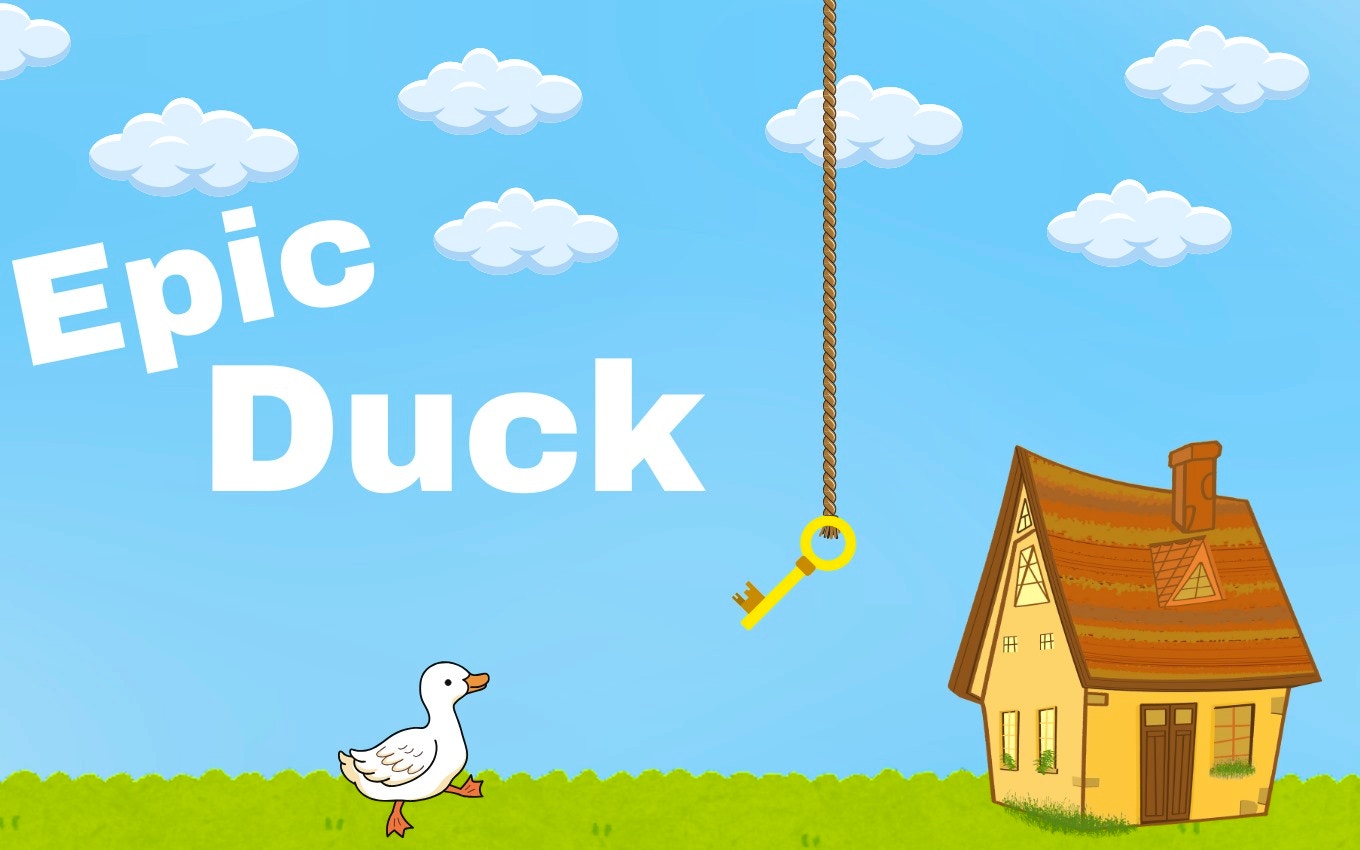
TL;DR: Epic Duck is a free browser-based arcade game that blends puzzle-solving with quick platforming. You guide a duck through charming levels, collecting keys and unlocking doors. It's simple to pick up, offers decent challenge, and works great for short breaks. No downloads needed. Give it a try if you like casual arcade games.
I've wasted way too many lunch breaks scrolling through my phone. Last week, though, a coworker showed me a tiny browser game called Epic Duck. It took about ten seconds to load, and I was hooked before my sandwich was half-eaten. That's the kind of instant grab this game has.
You play as a duck navigating cute levels. The twist? You need keys to unlock doors, and those keys are hidden in tricky spots. It sounds simple, but the timing and puzzle elements kept me coming back. If you want to see what the fuss is about, you can play Epic Duck directly in your browser.
What is Epic Duck?
Epic Duck is a free arcade puzzle game you can play right now without downloading anything. The gameplay mixes light platforming with key-hunting puzzles. Each level has a door, and you need to find the right key to open it. The visuals are colorful and cartoonish, with smooth animations that make the duck feel alive.
It's hosted on FileReadyNow and runs in any modern browser. The game fits the arcade category because it rewards quick reflexes and pattern recognition. There are no lives or timers pressuring you, but the challenge ramps up as you progress through later stages.
How do you play Epic Duck?
You control the duck using simple controls. Arrow keys or WASD move your character left, right, up, and down. The goal is to grab keys scattered around each level and reach the locked door before time runs out. Some keys are in plain sight, while others hide behind obstacles or require precise jumps.
After my first session, I noticed the controls feel tight. There's no input lag, and the duck responds instantly to your commands. The game does a good job of teaching mechanics through early levels before introducing harder obstacles like moving platforms or timed traps.
Tips That Actually Work in Epic Duck
First, take your time on early levels. I rushed through stage three and missed a key behind a wall. The game doesn't tell you where secrets are, so explore every corner before committing to the exit.
Second, watch the door before you approach it. Some doors need a specific colored key. Grabbing the wrong one wastes precious seconds, especially in later stages with tighter windows.
Third, use the environment. I stumbled past a trampoline in level five that launched me to a hidden platform. Those shortcuts save time and often hide bonus keys.
Is Epic Duck good for quick gaming sessions?
Absolutely. Each level takes about 30 seconds to two minutes, depending on your skill level. That makes it perfect for filling small gaps in your day. I played it during coffee breaks, between meetings, and while waiting for dinner to cook.
The game auto-saves your progress, so you can close the tab and come back later. There's no commitment required, and you never lose your place. If you need a mental break without diving into something heavy, this title delivers.
What I liked and didn't like about Epic Duck
The charm is real. The duck waddles with personality, and the sound effects add warmth to every jump. I smiled the first time my duck bounced on a spring pad and landed on a secret platform. The game knows how to reward curiosity.
That said, the music gets repetitive after a few levels. There's only one background track, and it loops constantly. I ended up muting the sound after my fifth session. Also, some later levels feel like they reuse obstacle patterns from earlier stages. A bit more variety would help.
If you want deep narrative or complex mechanics, look elsewhere. But for casual arcade fun that respects your time, Epic Duck hits the mark.
Ready to waddle? You can start playing here and see for yourself why this little duck has earned a spot in my bookmark bar.
Frequently Asked Questions
Is Epic Duck free to play?
Yes, you can play Epic Duck for free directly in your browser. No sign-up or download is required. Just visit the play page and start hopping through levels.
What platforms can I play Epic Duck on?
The game runs in any modern web browser on desktop and mobile devices. It adapts to different screen sizes, though playing on a larger screen gives you more control precision.
How many levels does Epic Duck have?
The game features multiple stages with increasing difficulty. New obstacles and puzzles appear as you progress, keeping the gameplay fresh even after several sessions.
Does Epic Duck have ads or in-app purchases?
The web version focuses on a clean experience. There are no forced ads interrupting gameplay, and all content is accessible without spending money.
Can I suggest new levels or features for Epic Duck?
The game is hosted on FileReadyNow, where you can browse their games library and see what other titles are available. Community feedback often shapes future updates for popular games.
Table of Contents
Recent Posts
Cube Your Way to 2048: A Fresh 3D Twist
7 hours ago
Tee Off with Golf Orbit: A Fun Twist on Classic Golf
7 hours ago
Test Your Reflexes with Right Time: An Arcade Challenge
1 day ago
Get Ready for an Adrenaline Rush with Mountain Bike Challenge
1 day ago
Digging into Miner Cat: A Fun Minecraft Twist
2 days ago
Choco Ball Fun: Drawing Lines to Sweet Victory
3 days ago