IGI Commando Mission: Cover the Fire - A Quick-Fire FPS Adventure

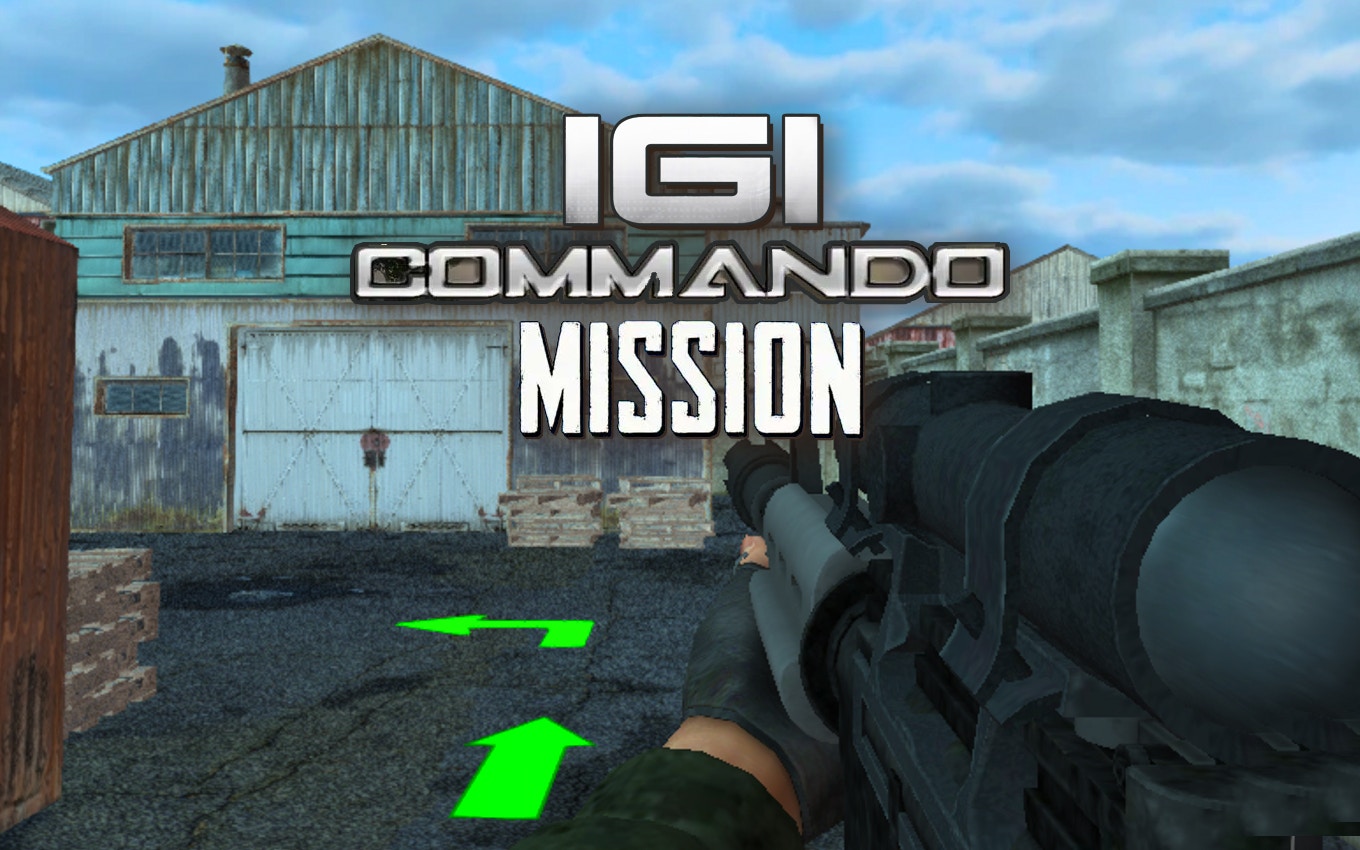
TL;DR: IGI Commando Mission: Cover the Fire is a fast-paced first-person shooter where you play as a lone commando completing diverse missions with stealth and precision.
When you're looking for a quick adrenaline rush, few things beat a well-crafted first-person shooter. That's where IGI Commando Mission: Cover the Fire comes in. This title drops you into the boots of a lone commando, challenging you to strategize and execute missions with tactical agility.
What is IGI Commando Mission: Cover the Fire?
IGI Commando Mission: Cover the Fire is a browser-based first-person shooter with 3D environments and a focus on tactical gameplay.
The game features diverse missions that require you to use stealth, precision, and quick reflexes to overcome enemy forces. You'll need to master your loadout to succeed in various scenarios.
How do you play IGI Commando Mission: Cover the Fire?
You play by navigating 3D environments, using cover, and engaging enemies with your chosen weapons.
Controls are straightforward: you use the mouse to look around and WASD keys to move. The gameplay involves a mix of stealth and action, requiring you to adapt your strategy based on the situation.
Tips That Actually Work
One effective strategy is to use cover aggressively - the game rewards players who don't rush out into the open. Experimenting with different weapons also helps you find the right loadout for each mission. If you've played other FPS games like Counter-Strike or Call of Duty, you'll find the mechanics familiar, but with a greater emphasis on solo play.
Is IGI Commando Mission: Cover the Fire good for casual players?
Yes, it's accessible to casual players, but be prepared for some challenge, especially in later missions.
The game's difficulty curve is fairly steep, so don't get discouraged if you die a few times. The controls take some getting used to, but once you're comfortable, the gameplay is smooth and engaging.
The Feel of Playing IGI Commando Mission: Cover the Fire
What I noticed early on was the satisfying sound effects when you hit enemies - it's gratifying to take out a foe with a well-placed shot. The 3D environments are dynamic, keeping the gameplay fresh. One minor criticism is that the music can get a bit repetitive after a while, but it doesn't detract from the overall experience.
Is IGI Commando Mission: Cover the Fire worth playing?
Yes, if you enjoy fast-paced FPS games and are looking for a challenge.
While it may not offer deep strategy or complex multiplayer modes, it delivers on its promise of quick, action-packed missions. If you're looking for more FPS games, you can explore more first-person-shooter games on our site.
Ready to take on the commando role? Give IGI Commando Mission: Cover the Fire a try and see how you fare in the field.
Frequently Asked Questions
What browser is best for playing IGI Commando Mission: Cover the Fire?
The game should run smoothly on most modern browsers like Chrome or Firefox. If you encounter issues, try updating your browser.
Is IGI Commando Mission: Cover the Fire free?
Yes, you can play it for free directly in your browser. Just start playing here.
Can I play IGI Commando Mission: Cover the Fire on mobile?
While it's designed for desktop, you can try it on mobile devices. Controls might be a bit awkward, but it's still playable.
How long does it take to complete a mission?
Mission length varies, but most take between 2-5 minutes to complete, depending on your skill level and strategy.
Are there different difficulty levels?
The game doesn't explicitly offer different difficulty settings, but the missions gradually get harder as you progress.
To discover more games like this, you can browse our games library for other exciting titles. Why not play IGI Commando Mission: Cover the Fire ▶ now?
Table of Contents
Recent Posts

Snake Arena 2: Quick Reflexes Required
9 hours ago
Bouncing Ball Review: A Reflex Test That's Hard to Put Down
1 day ago
Monkeys Fighting Review: Fast Jungle Brawls in Your
1 day ago
Froggee Review: The Timing Game That Hooks You Fast
1 day ago
Skibidi Toilet Game Review: Orbs, Goos, and One More
1 day ago
Car Driving Test Review: A Free Parking Game That
1 day ago