Sniper Action in Your Browser: CS Command Snipers Review

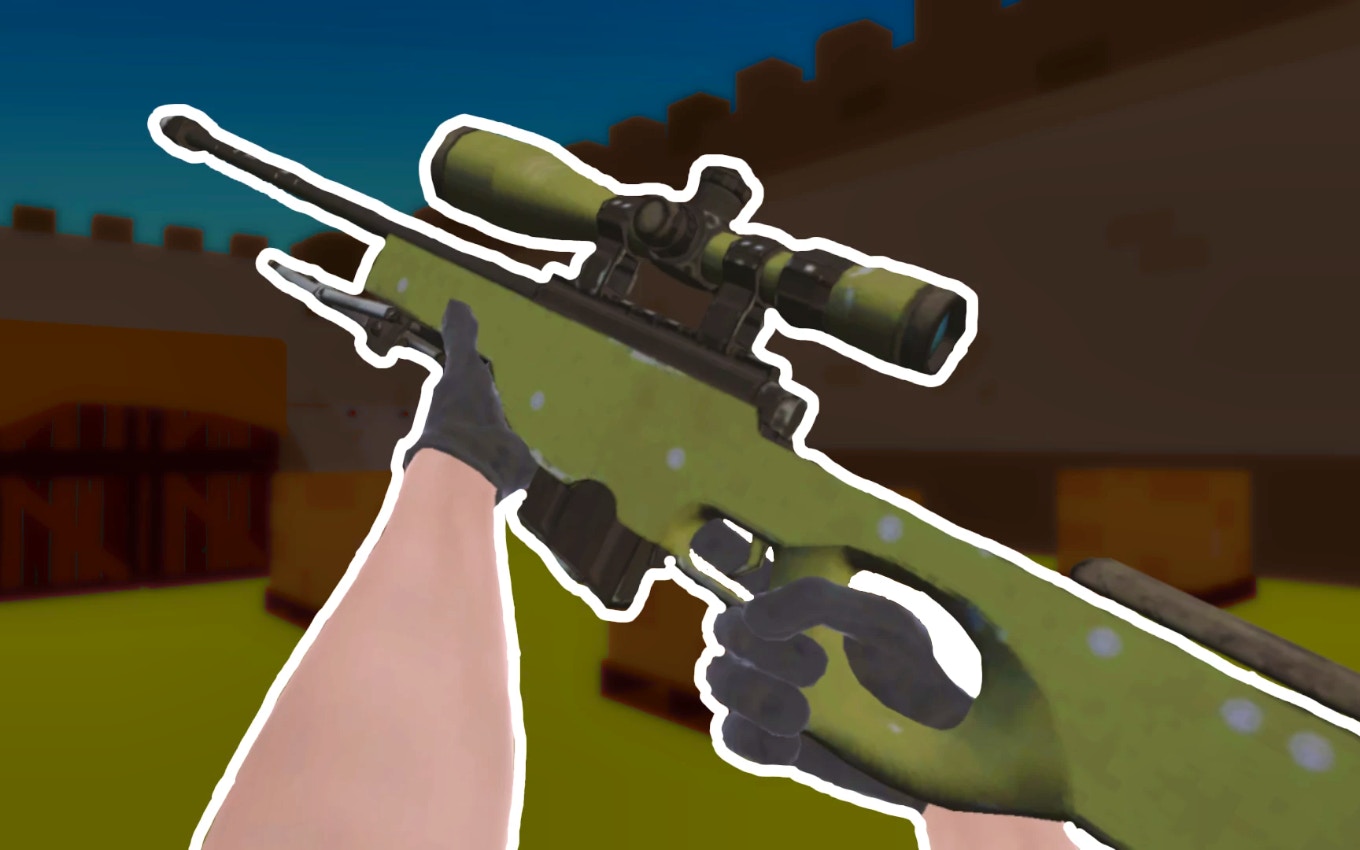
TL;DR: CS Command Snipers is a browser-based first-person shooter where you play as an elite sniper, completing missions with precision and strategy.
Have you ever wanted to test your sniper skills without downloading a heavy game? I played CS Command Snipers and found it's a great option for quick, tactical shooter action right in your browser. The game drops you into various missions where you'll need to outsmart and outshoot your enemies.
What is CS Command Snipers?
CS Command Snipers is a browser-based first-person shooter focused on sniper gameplay and tactical missions.
The game is set in different environments where you'll face various enemy types. You'll need to use your sniper skills to complete objectives, such as taking out specific targets or defending positions. The gameplay involves a mix of stealth, strategy, and quick reflexes.
How do you play CS Command Snipers?
You play CS Command Snipers by using your mouse to aim and shoot, and basic keyboard controls for movement and actions.
The controls are straightforward: you move with WASD keys, aim with your mouse, and shoot with the left mouse button. You can also use the space bar to jump and other keys for specific actions like reloading or switching weapons. The game has a tutorial that helps you get started with the controls.
Tips That Actually Work
One key tip is to take your time to aim. Rushing shots can lead to misses, especially at longer ranges. Use the scope to get a better view of your target, and consider the environment - factors like wind or obstacles can affect your shot. We also found that using cover effectively is crucial to staying alive in tougher missions.
Is CS Command Snipers good for casual gamers?
Yes, CS Command Snipers is suitable for casual gamers looking for a quick, challenging shooter experience.
The game is easy to pick up, with simple controls and a gradual learning curve. Missions are designed to be completed in short sessions, making it a good fit for playing during breaks or when you have a few minutes to spare. However, if you're looking for deep strategy or complex gameplay mechanics, you might find it a bit straightforward.
The Sniper Experience
What I noticed early on was how satisfying it feels to land a precise shot from a distance. The sound effects and visuals help create an immersive experience. However, after a while, the music can start to feel a bit repetitive. Still, the core gameplay keeps it engaging.
To give CS Command Snipers a try, you can play it directly in your browser. If you enjoy this game, you might also like other first-person shooters available in our games library. For more free games across various genres, feel free to browse our games library.
Conclusion: CS Command Snipers offers a fun, tactical sniper experience that's perfect for short play sessions. With its straightforward controls and challenging missions, it's a great choice for those looking for casual shooter action. You can start playing CS Command Snipers here ▶.
Frequently Asked Questions
Is CS Command Snipers available on mobile?
Yes, CS Command Snipers can be played on mobile devices through a browser, although the experience is optimized for desktop.
Do I need to download anything to play CS Command Snipers?
No, CS Command Snipers is a browser-based game, so you can play it directly without any downloads.
Are there in-game purchases in CS Command Snipers?
The game is free to play, but it may include ads or optional in-game purchases.
Can I play CS Command Snipers with friends?
CS Command Snipers is primarily a single-player experience, but you can compare your scores with others on the game's scoreboards.
How do I report issues or bugs in the game?
You can usually find a support or contact section on the game's website or on the game's play page to report any issues.
Table of Contents
Recent Posts

Sweet Arcade Action: Candy Pong Review
2 hours ago
Snake Arena 2: Quick Reflexes Required
1 day ago
Bouncing Ball Review: A Reflex Test That's Hard to Put Down
2 days ago
Monkeys Fighting Review: Fast Jungle Brawls in Your
2 days ago
Froggee Review: The Timing Game That Hooks You Fast
2 days ago
Skibidi Toilet Game Review: Orbs, Goos, and One More
2 days ago