Spiderlox Theme Park Battle Review: Swing Into Action
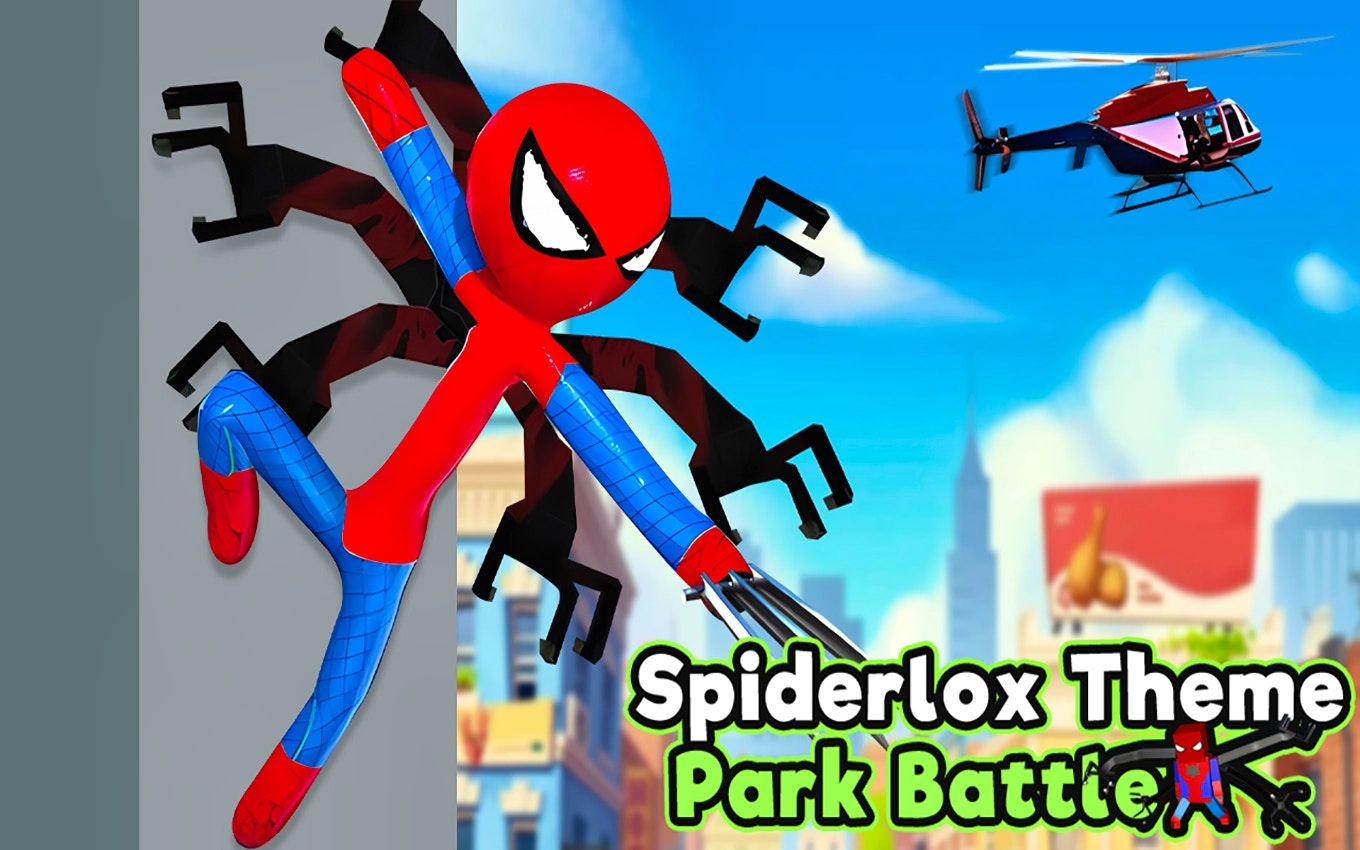
TL;DR: Spiderlox Theme Park Battle is a free browser action game where you swing through a theme park as a superhero. You fight waves of enemies, unlock new heroes, and upgrade skills. It's fast, colorful, and easy to pick up. The controls take a minute to learn, but once you do, it's a solid arcade-style brawler.
I stumbled onto this game during a slow afternoon, looking for something quick that didn't need a download. The title caught my eye. Within 30 seconds, I was swinging between fake castle towers and punching clown-faced goons. It felt like a mix of a classic beat-em-up and a web-swinging sandbox. The first thing I noticed was the music: a loop of upbeat, almost carnival-like synth. It sets a playful tone that matches the theme park setting perfectly.
This isn't a deep RPG or a punishing roguelike. It's a browser game you can jump into right now. If you have 10 minutes and want to feel like a hero, it delivers. I played a few rounds before writing this, and here's what I found.
What is Spiderlox Theme Park Battle?
Spiderlox Theme Park Battle is a free browser-based action game where you control a superhero fighting enemies across an amusement park. You swing from structures, use special powers, and defeat waves of foes to protect the park. The game mixes fast movement with strategic combat.
The setting is a sprawling theme park with roller coasters, food stalls, and tall towers. You're not just walking around. You can attach a web-like tether to high points and swing across gaps. This vertical movement makes it feel different from standard side-scrolling brawlers. Enemies come in types: some rush you, others throw projectiles. You have to prioritize targets.
As you progress, you unlock new heroes. Each one has a unique look and slightly different stats. You also collect currency to upgrade abilities like swing speed, attack power, and health. It's a simple loop: fight, earn, upgrade, repeat. The game runs in any modern browser and fits an 800x600 window, so it works on most screens.
How do you play Spiderlox Theme Park Battle?
You control your hero with keyboard arrows or WASD to move, and you click or tap to attack and use abilities. The core mechanic is swinging: you target a high anchor point, attach a line, and launch yourself across the map. Combat is real-time. You dodge attacks, land combos, and activate special powers when they're off cooldown.
On my first try, I fumbled the swing mechanic. I kept attaching to low objects and barely moving. After two minutes, I learned to aim for the highest points, like the Ferris wheel or castle spires. That's when the game clicked. The swing gives you momentum, and you can chain swings together to stay airborne. It's satisfying once you get the rhythm.
Combat is straightforward. You have a basic attack string and a couple of special moves. Enemies flash before they strike, giving you a window to dodge. The hitbox feels generous, which helps in a browser game where precision can be tricky. Power-ups drop from defeated enemies: health packs, temporary damage boosts, and speed surges. Grabbing them mid-fight adds a nice layer of urgency.
Tips That Actually Work
After a few sessions, I picked up some tricks that made the game easier. These aren't generic "practice makes perfect" hints. They come from real trial and error.
Stay high. Ground combat gets you surrounded fast. Swing between towers and attack from above. Enemies cluster below you, and your aerial attacks hit multiple targets. I died less once I treated the ground as lava.
Upgrade swing speed first. It's tempting to boost attack power, but mobility keeps you alive. A faster swing means you escape bad situations and reposition quicker. I put my first three upgrades into swing speed and noticed an immediate difference.
Watch the cooldown icons. Special abilities have visual timers. Don't waste them on single weak enemies. Save them for groups or the mini-bosses that appear every few waves. I learned this the hard way after blowing a powerful AoE attack on one lone clown.
Switch heroes for the situation. Some heroes are faster but weaker. Others are tanks. If a level throws lots of projectile enemies at you, a faster hero helps you dodge. For brawler-heavy waves, pick the tank. You can swap between rounds.
Is Spiderlox Theme Park Battle good for quick breaks?
Yes, it's perfect for short play sessions. A single round lasts 3 to 7 minutes. The game loads fast, has no lengthy tutorials, and drops you straight into action. You can finish a session between tasks or while waiting for something.
I played it during coffee breaks over two days. Each session felt complete. I'd clear a few waves, earn some currency, upgrade one thing, and stop. There's no pressure to commit long hours. The game saves progress automatically in your browser, so you pick up where you left off.
If you want a game that respects your time, this one does. It's not a grind-heavy title that demands daily logins. You play when you want. That's rare in free browser games, and I appreciated it.
What the Experience Actually Feels Like
The first 30 seconds are chaotic in a fun way. You drop into the park, music kicks in, and enemies are already closing in. The swing tutorial is a single text prompt. You either figure it out or flail. I flailed. Then I figured it out, and the game opened up.
The visuals are bright and cartoony. Characters have a blocky, almost toy-like design. It's not high-end 3D, but it reads clearly on screen. You can tell enemies apart at a glance. The theme park setting is used well: you fight on roller coaster tracks, near bumper car arenas, and inside food courts. Each area has different layouts that affect how you swing.
One thing that surprised me: the enemy variety. I expected two or three types, but I counted at least six distinct foes in my first hour. Some throw pies that slow you. Others charge with shields. A few fly and drop bombs. It keeps encounters from feeling identical.
The sound design is simple. Attacks have punchy effects. The music loop is catchy but does get repetitive after 20 minutes. I turned it down eventually and played with my own playlist. That's my one honest gripe: the audio options are limited. No separate sliders for music and effects, just a master on/off toggle.
Who should skip Spiderlox Theme Park Battle?
If you want deep strategy, complex skill trees, or a gripping story, this isn't your game. The plot is thin: you're a hero, the park is under attack, go fight. There's no dialogue, no cutscenes, no lore to uncover. It's pure arcade action.
Also, if you dislike repetitive gameplay loops, you might bounce off after an hour. The core loop (fight waves, upgrade, repeat) doesn't evolve dramatically. New heroes and areas add variety, but the structure stays the same. For me, that's fine for a browser game. For others, it might feel shallow.
Mobile players should note: the game works on tablets and phones via browser, but the 800x600 layout can feel cramped on smaller screens. The touch controls work, but swinging precision suffers without a keyboard. It's best on desktop or a larger tablet.
Spiderlox Theme Park Battle knows what it is: a fast, free, superhero brawler you can play right now. The swinging mechanic sets it apart from other action games in the browser space. It's not perfect, but it's honest fun. I came for five minutes, stayed for thirty, and came back the next day. That's a win for a free browser game.
If you're ready to swing into action, start playing here. You can also browse our games library for more free titles, or check out more action games if you want similar thrills. ▶
Frequently Asked Questions
Is Spiderlox Theme Park Battle free to play?
Yes, the game is completely free. You can play it in any modern browser without downloading anything. There are no paywalls or required purchases to unlock content.
Can I play Spiderlox Theme Park Battle on mobile?
Yes, it works on mobile browsers. The touch controls are functional, but the game plays best on desktop with a keyboard. Smaller phone screens can make the 800x600 layout feel tight.
How many heroes can you unlock in the game?
There are multiple heroes to unlock as you progress through waves and earn currency. Each hero has different stats like speed, health, and attack power. You can switch between them between rounds.
Does the game save your progress?
Yes, progress saves automatically in your browser's local storage. As long as you play on the same device and don't clear your browser data, you'll pick up where you left off.
What are the best upgrades to get first?
Swing speed is the most valuable early upgrade. It improves your mobility and survivability more than attack or health boosts. After that, focus on attack power to clear waves faster.
Table of Contents
Recent Posts
FCM Configuration Tester: Test Firebase Push Notifications for Free
7 minutes ago
Rock Out with Neon Guitar: A Fun Arcade Rhythm Game
8 minutes ago
Free Resume Maker: Build an ATS-Friendly Resume Instantly
10 minutes ago
Archaeological Thrills: Indiara's Cave Adventure
10 minutes ago
Conquer Hills in 3D: An Off-Road Adventure Review
15 minutes ago
Smash the Meteor Review: A Reflex Tap Game That Hits Hard
2 hours ago