Top 5 Browser-Based Markdown Previewers (No Sign-Up)

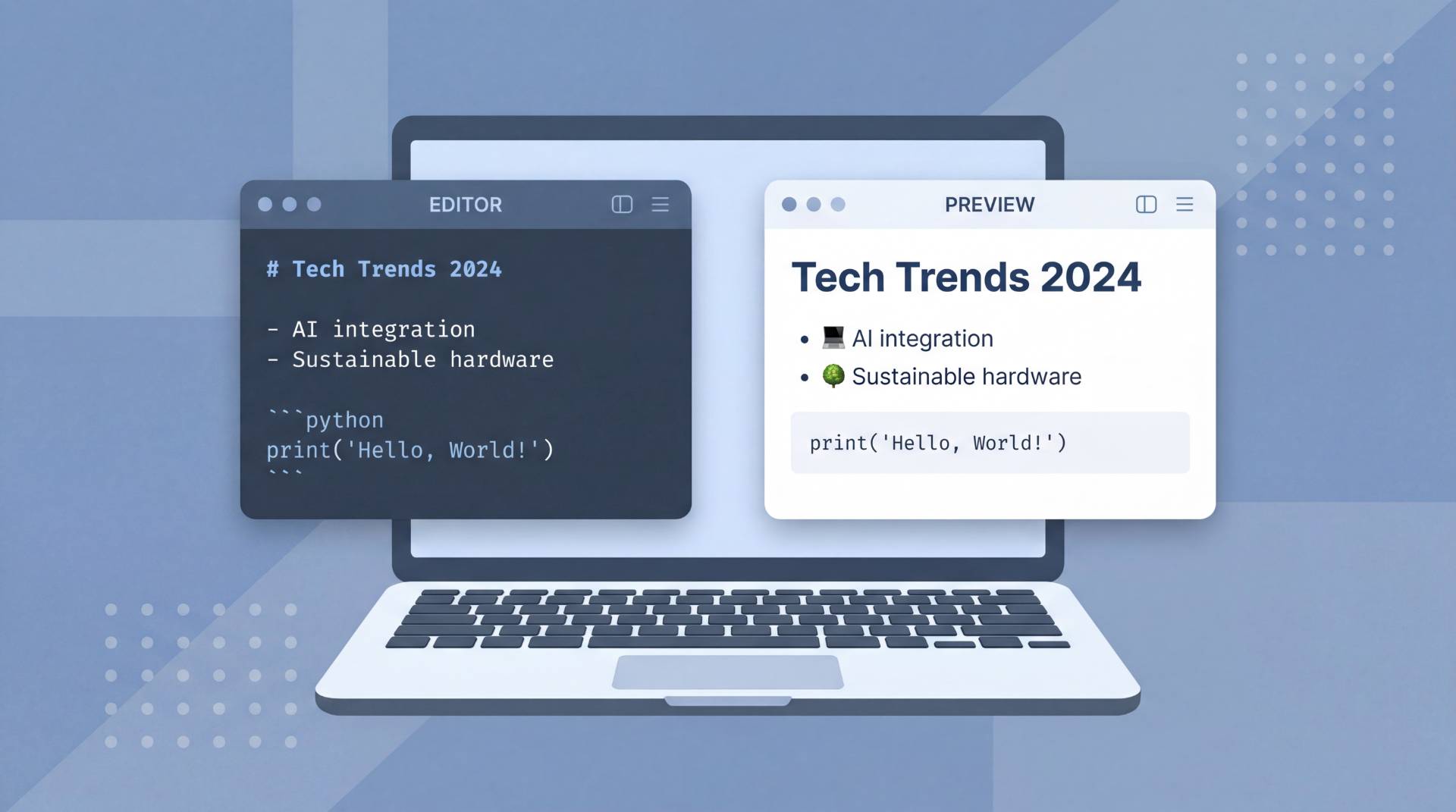
Markdown has quietly become the default language of the internet. Developers use it for README files, technical writers lean on it for documentation, bloggers draft in it, and note-takers swear by its clean simplicity. But writing Markdown without a live preview is a bit like cooking without tasting, you never really know what you're going to get until it's too late.
The good news is that you don't need to install a desktop app or create an account to preview your Markdown in real time. A solid browser-based Markdown previewer gets the job done instantly, right from your tab. In this article, we've rounded up the top 5 tools that let you write, preview, and export Markdown without any sign-up, friction, or setup.
What Is a Browser-Based Markdown Previewer?
A browser-based Markdown previewer is an online tool that renders your Markdown syntax into formatted HTML in real time, directly inside your web browser. You type raw Markdown, headings, bold text, lists, code blocks, and the tool instantly shows you how it will look when published or rendered on a platform like GitHub, Ghost, or any static site generator.
The best tools offer a split-pane layout, meaning the editor and preview sit side by side. You write on the left, see the output on the right, and every keystroke updates the preview live. No refresh needed, no switching tabs, no guessing.
These tools are especially useful for:
- Developers checking README formatting before pushing to a repository
- Technical writers reviewing documentation structure before submission
- Bloggers drafting content for Markdown-compatible CMS platforms
- Students and professionals writing structured notes quickly
Why Use an Online Markdown Previewer Instead of a Desktop Editor?
Desktop editors like VS Code or Typora are powerful, but they come with overhead. You need to install them, configure extensions, and sometimes deal with version conflicts. For someone who just needs to preview a quick Markdown file or draft a README on a shared machine, a browser-based tool is simply faster and more practical.
Here's why online Markdown previewers win for everyday use:
- Zero installation: Open a browser tab and start writing
- No account required: Most top tools work without any login
- Cross-device access: Works the same on any laptop, desktop, or tablet
- Instant export: Copy rendered HTML or download the file in seconds
- Privacy-friendly: The best tools process everything client-side, so your content never leaves your device
With those benefits in mind, here are the top 5 browser-based Markdown previewers worth bookmarking in 2026.
Top 5 Browser-Based Markdown Previewers That Work Without Sign-Up
1. FileReadyNow Markdown Previewer
Best for: Developers and writers who want a clean, distraction-free live preview
FileReadyNow offers one of the most straightforward online Markdown preview experiences available today. The split-pane layout puts your editor and rendered output side by side, updating in real time as you type, no delays, no lag. It supports the full range of standard Markdown formatting including headings, bold, italic, ordered and unordered lists, blockquotes, tables, inline code, and fenced code blocks with syntax highlighting.
What sets it apart is how little friction there is. There's no account wall, no upsell popup on load, and the tool runs entirely in your browser, meaning your content stays on your device. You also get a word, character, and line counter built right in, handy when you're writing for platforms with length requirements.
Once you're done writing, you can export your work as a Markdown file, copy the rendered HTML to your clipboard, or download the HTML directly. It's a genuinely useful tool that doesn't ask anything from you in return.
Key features:- Live split-pane editor and preview
- Full Markdown syntax support including tables and code blocks
- Syntax highlighting in code fences
- Export to Markdown or HTML
- Word, character, and line counter
- No sign-up, no file uploads to any server
- Dark mode support
2. Dillinger

Best for: Writers who want a polished, feature-rich online editor
Dillinger is one of the most well-known browser-based Markdown editors on the internet, and for good reason. It has been around for years and continues to be a reliable choice for anyone who needs a capable online markdown editor without installing anything.
The interface is clean and well-organized. The left panel is your editor, the right panel renders your preview in real time, and a top toolbar gives you quick access to formatting shortcuts. What makes Dillinger stand out from purely minimal tools is its integration options, you can link it to Dropbox, Google Drive, GitHub, and OneDrive to import or save files directly.
For export, Dillinger supports HTML, styled HTML, Markdown, and PDF. The PDF export is particularly useful for sharing formatted documents with people who don't use Markdown-compatible tools.
Key features:- Live split-pane editor
- Import from Dropbox, Google Drive, GitHub, OneDrive
- Export to HTML, styled HTML, Markdown, PDF
- Clean, minimal interface
- No sign-up required for basic use
Best suited for: Writers and developers who work across cloud storage platforms and want seamless import/export without leaving the browser.
3. StackEdit

Best for: Power users who want advanced features and offline support
StackEdit is a feature-packed Markdown editor that goes well beyond basic previewing. It supports extended Markdown syntax including mathematical expressions via KaTeX, UML diagrams via Mermaid, and footnotes, making it a strong choice for academic writers and technical documentation teams.
The interface is polished and the preview panel renders everything in real time. One of StackEdit's most practical features is its offline capability, once loaded, it continues to work even without an internet connection, which is rare among browser-based tools. It also syncs with Google Drive and Dropbox, and can publish directly to Blogger, GitHub, and WordPress.
For users who need a free markdown tool that handles complex formatting requirements, StackEdit is hard to beat.
Key features:- Support for KaTeX math expressions and Mermaid diagrams
- Offline mode via service workers
- Sync with Google Drive and Dropbox
- Publish directly to GitHub, Blogger, WordPress
- Multiple document management in one session
- No sign-up needed for local use
Best suited for: Academic writers, documentation teams, and power users who need extended Markdown support beyond standard syntax.
4. Markdown Live Preview

Best for: Anyone who wants the fastest, most minimal preview experience
Sometimes you just need to paste some Markdown and see what it looks like. Markdown Live Preview is exactly that, a no-frills, instant online markdown editor that loads in seconds and gets out of your way. There's no toolbar, no menu, no settings panel. Just a left-side editor and a right-side preview that updates as you type.
This makes it ideal for quick checks, pasting a README snippet, verifying a table renders correctly, or testing how a formatted list will look. It's the online equivalent of a scratch pad, and its simplicity is genuinely its strength.
It supports standard Markdown syntax and handles most common formatting needs well. For users who find other tools too feature-heavy or slow to load, this is a breath of fresh air.
Key features:- Ultra-minimal interface
- Instant live preview
- No sign-up, no settings, no distractions
- Handles standard Markdown formatting reliably
- Loads extremely fast
Best suited for: Quick one-off checks, users who find feature-heavy tools overwhelming, and anyone who just needs a fast answer to "does this Markdown render correctly?"
5. Editor.md

Best for: Developers who want an embeddable, open-source Markdown editor with rich features
Editor.md is an open-source, GitHub-hosted Markdown editor that runs entirely in the browser and supports an impressive range of features. Beyond standard Markdown, it handles GitHub Flavored Markdown (GFM), mathematical formulas via MathJax, flowcharts, sequence diagrams, and even Emoji support.
The interface has a more developer-focused feel, with a toolbar that covers most formatting options and a live preview that keeps pace with your typing. Because it's open source, it's also widely used as an embeddable component in web applications, which is why many developers are already familiar with it.
For users who want to preview markdown without installing anything while also having access to extended syntax like diagrams and math, Editor.md is a strong option.
Key features:- GitHub Flavored Markdown support
- MathJax for mathematical expressions
- Flowchart and sequence diagram rendering
- Emoji support
- Open source and embeddable
- No sign-up required
Best suited for: Developers building applications with Markdown support, users who need diagram and math rendering, and open-source enthusiasts.
Quick Comparison Table
| Tool | Live Preview | Export to HTML | No Sign-Up | Code Highlighting | Offline Support |
|---|---|---|---|---|---|
| FileReadyNow | |||||
| Dillinger | |||||
| StackEdit | |||||
| Markdown Live Preview | |||||
| Editor.md |
How to Choose the Right Markdown Previewer for Your Needs
With five solid tools on the table, the right choice really comes down to what you're using it for:
Choose FileReadyNow if you want a clean, fast, no-account live preview with export options and a word counter built in. It's ideal for everyday writing, README drafts, and documentation work.
Choose Dillinger if you regularly work with files stored in Dropbox, Google Drive, or GitHub and want seamless import and export from those platforms.
Choose StackEdit if your writing involves math expressions, UML diagrams, or you need offline access and direct publishing to platforms like WordPress or GitHub.
Choose Markdown Live Preview if speed and simplicity are your top priorities and you just need a fast, no-frills way to check your Markdown output.
Choose Editor.md if you're a developer working with extended Markdown syntax including flowcharts, diagrams, or if you need an embeddable editor for a project.
Final Thoughts
The best Markdown previewer is the one that fits seamlessly into how you already work. Whether you're a developer pushing code to GitHub, a writer drafting a blog post, or a student organizing research notes, there's a browser-based tool on this list that handles your use case without asking you to create an account or download anything.
All five tools here are free to use, open in any modern browser, and work without sign-up. The differences come down to feature depth, export options, and interface style. Try a couple, stick with the one that feels right, and spend less time fussing with tools and more time writing.
Frequently Asked Questions
If you want a simple and fast Markdown previewer without creating an account, FileReadyNow is a great option. It offers live preview, Markdown-to-HTML export, syntax highlighting, and a clean interface that works directly in your browser.
Yes. Browser-based Markdown previewers let you write and preview Markdown directly in your web browser without downloading or installing any software. Tools like FileReadyNow, Dillinger, and StackEdit provide real-time previews and export options.
Many online Markdown previewers support GitHub Flavored Markdown, including features such as tables, task lists, code blocks, and syntax highlighting. Tools like Editor.md and FileReadyNow offer strong support for common GFM formatting.
Table of Contents
Recent Posts

PDF to JPG Blurry? How to Convert a PDF Page With Sharp Text
5 days ago
HEX vs RGB vs HSL vs CMYK: Which Color Code Should You Use?
1 week ago
Video Converter Online Free: Which Format to Pick and Why
2 weeks ago
Audio Trimmer Online Free: Cut, Keep, or Remove Any Section
2 weeks ago
How Strong Should Your Password Actually Be in 2026?
3 weeks ago
HEIC vs JPG: Which Should You Actually Use?
1 month ago