Zombie Village Review: A Survival Adventure Worth Playing

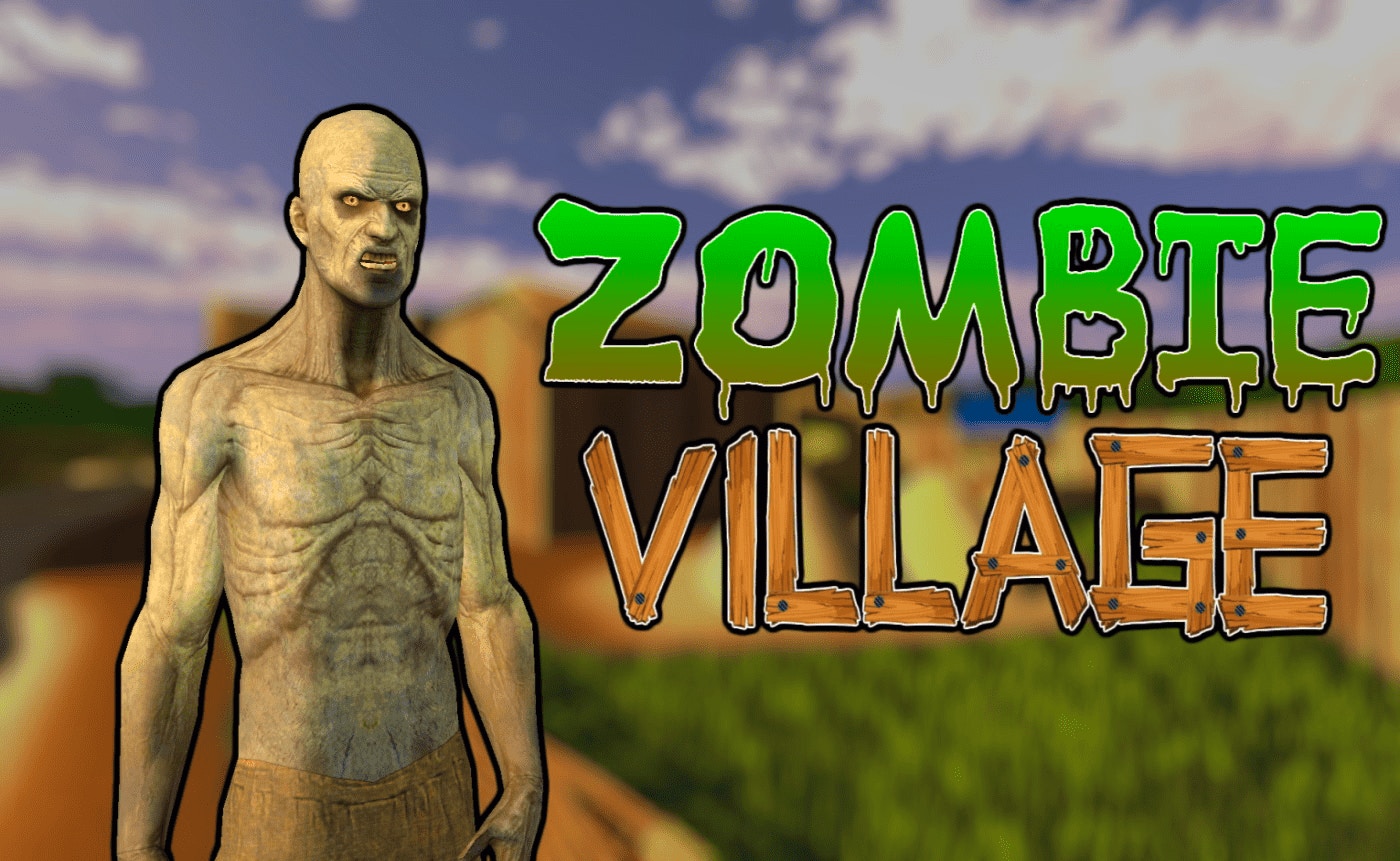
TL;DR: Zombie Village is a free browser-based survival adventure where you scavenge weapons and fight off waves of undead. The gameplay loop is simple but addictive: shoot, upgrade, survive. It's perfect for quick sessions and runs smoothly in any browser. The lack of mobile optimization holds it back slightly, but if you want solid action without the hassle of downloads, this one delivers.
I've spent more hours than I'd like to admit chasing that "one more round" feeling in survival games. When I stumbled across Zombie Village, I expected another generic zombie shooter. What I got was a surprisingly tight little experience that kept me coming back for days.
The premise is nothing new. The undead have taken over, and you're the last survivor in a desolate village. Scavenge weapons, shoot zombies, upgrade your arsenal, repeat. But the execution is where this title separates itself from the pack.
What is Zombie Village?
Zombie Village is a browser-based survival adventure game where you fight endless waves of undead in a post-apocalyptic setting. You scavenge weapons, upgrade your gear, and see how long you can survive against increasingly difficult hordes. The game runs directly in your browser at 800x600 resolution, so there's nothing to download or install.
The top-down perspective gives you a clear view of approaching threats. Each round brings more zombies, and they get faster and tougher as time goes on. You earn currency for each kill, which you can spend on better weapons and equipment between runs. The loop is straightforward, but that's part of the charm.
How do you play Zombie Village?
You control your character with your mouse, aiming and shooting at zombies that shamble toward you from all directions. Your cursor becomes your crosshair, so aiming feels direct and responsive. When I played, I found myself constantly moving, never standing still, because stopping meant getting surrounded.
Between waves, you access a shop where you spend your earnings on new weapons, ammunition, and upgrades. Early on, I learned that holding onto my cash for a meaningful upgrade beat buying mediocre gear piecemeal. The pistol you start with gets outdated fast, so planning your purchases matters.
Tips That Actually Work
From my time playing, here are a few things that made a real difference. First, prioritize weapon upgrades over everything else early on. A better gun means faster kills, which means fewer bullets spent, which means more money saved. The pistol will carry you through the first few rounds, but you'll hit a wall fast if you don't invest in an SMG or shotgun soon.
Second, learn the spawn patterns. Zombies tend to come from the edges of the screen, and once you recognize the timing, you can pre-aim at common entry points. This sounds obvious, but it wasn't until my third session that I really started exploiting this. Third, don't ignore the health pickups. It can be tempting to focus purely on firepower, but a well-timed health kit keeps you in the fight longer and means more total kills per run.
Is Zombie Village good for casual gamers?
If you want something to play during a short break, Zombie Village is a solid choice. Each run takes five to ten minutes, and you can jump in and out without losing progress. The controls are intuitive enough that you don't need practice sessions to enjoy yourself.
That said, if you're after deep story-driven content or complex strategy, look elsewhere. This game is about action and reflex-based survival, not narrative or heavy decision-making. For what it is, though, it does the job well.
The Feel of the First Few Minutes
When you first load in, the game drops you right into the action. No lengthy tutorial, no story exposition. A zombie appears on screen, you shoot it, and you're already playing. I appreciated this directness. Within thirty seconds, I understood the core loop.
The sound design is basic but effective. Gunshots have a satisfying punch, and zombie groans create just enough tension without being annoying. The visuals won't win any awards, but the art style fits the gritty, post-apocalyptic mood. What surprised me was how smooth the aiming felt. Some browser games have sluggish controls, but this one responded instantly to my inputs.
What Could Be Better
No game is perfect, and Zombie Village has a few rough edges. The biggest issue is the lack of mobile optimization. If you're on a phone or tablet, the experience suffers because the controls aren't touch-friendly. This is a mouse-and-keyboard game, and it shows.
Additionally, the environment variety is limited. After several runs, the backgrounds start to feel repetitive. A few more visual variations would go a long way. The music, while atmospheric at first, gets a bit monotonous over longer sessions. These aren't dealbreakers, but they're worth noting.
Zombie Village nails the core gameplay loop. If you want a quick, satisfying survival experience that doesn't demand much from your computer, give it a shot. You can play Zombie Village right now without any downloads. Whether you're killing time between classes or looking for a new browser game to obsess over, this one earns its spot in your rotation. Head to the browse our games library if you want to explore more titles, or check out more adventure games like this one. ▶
Frequently Asked Questions
Is Zombie Village free to play?
Yes, Zombie Village is completely free to play in your browser. There are no upfront costs, and you can start playing immediately by visiting the game's page.
Do you need to download anything to play?
No downloads are required. The game runs directly in your web browser, so you just need to click and start playing. It works on any desktop browser that supports Flash or HTML5.
How long does it take to beat Zombie Village?
Zombie Village is an endless survival game, so there is no traditional ending. Each run lasts until you're overwhelmed by zombies, and you can keep improving your high score indefinitely.
Can you play Zombie Village on mobile devices?
The game is optimized for desktop with mouse and keyboard controls. Mobile play is possible but not recommended, as the aiming mechanics work best with a mouse.
Are there different weapons to unlock?
Yes, you can purchase and upgrade multiple weapons between runs. As you earn currency from zombie kills, you unlock shotguns, SMGs, and other gear that makes surviving longer easier.
Table of Contents
Recent Posts
Racing Against Time: A Thrilling Bridge-Building Challenge
11 hours ago
Mining Rush: A Surprisingly Addictive Strategy Game
1 day ago
Futuristic Archery Fun: Archer 2023 Review
1 day ago
Basketball Twist: Can You Master Drop Dunks?
2 days ago
Survive the Zombie Hordes in This Addictive Shooter
3 days ago
Hoop Dreams in Your Pocket: Dunk Hoop Review
3 days ago