Bus Parking City 3D Review: Patience Behind the Wheel

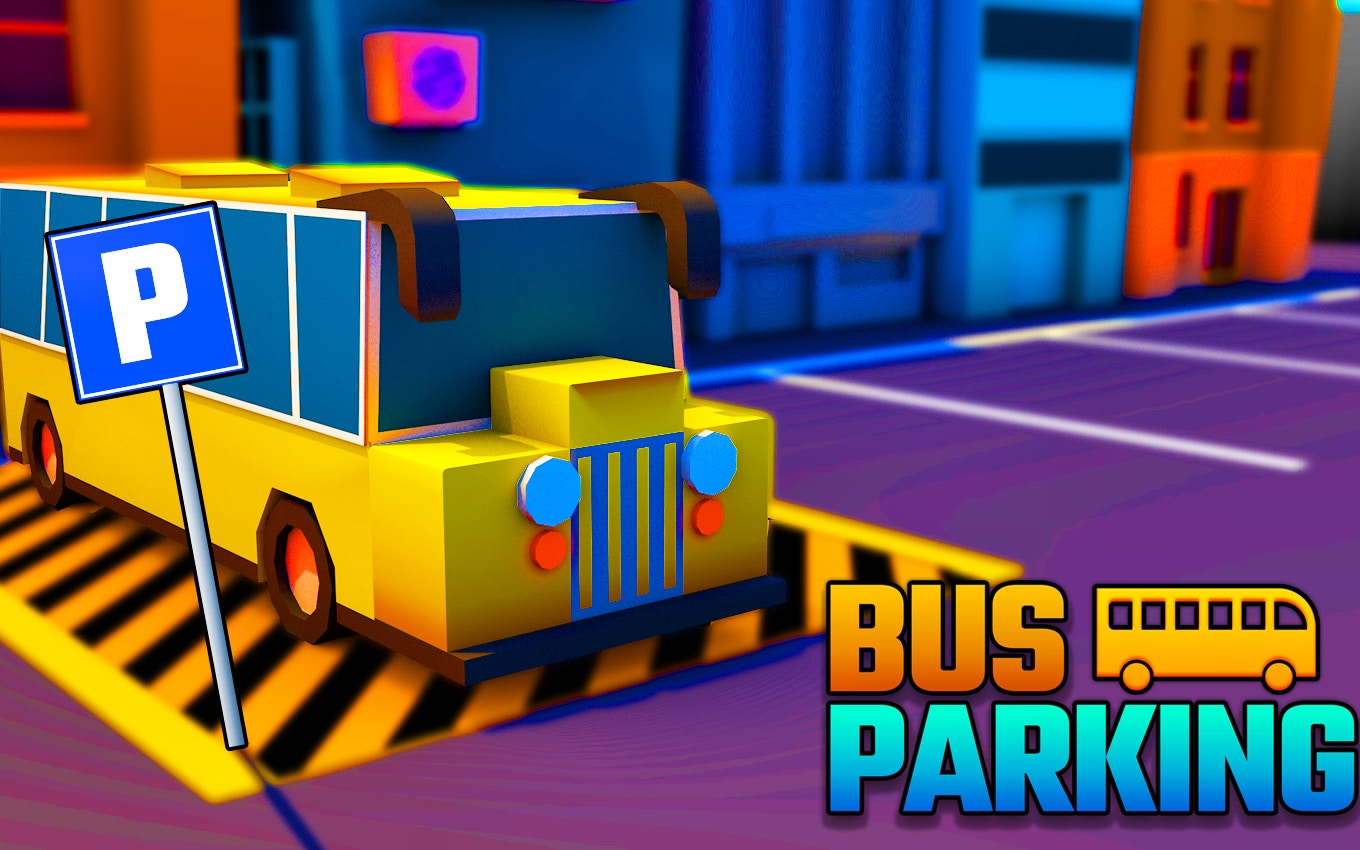
TL;DR: Bus Parking City 3D is a free browser-based parking simulator that tests your precision on tight city streets. The 3D visuals are surprisingly crisp, and the controls are simple. It starts easy but gets tricky fast. If you enjoy methodical driving challenges, give Bus Parking City 3D a try.
What is Bus Parking City 3D?
Bus Parking City 3D is a vehicle simulator where you park a full-sized city bus into marked spots. You navigate narrow roads, dodge traffic barriers, and avoid scratching the paint. The game runs right in your browser, so there's no download needed. It's part of a larger collection of driving sims that prioritize precision over speed.
The goal sounds simple. But the bus has a wide turning radius, and the streets don't give you much room. I found myself holding my breath on the tighter corners. That's the core loop: a quiet, tense puzzle with a steering wheel.
How do you play Bus Parking City 3D?
You use the arrow keys or WASD to drive the bus. Up or W accelerates, down or S reverses, and left/right steer. The camera follows behind the bus automatically. You need to guide the vehicle into a glowing yellow rectangle without hitting anything. Once parked, a timer stops and you move to the next stage.
What surprised me early on was the lack of a brake button. You just release the gas and coast. It sounds easy, but the bus has momentum. On my third try, I tapped the reverse key too hard and jackknifed the bus into a fire hydrant. That's when I realized the game doesn't just test your aim. It tests your throttle control. The hitbox is forgiving on the sides but strict on the front and rear bumpers.
What is Bus Parking City 3D like compared to other simulators?
If you've played City Car Driving or the parking challenges in Euro Truck Simulator, the vibe will feel familiar. The difference here is the simplicity. There's no traffic to dodge, no pedestrians, and no career mode. It's just you, a bus, and a tight parking spot. The game strips away the fluff and focuses on the raw skill of maneuvering a long vehicle.
This title isn't about racing. It's about precision driving. The controls feel a bit floaty at first, similar to older browser-based simulators. After my first session, I noticed the camera angle stays fixed, which means you can't peek around corners. You have to commit to each turn based on instinct. That's a design choice that adds tension.
Tips That Actually Work for Parking
After messing up a dozen times, I picked up a few tricks that made the later levels less painful.
First, take wider turns than you think you need. The bus's rear wheels track inside the front ones, so swinging wide prevents clipping the back corner. Second, tap the gas, don't hold it. Short bursts give you more control. Third, use the side mirrors. The game renders them with a slight blur, but you can still see the painted lines. I learned to trust the right mirror more than the camera angle.
One quirk I noticed: the collision sound is a sharp metallic crunch. It's startling. On my third try, I learned to treat that sound as a teacher, not a punishment. Each crunch told me exactly where my blind spot was.
Is Bus Parking City 3D good for quick breaks?
Yes, this game is a solid pick for a 5-minute mental reset. Each level takes about 30 to 90 seconds once you know the layout. There's no long intro or loading screen. You click the link, the game loads, and you're behind the wheel.
It's not a deep strategy game. If you want a story or progression systems, this won't satisfy. But if you need a quiet challenge between meetings, it hits the spot. The levels start to feel samey after about 15 minutes. The city backdrop changes, but the parking pattern repeats. That's the honest tradeoff for a free browser title. You can browse our games library if you want something with more variety.
What the Game Gets Right and Wrong
The 3D visuals are a highlight. The bus has a glossy paint job, and the city streets have actual shadows. For a browser game running at 800x600, it looks sharp. The ambient city noise in the background is a nice touch. It's not music, just faint traffic hums and distant horns. It makes the empty streets feel alive.
The downside is the camera. It's locked behind the bus. In a few levels, the parking spot is tucked between two buildings. I couldn't see the target rectangle until I was already halfway into the turn. That forced me to memorize the spot after a failed attempt. It's a minor frustration, but it's part of the challenge. If you want more games with better camera controls, check out more racing games in our collection.
Final Thoughts
Bus Parking City 3D is a quiet, tense little simulator. It doesn't pretend to be anything else. The controls are simple, the visuals are clean, and the difficulty curve is fair. I came in expecting a throwaway browser game and ended up replaying levels to get a perfect score.
It's not for everyone. If you want speed or deep mechanics, skip it. But if you enjoy the satisfaction of nailing a parallel park on the first try, this game delivers. I recommend it for a calm, focused break. Ready to test your patience? Start playing here and see how many levels you can clear. ▶
Frequently Asked Questions
Do I need to download Bus Parking City 3D?
No download is required. The game runs directly in your web browser on any device that supports HTML5. Just visit the page and start playing.
What are the controls for Bus Parking City 3D?
You use the arrow keys or WASD to drive. Up/W accelerates, Down/S reverses, and Left/Right steer. The camera stays fixed behind the bus.
Is Bus Parking City 3D free to play?
Yes, the game is completely free. There are no in-game purchases or hidden paywalls. You can play all available levels without spending anything.
How many levels are in Bus Parking City 3D?
The game offers multiple levels with increasing difficulty. Each level introduces tighter parking spots and more obstacles. The exact number varies, but expect a steady challenge.
Can I play Bus Parking City 3D on mobile?
The game is designed for landscape mode on a desktop browser. While it may load on a mobile device, the keyboard controls are not optimized for touchscreens, so a computer is recommended.
Table of Contents
Recent Posts

Surviving the Meme Monster: OBUNGA Game Review
10 hours ago
Surviving the Chilling Horrors of a Gothic Manor
10 hours ago
Audio Trimmer Online Free: Cut, Keep, or Remove Any Section
1 day ago
Get Ready to Ride: Skateboard Wheelie Review
1 day ago
Fun Shopping Fun: Review of Funny Shopping Supermarket
1 day ago
Racing to Fun: A Look at Super Star Body Race
2 days ago