Crazy Gravity Review: A Shifting Arcade Challenge That Hooks You
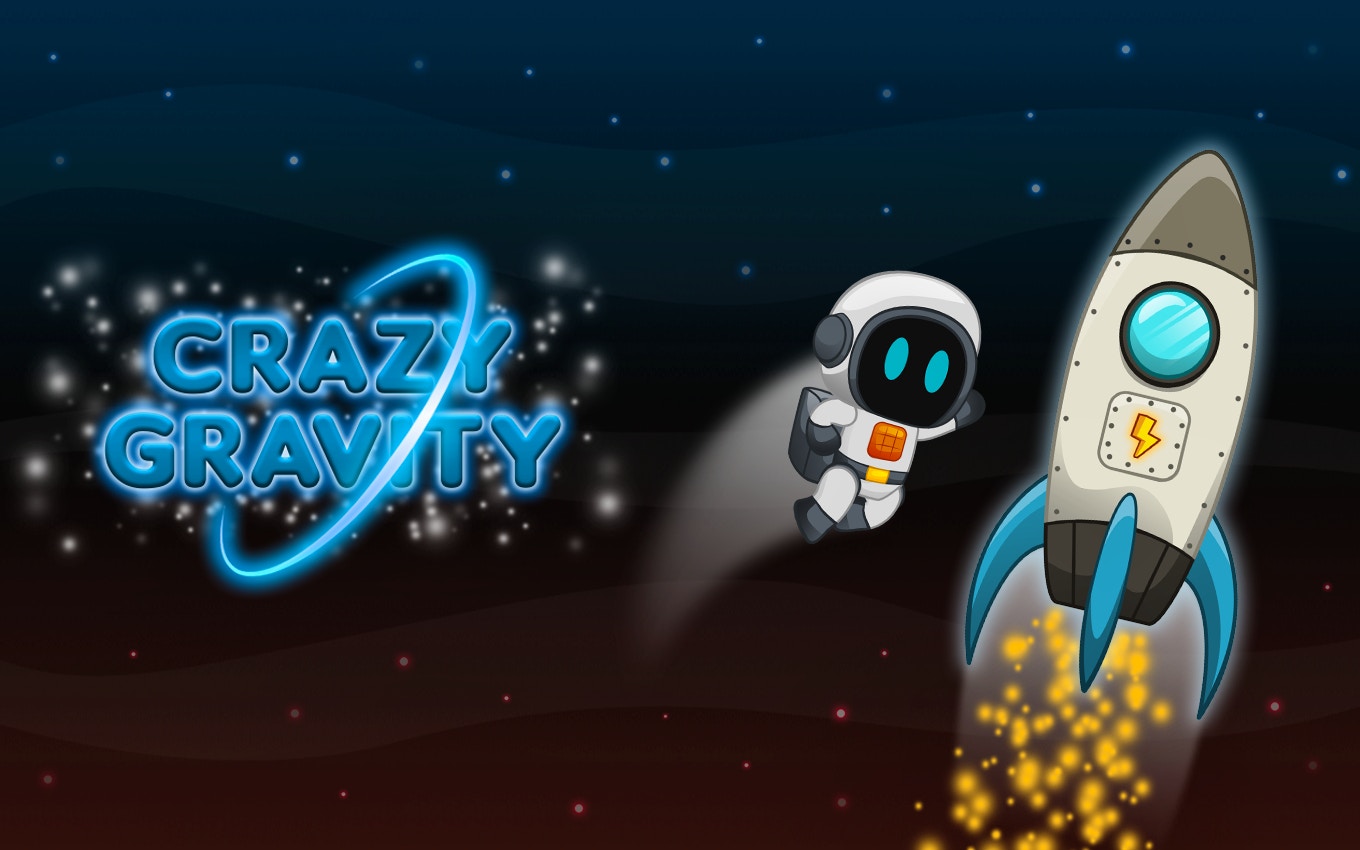
TL;DR: Crazy Gravity is a free browser arcade game where gravity flips without warning. You guide a robot through spike-lined corridors using quick taps. It starts simple, then ramps up hard. Perfect for short, intense sessions. If you like reflex testers like Flappy Bird or Geometry Dash, this one scratches that same itch.
I stumbled onto Crazy Gravity during a lunch break, figuring I'd kill five minutes. An hour later, I was still there, thumbs hovering over my keyboard, muttering at a little robot that kept smashing into walls. That's the hook. The game doesn't look like much at first glance: a pixelated astronaut bot, some floating platforms, a starfield background. But the moment the gravity flipped mid-jump and sent me hurtling into a spike pit, I was locked in.
This isn't a game that holds your hand. It drops you into a corridor, shows you a couple of obstacles, and lets you figure out the rhythm. The first 30 seconds feel manageable. You tap, the robot boosts upward. You release, it drifts down. Simple. Then the arrow in the corner spins, and suddenly "down" is the left wall. That's when the real game begins. If you want a quick shot of old-school arcade tension without downloading anything, start playing here and see how long you last.
What is Crazy Gravity?
Crazy Gravity is a browser-based arcade game where the core mechanic is unpredictable gravity shifts. You control a small robot navigating tight corridors filled with spikes, walls, and gaps. The direction of gravity changes at set intervals, forcing you to constantly recalibrate your movement. It's a pure reflex challenge with a retro aesthetic.
The game runs in your browser at 800x600 resolution, landscape orientation. No installs, no accounts. You just open the page and play. Visually, it channels early 90s arcade cabinets: chunky pixels, neon accents, and a starfield that scrolls behind the action. The robot itself has a charming, clunky design, like something out of an old DOS platformer. There's no story, no cutscenes. You're here to survive as long as possible while the difficulty curve climbs.
How do you play Crazy Gravity?
You control the robot with a single input: tap or click to boost in the current "up" direction, release to fall. The catch is that "up" changes every few seconds when gravity rotates. Your goal is to avoid obstacles and reach the end of each corridor segment. Timing is everything. Tap too late and you'll drift into spikes. Tap too early and you'll overshoot into a ceiling trap.
What surprised me was how much the controls reward restraint. My first instinct was to tap constantly, fighting gravity like it was an enemy. That's a fast way to die. The better approach is short, deliberate bursts. Let the robot float when the path is clear, then snap into action when an obstacle cluster appears. The hitbox feels fair: slightly smaller than the robot's sprite, which gives you a pixel or two of mercy on tight squeezes. After a few rounds, I started threading gaps that looked impossible at first glance.
Tips That Actually Work After a Few Dozen Runs
I died a lot before anything clicked. Here's what I wish someone told me before my first session.
First, watch the gravity indicator in the corner. It flashes before a shift happens. That half-second warning is your window to reposition. If you're mid-boost when gravity rotates, you'll suddenly accelerate in a direction you didn't plan for. Pause your inputs during the transition, reorient, then move.
Second, stay centered. The corridors are designed so the middle third is safest during shifts. Hugging a wall feels safe until gravity flips and that wall becomes the floor, slamming you into newly spawned spikes. I learned this the hard way on level 4, where a vertical shaft turns horizontal without warning.
Third, treat the game like a rhythm exercise, not a racer. The obstacle patterns repeat in subtle ways. Once you internalize the beat of a section, you can almost play it on autopilot. That flow state is where Crazy Gravity shines brightest.
Is Crazy Gravity good for quick gaming breaks?
Yes, it's built for short sessions. A single run lasts anywhere from 20 seconds to a few minutes, depending on your skill. There's no save system, no progression to track. You play, you die, you click retry. That makes it ideal for the gaps between tasks: waiting for a build to compile, sitting on hold, or just resetting your brain between meetings.
The game loads instantly in a browser tab. No splash screens, no tutorial pop-ups. You're in the action within three seconds of opening the page. Compare that to mobile games that bury you in menus and ad breaks. This is leaner. If you need something even faster than a more arcade games roundup would offer, Crazy Gravity is about as frictionless as it gets.
What the Game Gets Right (and One Thing It Doesn't)
The difficulty curve is the star here. It doesn't spike unfairly; it ratchets. The first few corridors teach you basic boosting. Then gravity shifts get introduced gently, with plenty of open space. By the time tight corridors and moving obstacles appear, you've already internalized the core loop. That's smart design. It reminded me of how VVVVVV uses gravity flipping as a puzzle tool, though Crazy Gravity is more about reflexes than exploration.
The sound design is functional but sparse. A blippy boost sound, a crunchy death noise, and a looping synth track that's catchy for about ten minutes. After twenty, I muted the tab. It's not bad, just thin. A few more audio cues, maybe a distinct warning tone before gravity flips, would help readability. That's my one real nitpick. The visuals could also use more variety in obstacle types. After a while, spikes and walls start feeling samey. A rotating sawblade or a temporary shield power-up would add welcome texture.
That said, for a free browser game, it's polished where it counts. The controls are responsive, the collision detection is consistent, and the restart is instant. No lag, no jank. If you want deep strategy or narrative, this isn't your game. But for a pure arcade reflex test, it delivers.
Who should skip Crazy Gravity?
If you get frustrated by repetition, pass on this one. The core loop doesn't evolve dramatically. You boost, you dodge, gravity shifts, you die, you restart. That's the whole package. Players who want upgrades, unlockables, or story beats will bounce off within minutes. It's also rough on anyone with slow reaction times or accessibility needs around rapid tapping. There's no difficulty slider, no assist mode. You meet the game on its terms or you don't.
But if you grew up on arcade cabinets, or you love the one-more-try pull of games like Super Hexagon, this will click. It's a concentrated dose of tension and release. You can give Crazy Gravity a try right now with zero commitment. If it hooks you, you'll know within two minutes. If it doesn't, you've lost nothing.
Final Blast: Worth Your Lunch Break
Crazy Gravity won't change your life, but it might change how you spend your coffee break. It's tight, honest, and respectably difficult. The gravity-shift gimmick feels fresh even if you've played dozens of arcade dodgers. I came for five minutes and stayed for an hour. That's the best endorsement I can give a free browser game.
If you're hunting for something snappy between tasks, or you just want to test your reflexes against a merciless but fair challenge, this one earns its place in your bookmarks. When you're ready to jump in, play Crazy Gravity here. And if the robot keeps exploding on you, maybe warm up with something gentler from our browse our games library first. No shame in that. ▶
Frequently Asked Questions
Is Crazy Gravity free to play?
Yes, it's completely free. You can play it in any modern browser without downloading or signing up. There are no paywalls, no premium upgrades, and no in-game purchases.
Can I play Crazy Gravity on my phone?
The game is designed for landscape orientation at 800x600 resolution, so it works best on a desktop or tablet. On smaller phone screens, the controls and visuals may feel cramped, but it's still technically playable through a mobile browser.
How many levels does Crazy Gravity have?
There aren't discrete levels in the traditional sense. The game uses an endless corridor structure that gets progressively harder the further you travel. Your score is essentially how far you manage to go before crashing.
What are the controls for Crazy Gravity?
You use a single input: tap, click, or press the spacebar to boost in the current upward direction. Release to let gravity pull the robot back down. The "up" direction changes when gravity shifts, so you'll need to adjust your timing on the fly.
Does Crazy Gravity save my high score?
No, the game doesn't have a persistent save system or leaderboard. Your progress resets each time you close the browser tab. It's built for pick-up-and-play sessions rather than long-term progression tracking.
Table of Contents
Recent Posts
Car Driving Review: Taming the Urban Jungle on 4 Wheels
12 minutes ago
The Right Color Review: A Stroop Test That Tricks Your Brain
42 minutes ago
Color Tower Review: A Stacking Game That Tests Your Nerves
1 hour ago
Endless Sprunki Review: A Tiny Arcade Game That Sticks
1 hour ago
Scary Doll Review: Can You Outwit a Vengeful Porcelain Doll?
1 hour ago
Noob Goes To Skibidi Toilet School: A Wild Browser Fighter
1 hour ago