The Right Color Review: A Stroop Test That Tricks Your Brain
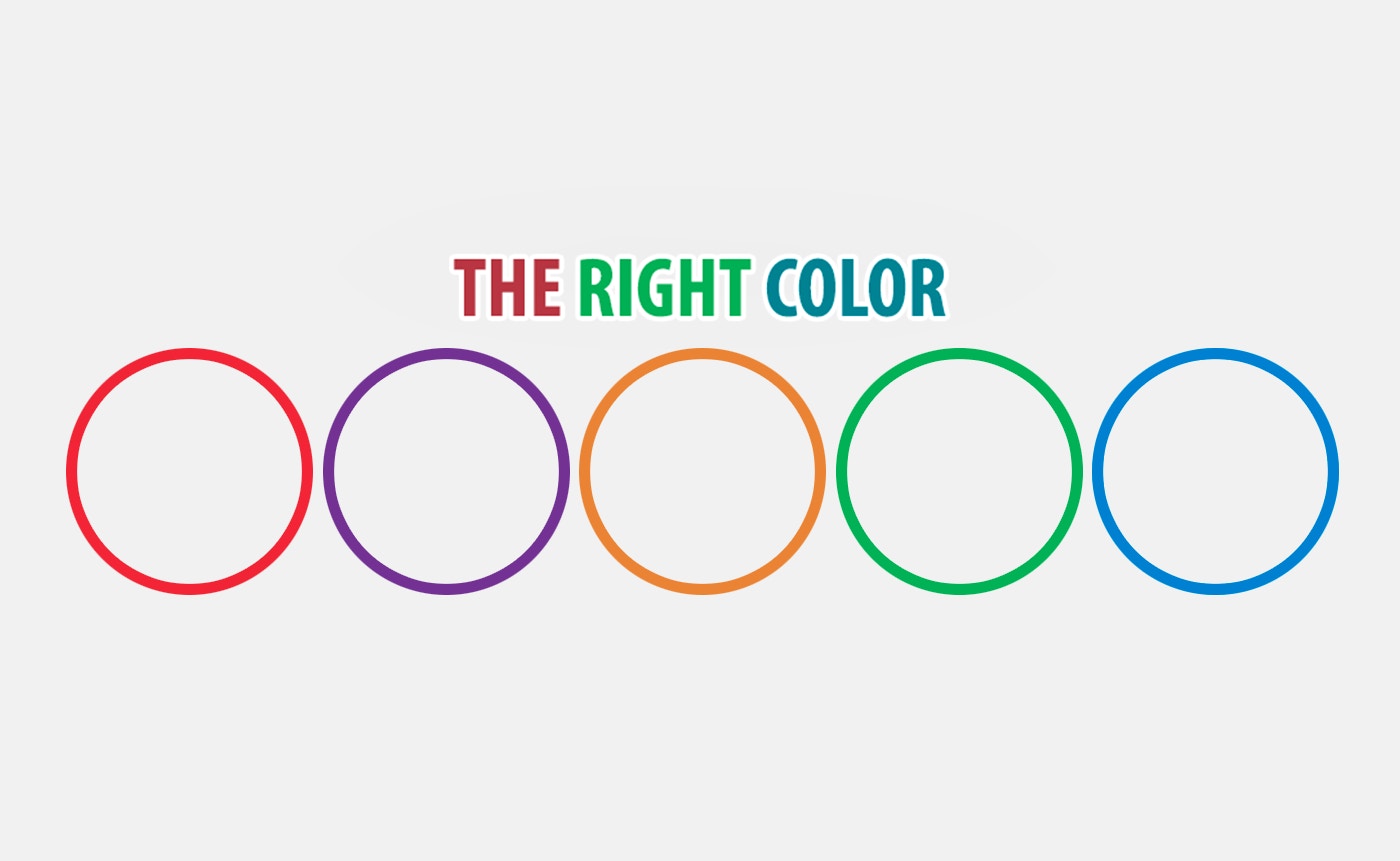
TL;DR: The Right Color is a fast-paced tap game based on the Stroop Effect. You match color names to their actual display color under a timer. It's simple, brain-bending, and perfect for quick competitive bursts with friends. The real challenge is ignoring what you read to focus on what you see.
I opened this game thinking it would be a breeze. Read a word, tap a button. How hard could that be? About 15 seconds in, my brain completely short-circuited. The word said "Blue" but it was printed in bright red ink. I tapped the wrong button twice before my score even hit double digits. That's the magic of The Right Color. It takes a psychological phenomenon you might remember from a textbook, the Stroop Effect, and turns it into a genuinely tense little arcade experience.
You can play The Right Color right in your browser. It loads fast and works in portrait mode on your phone. The whole thing fits into a 600x800 frame that feels natural to hold. No installs, no sign-ups. Just a clean interface that gets out of your way so your brain can fight itself.
What is The Right Color?
The Right Color is a browser-based tap game that tests your reaction speed and cognitive control. It displays a color name like "Green" in a font color that may or may not match. Your job is to tap whether the word's meaning and its visual color are the same. The twist: your brain reads the word faster than it processes the color, so you'll constantly fight the urge to tap incorrectly.
This isn't a new concept in psychology, but as a game, it's executed with a sharp, minimalist style. The timer counts down relentlessly. Each correct answer buys you a little more time and adds to your score. A wrong answer stings. After a few rounds, I noticed my forehead actually tensing up. It's a workout for a very specific part of your brain.
How do you play The Right Color?
You play by looking at a word on screen and tapping one of two buttons: "Match" or "No Match." If the word "Red" appears in a red font, tap Match. If "Red" appears in a blue font, tap No Match. That's the entire ruleset. The difficulty comes from the timer. You start with a few seconds on the clock. Correct answers add time. Incorrect ones subtract it. When time hits zero, the round ends.
What surprised me was how the interface nudges you toward mistakes. The buttons are large and clearly labeled, but their placement made my thumbs hesitate just long enough to burn precious milliseconds. Early on, I'd read the word, my finger would drift toward the obvious (but wrong) answer, and I'd have to consciously override the impulse. That split-second correction is where high scores are made or lost. If you've played reaction-based titles like Piano Tiles or the color-matching chaos of I Love Hue, the frantic rhythm will feel familiar.
Tips That Actually Work
After grinding this for a solid half hour, I stumbled on a few techniques that genuinely helped my consistency. First, squint slightly. It sounds ridiculous, but reducing the sharpness of the text makes your brain process the color before the semantic meaning. I lifted my score by about 20% once I stopped reading the words so clearly.
Second, find a rhythm. The timer isn't brutally fast at first. Panic is your real enemy. I started treating each prompt like a beat in a song, tap, pause, tap, pause. Rushing creates misclicks. Third, ignore your previous answer completely. Each new word is independent. I caught myself carrying over expectations from the last prompt, which led to dumb errors. Reset your eyes each time.
One more thing: play in a well-lit room. The hues are distinct but not obnoxiously saturated. In dim light, I confused the orange and red a couple of times. That's on me, not the game, but it's worth noting.
Is The Right Color good for quick brain breaks?
Yes, this game is nearly perfect for 3 to 5 minute mental resets. A single round rarely lasts longer than a minute unless you're exceptionally locked in. The portrait orientation means you can play one-handed on a phone while waiting for coffee. There's no narrative to follow, no complex mechanics to relearn. You jump in, scramble your brain, and jump out.
I used it between writing sprints. It cleared my head in a way that scrolling social media doesn't. The cognitive load is just high enough to displace other thoughts but not so high that it's exhausting. If you work a desk job and need a micro-break that isn't doomscrolling, start playing here and see if it clicks for you.
Why It's Worth Your Time
The competitive angle gives this game legs. My first score was a pathetic 8. My partner grabbed my phone and hit 22 without breaking a sweat. That gap stung more than I'd like to admit. We spent the next 20 minutes passing the phone back and forth, trash-talking each other's reaction speed. Any game that sparks that kind of spontaneous rivalry has something special.
The sound design is sparse, just subtle taps and a ticking clock effect. It's not flashy, but it works. The ticking genuinely raised my heart rate after a few rounds. I wouldn't call it relaxing. It's more like a shot of espresso for your reflexes. The visuals are clean, almost clinical. No clutter. Just the word, the buttons, and the score. That restraint is rare in free browser games.
My one honest gripe: there's no persistent leaderboard across sessions. Your high score resets when you close the tab. For a game built around beating your own best, that's a missed opportunity. I'd love to see a local storage save or even a simple name entry for bragging rights. As it stands, you'll need to screenshot your victories. It's a minor limitation, but noticeable if you're the type who chases personal records.
If you want deep strategy or a lengthy campaign, this isn't your game. It does one thing, and it does it relentlessly. For a free, instant-access reflex test that actually makes you think, it's a gem. You can browse our games library for more quick-play titles or check out more tap games if this genre hooks you.
Give it a few rounds. Let your brain trip over itself. Then hand it to a friend and watch them struggle too. That shared frustration is half the fun. ▶ Play The Right Color now and chase that first double-digit score.
Frequently Asked Questions
What is the Stroop Effect in The Right Color?
The Stroop Effect is a psychological phenomenon where your brain processes the meaning of a word faster than its visual color. In this game, that delay creates a conflict. You must override your instinct to read the word and instead judge the ink color, which is harder than it sounds under time pressure.
Can I play The Right Color on mobile?
Yes, the game is designed for portrait mode on mobile browsers. The 600x800 layout fits phone screens naturally. Touch controls are responsive, and you can play comfortably with one hand. No app download is needed.
How does scoring work in The Right Color?
You earn one point for each correct match or no-match decision. Correct answers also add a small amount of time to your countdown clock. Wrong answers deduct time. Your final score is the total correct taps before the timer expires.
Does The Right Color save my high score?
Currently, the game does not save your high score between sessions. Your best run is displayed during gameplay but resets when you close or refresh the browser tab. Screenshotting your score is the best way to track progress right now.
Is The Right Color suitable for kids?
Absolutely. The game requires reading color words, so kids who recognize basic color names can play. It's a fun way to sharpen focus and impulse control. There are no ads, no violence, and no inappropriate content, making it safe for all ages.
Table of Contents
Recent Posts
Car Driving Review: Taming the Urban Jungle on 4 Wheels
1 hour ago
Color Tower Review: A Stacking Game That Tests Your Nerves
2 hours ago
Endless Sprunki Review: A Tiny Arcade Game That Sticks
2 hours ago
Crazy Gravity Review: A Shifting Arcade Challenge That Hooks You
2 hours ago
Scary Doll Review: Can You Outwit a Vengeful Porcelain Doll?
3 hours ago
Noob Goes To Skibidi Toilet School: A Wild Browser Fighter
3 hours ago