Design With Me SuperHero Tutu Outfits: A Hands-On Review

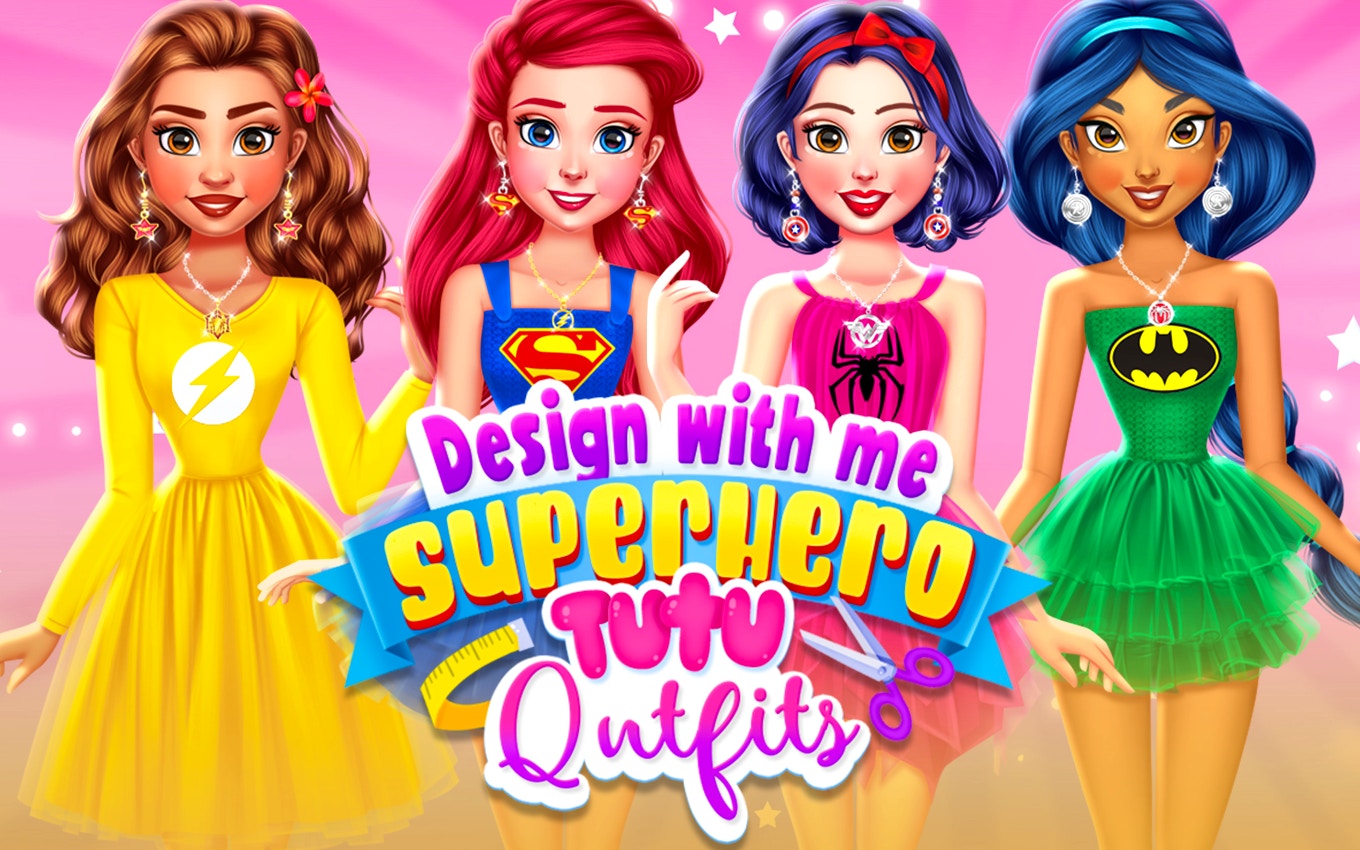
TL;DR: Design With Me SuperHero Tutu Outfits is a free browser dress-up game where kids mix superhero flair with ballet tutus. You pick a princess, swap capes, masks, skirts, and colors, then watch her strike a pose at a fashion event. It's simple, colorful, and built for quick creative play sessions. No timers, no pressure, just pure outfit crafting.
My 7-year-old niece grabbed my laptop last Tuesday and asked, "Can I make a superhero ballerina?" I had no idea a game existed for that exact request. But a quick search landed us on this title, and within 30 seconds she was dragging a glittery cape onto a smiling princess. I watched over her shoulder for the first round, then ended up playing a few rounds myself after she went to bed. No shame there: the color combinations are genuinely satisfying.
What surprised me most was how fast everything loads. No splash screens, no account sign-ups. You click the link, the princess appears, and the wardrobe panels pop open instantly. That matters a lot when you're handing the mouse to an impatient 6-year-old. The game lives in that sweet spot between a coloring book and a paper doll set, but with enough superhero props to keep the concept from feeling like every other princess dress-up title out there.
What is Design With Me SuperHero Tutu Outfits?
It's a browser-based dress-up game for kids that combines superhero costume pieces with ballet tutus. Players choose a princess character, then mix and match capes, masks, tops, tutu skirts, boots, and accessories to create a unique superhero ballerina look. The finished outfit gets showcased at a sparkly fashion event scene.
Unlike many dress-up games that stick to one theme (fantasy gowns OR superhero armor), this one deliberately smashes two worlds together. You'll see a pink tulle skirt paired with a black domino mask. A star-spangled cape layered over a rainbow tutu. The art style is bright and cartoony, with thick outlines and saturated colors that read well on small laptop screens. Everything renders at 800x600 in landscape mode, which means no awkward scrolling on tablets either.
The game sits in the kids category on FileReadyNow, alongside other light creative titles. If you've played any of the classic Flash-era dress-up games on sites like GirlsGoGames, the drag-and-drop flow will feel instantly familiar. The difference here is the superhero twist: it gives kids who love action and adventure a reason to engage with fashion play without feeling it's "too girly" or "too boyish." That blend is smart design.
How do you play Design With Me SuperHero Tutu Outfits?
You click wardrobe tabs to browse categories (capes, masks, tops, tutus, boots, accessories), then click an item to apply it to the princess. There's no drag-and-drop, just instant click-to-wear. A randomize button shuffles the entire outfit at once, and a reset button clears everything back to the base look. The final step is a "show" button that transitions to the fashion event scene.
I appreciated the click-to-apply mechanic after watching my niece struggle with drag-and-drop on other sites. Little hands on a trackpad find clicking much easier than holding and dragging. The wardrobe is organized into clear icon tabs across the bottom of the screen, each labeled with a tiny picture that even non-readers can decode: a cape silhouette, a mask shape, a boot outline. The interface stays out of the way, leaving most of the 800x600 canvas for the character herself.
One quirk I noticed: there's no undo button for individual items. If you click a cape and want the previous one back, you have to find it in the cape tab again. A small "last worn" thumbnail would help, especially for kids who change their minds every three seconds. The randomize button partly solves this by generating combos you might not think to try, and honestly, some of its chaotic pairings made us both laugh out loud. A neon green tutu with a bat mask? Sure, why not.
Tips for getting the most creative outfits
Start with the tutu, not the cape. The skirt sets the color story for the whole look, and the cape and mask options have enough variety to match almost any tutu shade you pick. I learned this on my third try after making several outfits that clashed badly when I started with a bold cape and then struggled to find a tutu that worked with it.
Use the randomize button as an idea generator, not a final answer. Hit it three or four times quickly, note which pieces catch your eye, then reset and build intentionally around those elements. The randomizer pulls from all categories at once, so it surfaces item combos you might overlook when browsing tab by tab. My favorite discovery was a silver glitter mask that I hadn't noticed in the mask tab until the randomizer slapped it onto a purple tutu combo.
Don't sleep on the accessories tab. It's the smallest category, but the right accessory (a star wand, a utility belt) pulls the superhero and ballerina halves together visually. Without an accessory, some outfits read as "princess who borrowed a cape." With one, they read as "superhero who happens to love tulle." That distinction is the whole point of the game's concept.
Is Design With Me SuperHero Tutu Outfits good for preschoolers?
Yes, with a small caveat about reading. Preschoolers can play entirely by recognizing icons, since every wardrobe category uses picture labels. The click-to-wear system requires no fine motor precision. However, the "show" button that advances to the fashion event scene uses a text label, so pre-readers may need an adult to point it out the first time.
After that first demo, my niece (who's still sounding out words) had no trouble finding it again. The game has no timers, no scores, no wrong moves. That makes it frustration-free for the 3-to-5 crowd. The color palette is high-contrast and easy to distinguish, even on dimmed tablet screens during car rides. There's also no audio to disturb parents nearby, which is either a pro or a con depending on whether your kid expects sound effects. Mine asked "why doesn't it make noises?" once, then got over it.
Compare this to something like Toca Boca's dress-up apps, which have more depth but require downloads and often cost money. This browser game is free, instant, and contained. For a 10-minute creative break, it does exactly what it needs to do. If your preschooler wants narrative or animation beyond the final pose scene, they'll outgrow it quickly. But for pure outfit experimentation, it hits the mark.
The fashion show moment and why kids love it
After you finish an outfit and click "show," the scene shifts to a runway-style backdrop with sparkles and spotlights. The princess strikes a confident pose, and the outfit you built is displayed in full. There's no judging, no scoring, no audience reaction beyond the glitter effects. It's a celebration, not a competition.
That design choice is worth highlighting. Many dress-up games end with a rating or a "best look" comparison. This one just lets the character own the moment. My niece spent more time on the show screen than on the actual dressing, narrating little stories about her superhero ballerina saving the day at a fashion gala. The static pose becomes a storytelling prompt, which is more valuable than any star rating system.
The transition animation is simple (a quick fade), but the backdrop change feels significant to a young player. It signals completion. I watched her cycle through "make outfit, show, reset, make new outfit" for a solid 25 minutes without getting bored. The loop is tight and satisfying. The only thing I'd add is a screenshot or save button so kids could keep a gallery of their favorite looks without needing a parent to grab a screen capture.
What could be better: an honest take
The item variety is solid for capes and tutus, but the tops category feels thin. After a few sessions, you start recognizing the same four or five bodice options recycled across different colorways. A few more top styles (armored chest plates, sequined leotards, hooded wraps) would extend the creative ceiling significantly. My niece didn't complain, but I noticed the repetition.
Also, the game is entirely silent. No background music, no sound effects for clicking items or transitioning scenes. For some kids, that's peaceful. For others, it feels incomplete. A simple toggle for optional music and click sounds would serve both camps without forcing audio on anyone. The current silence makes the experience feel a bit static, especially during longer play sessions.
This title is not for kids who want animation, action sequences, or character progression. It's a pure dress-up toy. If your child needs goals, levels, or a story to stay engaged, more kids games on the platform offer different play patterns. But for the kid who loves laying out outfit combinations and creating characters, this one delivers.
Should you give it a try?
If you have a child between 4 and 9 who enjoys dress-up play, superheroes, or both, this game is worth bookmarking. It loads instantly, costs nothing, and requires no supervision after the first minute. The superhero-tutu mashup is genuinely unique among browser dress-up games, and the click-to-wear interface is kinder to young motor skills than drag-and-drop alternatives. I've watched it hold attention through restaurant waits, rainy afternoons, and that weird 20-minute gap between dinner and bath time.
The lack of audio and the somewhat thin tops category keep it from being a standout classic, but for a free browser game, it overdelivers on its core promise. You can play Design With Me SuperHero Tutu Outfits right here with no downloads or sign-ups. If you want to see what else the platform offers, browse our games library for more free titles across every genre. Ready to start mixing capes and tutus? Start playing here and let your little designer run wild. ▶
Frequently Asked Questions
Do I need to create an account to play?
No account or sign-up is required. The game loads directly in your browser with one click. No personal information is collected, and there's no login gate blocking access.
Can this game be played on a tablet or phone?
Yes, the 800x600 landscape layout scales well on tablets held horizontally. On phones, the smaller screen makes wardrobe icons a bit tiny for young fingers, but it's still functional. A tablet or laptop gives the best experience.
Is there any violence or scary content?
None at all. The superhero elements are purely costume-based (capes, masks, boots). There are no weapons, fights, villains, or peril of any kind. The fashion show scene features sparkles and spotlights, nothing intense.
How many different outfit combinations are possible?
With roughly 8-10 items per category across six wardrobe tabs, the total combinations number in the thousands. The randomize button helps surface pairings you might not manually try, extending the variety further.
Does the game have ads?
The game itself contains no in-game ads or pop-ups during play. The hosting page may have standard banner placements around the game frame, but nothing interrupts the dress-up experience.
Table of Contents
Recent Posts

Surviving the Meme Monster: OBUNGA Game Review
9 hours ago
Surviving the Chilling Horrors of a Gothic Manor
9 hours ago
Audio Trimmer Online Free: Cut, Keep, or Remove Any Section
1 day ago
Get Ready to Ride: Skateboard Wheelie Review
1 day ago
Fun Shopping Fun: Review of Funny Shopping Supermarket
1 day ago
Racing to Fun: A Look at Super Star Body Race
2 days ago