Golf IT Review: Arcade Golf That Actually Hooks You

TL;DR: Golf IT is a browser-based arcade golf game with simple tap controls, colorful visuals, and weekly level updates. It works on any device and delivers quick, satisfying gameplay sessions. The downside is limited depth and some repetitive music. If you want a casual golf fix without commitment, it's a solid choice.
I've wasted more time than I'd like to admit on browser games that promise quick fun but deliver frustration instead. That's why I was skeptical when I first clicked on Golf IT. Fifteen minutes later, I was still playing. The game has this way of making you say "one more hole" that feels dangerously honest.
Golf IT drops you into colorful, arcade-style golf courses with controls so simple you can figure them out before your first shot lands. It's not trying to be a simulation. It's trying to be the kind of game you play while waiting for something else to happen. And honestly? It mostly nails that.
What is Golf IT?
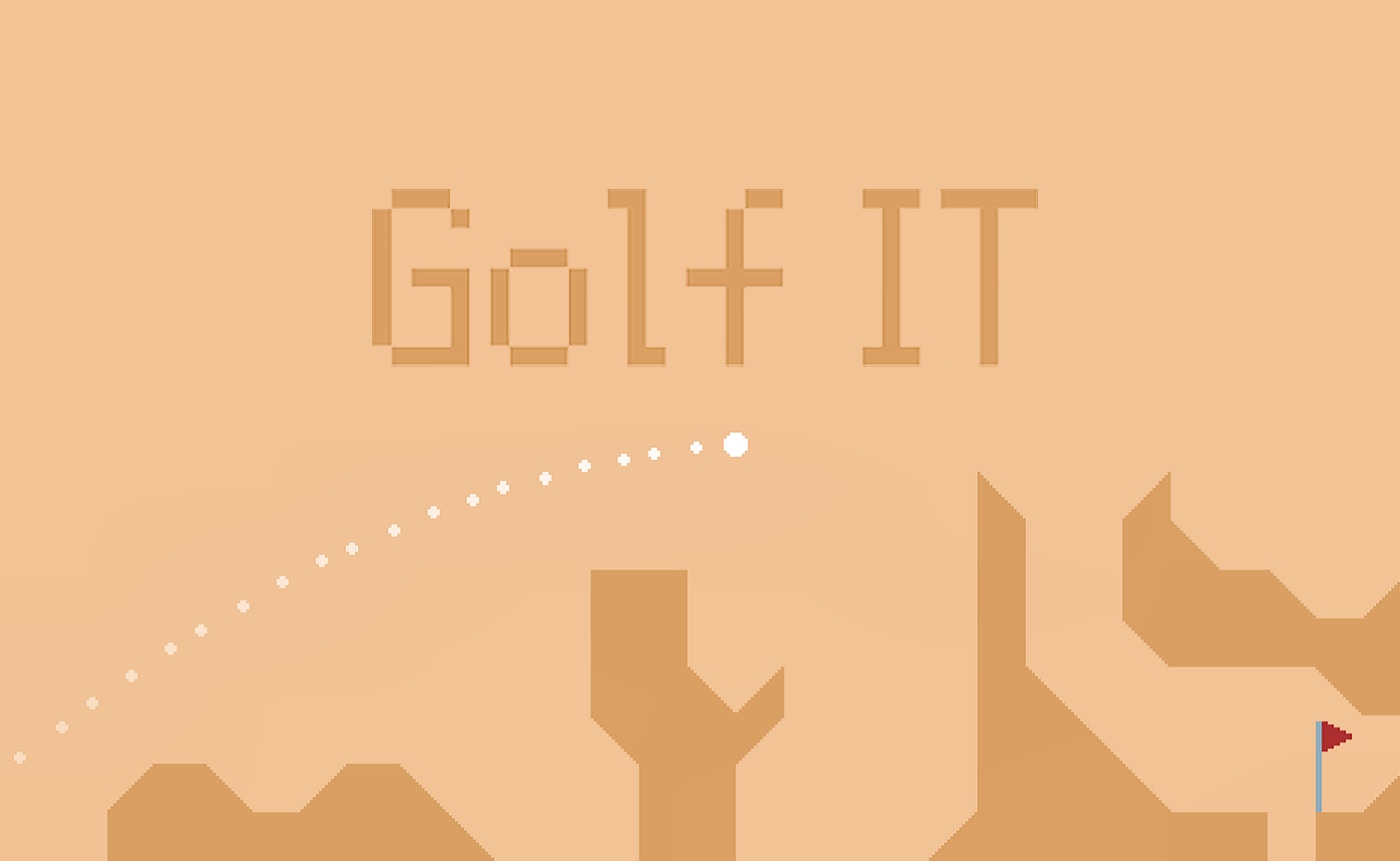
Golf IT is a free browser golf game with an arcade twist. You aim, set your power, and swing to sink the ball in as few shots as possible. The graphics are bright and cartoonish, the courses are short but tricky, and new levels drop every week to keep things fresh. It's built for any device with a browser, so you can play on your phone during lunch or your laptop at home.
If you've played mobile mini-golf games like Golf Clash or the classic Flash-era Putt-Putt games, the vibe will feel familiar. But Golf IT leans harder into the arcade side. There are obstacles, moving parts, and shortcuts that reward creativity over pure precision. The game doesn't take itself seriously, and that's part of the charm.
How do you play Golf IT?
You tap and hold to set your shot power, then drag to aim the direction. Release to swing. That's the core loop, and it works. The power meter is forgiving enough that you won't rage-quit over a bad tap, but precise enough that skill still matters. Each course has a par score, and beating it feels genuinely satisfying.
What I noticed early on was how the game handles physics. The ball rolls realistically, and slopes actually affect your trajectory. On my third try, I hit a shot that bounced off a wall and curved into the cup from the wrong side. That moment sold me. The game rewards clever thinking over just raw skill.
Tips That Actually Work in Golf IT
First, take your time with the power meter. Rushing leads to overshooting, and overshooting leads to bogeys. I learned this the hard way on hole three, where the safe play beats the aggressive one.
Second, look for the angles before you shoot. Some walls bounce the ball in ways that feel like happy accidents but are actually predictable. Once I started reading the course layout before aiming, my scores improved noticeably.
Third, use the weekly updates to your advantage. New levels mean new layouts to master. If you're stuck on a particular course, stepping away to try fresh challenges often helps. Sometimes your brain just needs a reset.
Is Golf IT good for casual gamers?
Absolutely. If you want deep strategy or a realistic golf sim, this isn't it. But for a five-minute break between meetings or a quick session before bed, Golf IT nails it. The controls are intuitive, the sessions are short, and you never need to commit to a long match. You can jump in, play a hole or two, and leave feeling entertained rather than drained.
The game is also great for younger players or anyone new to the genre. The learning curve is gentle, and the colorful visuals keep things engaging without overwhelming. My younger cousin picked it up in seconds and was already competing for low scores.
What makes Golf IT worth playing
The weekly level drops are the real hook here. Most browser golf games feel static once you've played through the initial courses. Golf IT keeps things interesting by introducing new layouts that test different skills. One week might favor power shots; the next might demand precision around obstacles.
The controls feel smooth, and I never experienced lag or input issues, even on my older tablet. That's not always guaranteed with browser games, so it impressed me. The game loads fast, plays immediately, and doesn't demand anything from your hardware.
Where it falls short: the music gets repetitive after a few sessions. I usually mute it and play my own playlist. Also, the game doesn't have a robust progression system. You play for fun, not to unlock major rewards. If you're the type who needs constant meta progression, you'll get bored eventually.
But if you want a game that respects your time and delivers consistent fun, give Golf IT a try. It's not trying to be your main game. It's trying to be the game you always come back to when you have a few minutes to spare.
Frequently Asked Questions
Is Golf IT free to play?
Yes, Golf IT is a free browser game. You can play it directly from your browser without downloading anything or creating an account.
Does Golf IT work on mobile devices?
Yes, the game runs in any modern browser on phones, tablets, and desktops. The controls are touch-friendly, so you don't need a mouse to play well.
How often does Golf IT add new levels?
The game receives weekly updates with fresh courses and challenges. New levels drop regularly to keep the gameplay feeling new and engaging.
Can I save my progress in Golf IT?
Progress is typically saved in your browser. If you clear your browser data, you might lose saved progress, so keep that in mind if you want to track your best scores.
What should I do if the game runs slowly?
Try refreshing the page or switching to a different browser. Chrome or Firefox tend to work best. Closing other browser tabs can also help improve performance.
Table of Contents
Recent Posts

Surviving the Meme Monster: OBUNGA Game Review
7 hours ago
Surviving the Chilling Horrors of a Gothic Manor
7 hours ago
Audio Trimmer Online Free: Cut, Keep, or Remove Any Section
1 day ago
Get Ready to Ride: Skateboard Wheelie Review
1 day ago
Fun Shopping Fun: Review of Funny Shopping Supermarket
1 day ago
Racing to Fun: A Look at Super Star Body Race
2 days ago