Hand Doctor Game Review: A Fun Way to Learn Medicine
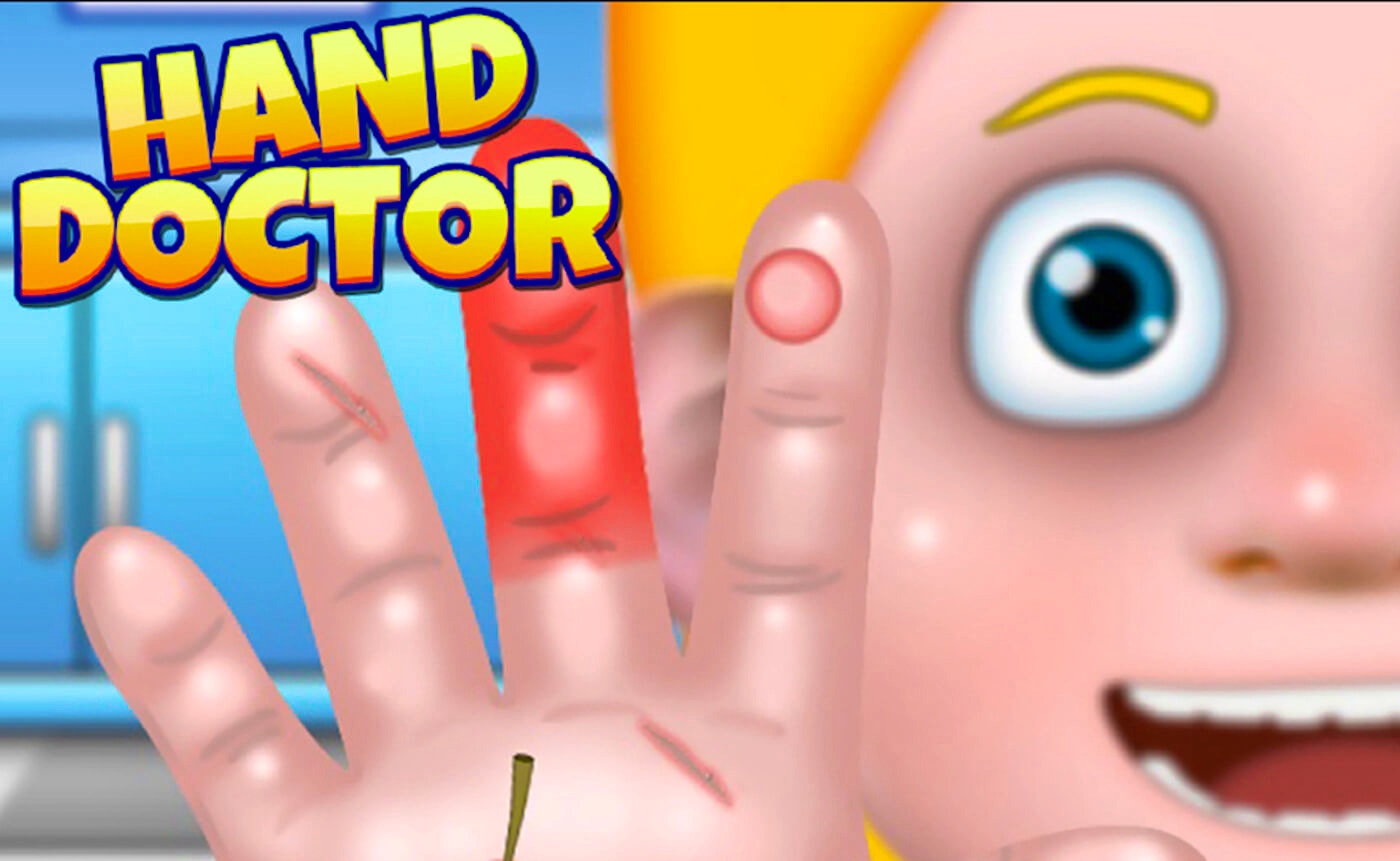
TL;DR: Hand Doctor is a kids game where you play as a hand surgeon treating six patients with different injuries. The click-and-drag controls work smoothly, the HD graphics look great, and it teaches basic medical concepts in a fun way. It's free to play in your browser and perfect for kids who want to explore what doctors do.
I stumbled across Hand Doctor during a slow afternoon when I wanted to test some games for our library. The title caught my eye because it sounded different from the usual kids games we review. I figured why not give it a try? The moment I loaded it up, I noticed the graphics were sharper than I expected for a browser game. The opening screen shows a tidy medical office with six patient slots waiting for you. That's when I knew this wasn't going to be a typical casual game.
What is Hand Doctor?
Hand Doctor is a browser-based kids game where you take on the role of a hand surgeon. You treat six different patients, each with their own unique injury ranging from cuts and scrapes to broken bones. The game uses realistic medical scenarios combined with colorful HD graphics to create an engaging experience for younger players.
The game lives in the kids category on FileReadyNow and runs directly in your browser without any downloads. It features portrait orientation at 600x800 pixels, which makes it work well on tablets and phones. The target audience is clearly children, but the medical theme gives it an educational edge that parents often appreciate.
How do you play Hand Doctor?
You use simple click-and-drag controls to perform each medical procedure. The game guides you through steps like cleaning wounds, applying bandages, setting bones, and stitching cuts. Each patient presents a different challenge that requires specific tools and techniques.
After my first session, I found the controls intuitive enough that I didn't need a tutorial. You tap on tools in your toolkit, then drag them to the affected area on the patient's hand. The game gives you immediate feedback when you complete a step correctly. If you've played other simulation games like Doctor Game or Surgery Simulator, the mechanic will feel familiar. The difference here is that everything focuses on hand injuries only, which keeps the gameplay tight and manageable.
Tips That Actually Work
One thing I noticed early on is that you should follow the on-screen prompts carefully. The game doesn't punish you for mistakes, but completing each step in order earns you better scores. I made the error of rushing through a few procedures at first, and the results looked messier than they needed to.
Take your time with the stitching mini-game. The thread tension matters, and pulling too hard snaps it. This happened to me twice before I figured out the right rhythm. Also, pay attention to the sound effects. They give you audio cues about whether you're applying the right amount of pressure when cleaning wounds or setting fractures. The soundscapes are dramatic without being scary, which strikes a good balance for younger players.
Is Hand Doctor good for kids?
Yes, this title works well for children ages 6 to 12. The gameplay is simple enough that younger kids can follow along, while the medical theme keeps older kids engaged. It teaches basic anatomy and procedural thinking without feeling like homework.
If your child is interested in becoming a doctor or nurse someday, this game gives them a taste of what patient care looks like. The six patients each have distinct personalities expressed through their reactions, which adds charm to the experience. However, if you're looking for deep strategy or complex decision-making, this isn't that kind of game. It's light, fun, and best suited for short play sessions.
What I Thought of the Experience
The graphics genuinely impressed me. The hands look realistic, and the wound textures are detailed enough to be educational without being graphic. I played through three patients before stopping, and each procedure felt distinct. The fracture patient required X-ray viewing before setting the bone, which added a nice layer of authenticity.
One minor issue is that the music loops frequently. After your fourth or fifth patient, you might find yourself muting the sound. The procedures themselves stay fresh enough that the repetition in the soundtrack becomes the main drawback. Also, there's no save system, so you start from patient one each time you load the game. This isn't a huge problem since each procedure only takes a few minutes, but it's worth noting.
Hand Doctor delivers exactly what it promises. It's a clean, engaging kids game that teaches medical concepts through hands-on gameplay. The controls work smoothly, the graphics exceed expectations for a browser game, and the variety of six patients keeps things interesting. If you want to try it yourself, you can play Hand Doctor right now at the link below.
Ready to start your shift in the hand clinic? Give Hand Doctor a try and see if you've got what it takes to heal all six patients. ▶
Frequently Asked Questions
Is Hand Doctor free to play?
Yes, you can play Hand Doctor for free directly in your browser. No downloads or installations are required.
What ages is Hand Doctor designed for?
The game works best for kids between 6 and 12 years old. Younger children can follow along with help, while older kids enjoy the medical simulation aspect.
Do you need any special skills to play?
No special skills are needed. The click-and-drag controls are intuitive, and the game guides you through each procedure step by step.
Can adults enjoy this game too?
While designed for kids, adults can find it entertaining as a quick casual game. The medical theme appeals to anyone curious about how treatments work.
Does the game work on mobile devices?
Yes, the portrait orientation and browser-based format make it compatible with phones, tablets, and desktop computers.
Table of Contents
Recent Posts

Text Case Converter: Free & Instant Online Case Change
1 hour ago
SWP Calculator: Plan Systematic Withdrawals from Your Investments
1 hour ago
Savings Goal Calculator: Plan Your Savings Free Online
1 hour ago
Salary Calculator: Compute Take-Home Pay Accurately for Free
1 hour ago
Robot Awake Review: A Puzzle Adventure Worth Your Time
1 hour ago
Sniper Showdown: Flying Grimace Review
21 hours ago