Jewels of Oz Review: A Sparkly Match-3 Trip Down the

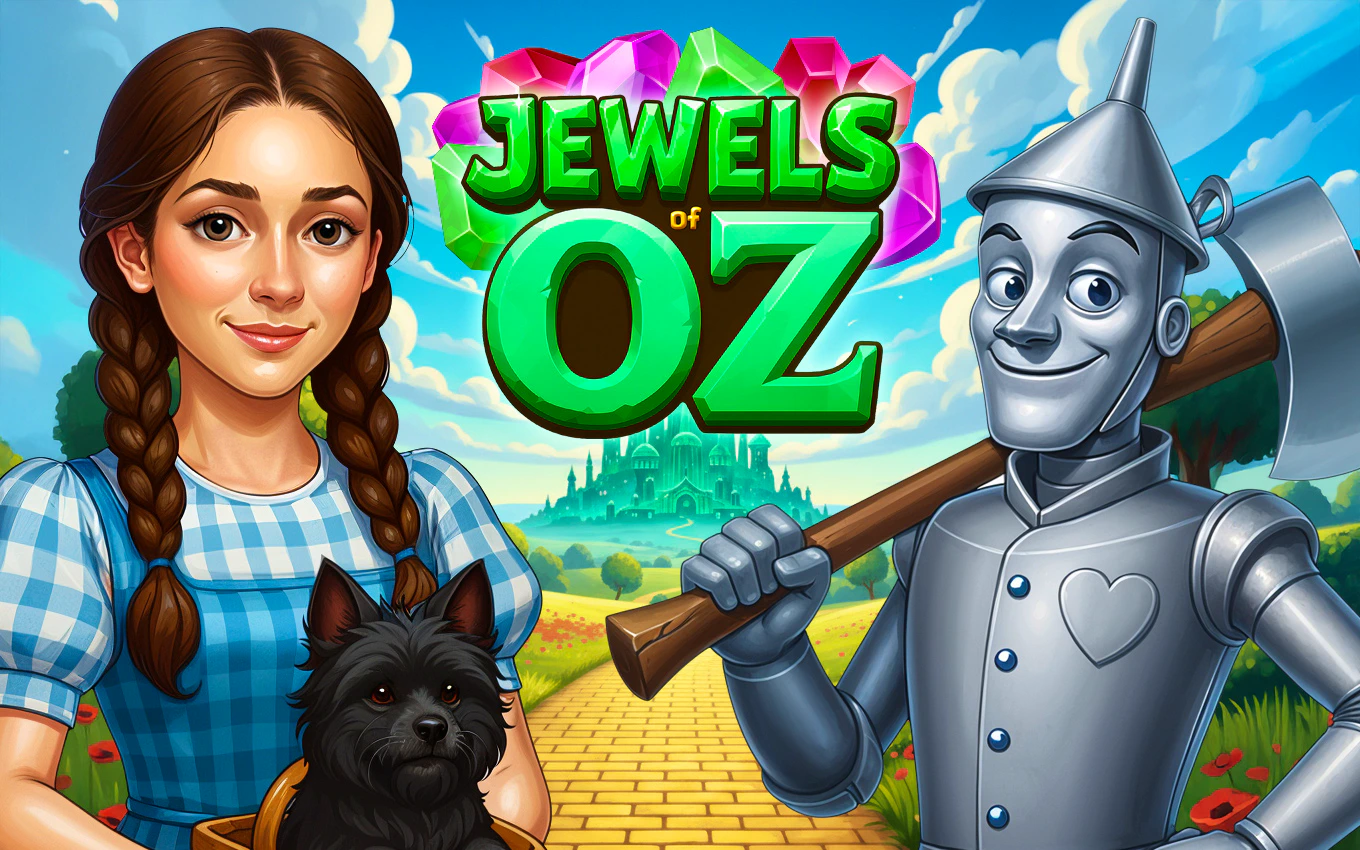
TL;DR: Jewels of Oz is a free, browser-based match-3 game with a charming Wizard of Oz theme. You swap gems to clear levels, earn power-ups, and restore the Emerald City. It's casual, polished, and perfect for quick play sessions. The ads can be a bit intrusive, but the core gameplay is solid.
I'll admit it. I clicked on Jewels of Oz because of the name. I'm a sucker for anything Wizard of Oz, and a match-3 twist on the classic story sounded like a fun way to kill a lunch break. What I didn't expect was to still be playing it an hour later, trying to clear a particularly stubborn level in the Munchkin Land. The game doesn't reinvent the wheel, but it does polish that wheel until it sparkles.
If you've ever played Bejeweled or Candy Crush, you'll feel right at home within the first 30 seconds. The core loop is simple: swap adjacent gems to make rows of three or more. But the Oz theme gives it a cozy, storybook feel that sets it apart from the usual fruit-and-candy clones. You're not just clearing a board. You're helping Dorothy and her friends revive the heart of the Emerald City.
What is Jewels of Oz?
Jewels of Oz is a free, browser-based match-3 puzzle game set in the world of The Wizard of Oz. You join Dorothy on a journey through iconic locations like Munchkin Land and Oz Forest, solving jewel-matching puzzles to restore magic and energy to the Emerald City. It runs in portrait mode right in your web browser, no download needed.
The game frames its levels as steps on a larger adventure map. Each level has a specific goal, like clearing a certain number of green gems or reaching a target score. As you progress, you unlock new areas and collect powerful jewels that tie into the story. It's a light narrative wrapper, but it gives the matching a sense of purpose beyond just chasing a high score.
How do you play Jewels of Oz?
You play by swapping two adjacent jewels to create a line of three or more matching gems. Those gems disappear, new ones fall in, and you work toward the level's specific goal. The game uses a portrait orientation (600x800), which makes it easy to play with one hand on a phone or tablet, though it works just as well with a mouse on desktop.
The controls are straightforward: click or tap a gem, then click or tap the one next to it you want to swap with. If the swap creates a valid match, it happens instantly. If not, the gems snap back. What I noticed early on was how responsive the board feels. There's almost no lag between moves, which keeps the pace brisk. Matching four or more gems creates special power-up jewels that can clear entire rows, columns, or blast a radius around them. Combining two power-ups is where the real fun starts. A row-clearing gem plus a blast gem can wipe out half the board in one satisfying chain reaction.
Tips That Actually Work After a Few Hours of Play
After my first session, I was just randomly matching whatever I saw. That works for the first few levels, but by the time you hit the Oz Forest, you'll need a bit more strategy. Here's what I learned from actually playing.
First, always scan the board from bottom to top. Matching gems near the bottom causes more gems to cascade down, which can trigger unexpected combos without costing you an extra move. Second, don't ignore the level goal. It's easy to get distracted by a flashy power-up opportunity, but if the level asks for 40 red gems, focus on red gems. Third, save your power-ups for when they can combine. A single power-up is good. Two touching power-ups swapped together can clear a stubborn board in one move. That tip alone saved me on level 27, where I was stuck for a solid ten minutes.
Is Jewels of Oz good for quick work breaks?
Yes, Jewels of Oz is excellent for short play sessions. Most levels take two to four minutes to complete, and the game saves your progress automatically. You can finish a level or two on a coffee break and come back later without losing your spot on the adventure map. The portrait mode also makes it discreet and easy to play on a phone.
The pacing is just right for bite-sized gaming. There's no lengthy tutorial to slog through. The first level doubles as a gentle introduction, and you're off on the adventure within a minute of clicking start playing here. If you need a mental reset between meetings, this fits the bill better than most.
Where the Game Shines and Where It Stumbles
The presentation surprised me. For a free browser game, the jewel art is crisp, and the backgrounds for each land are genuinely charming. The Munchkin Land levels have a bright, pastoral feel, while the Oz Forest stages get moodier and more mysterious. The sound design is pleasant too. Matching gems gives a satisfying little chime, and power-up activations have a nice weighty thud.
My one real gripe is the ad frequency. Between some levels, you'll get a full-screen video ad that you have to wait through. It's not a dealbreaker, but it does break the flow. If you're used to mobile free-to-play games, you'll recognize the pattern. If you're expecting an uninterrupted premium experience, you might find it annoying. The game is also not built for deep strategy. The RNG of gem drops can sometimes leave you with no good moves, forcing a board reshuffle. That's standard for the genre, but it can feel unfair when you're one move from clearing a goal.
Why It's Worth Your Time
Jewels of Oz succeeds because it knows exactly what it wants to be: a cozy, casual match-3 game with a beloved theme. It doesn't bog you down with complex mechanics or aggressive monetization beyond the ads. The story connection, while light, gives you a reason to keep clicking "Next Level." Seeing the Emerald City slowly regain its color on the map is a nice visual reward.
The game also runs smoothly. I played on a mid-range laptop and an older Android phone, and it performed without stuttering on both. No crashes, no weird glitches. That reliability matters when you just want something that works during a dull moment. If you enjoy the match-3 genre, you'll find this a polished addition to your rotation. You can play Jewels of Oz right here or explore more match-3 games if you want to shop around.
For a free game you can start in seconds, it over-delivers on charm. Just bring a little patience for the ads, and you'll have a good time on the yellow brick road. If you're ready to try something new, browse our games library for even more hidden gems. ▶
Frequently Asked Questions
Do I need to download anything to play Jewels of Oz?
No, Jewels of Oz runs entirely in your web browser. Just visit the play URL and start matching. There's no installer, no app store, and no account required. It works on both desktop and mobile browsers.
Is Jewels of Oz free to play?
Yes, the game is completely free. You'll see ads between some levels, which is how the game stays free. There are no in-app purchases or paywalls blocking your progress through the adventure map.
How many levels does Jewels of Oz have?
The game features a full adventure across multiple lands, including Munchkin Land and Oz Forest, with dozens of levels. The exact number grows as you progress, and the difficulty curve ramps up gradually. You won't run out of puzzles quickly.
Can I play Jewels of Oz on my phone?
Absolutely. The game is designed in portrait mode at 600x800 resolution, which is ideal for mobile screens. Touch controls work perfectly, and you can play comfortably with one hand. It also works great on tablets and desktop computers.
What makes Jewels of Oz different from other match-3 games?
The Wizard of Oz theme is the standout feature. Instead of abstract candy or gems, you're progressing through a story with Dorothy and friends, restoring the Emerald City. The themed power-ups and map-based progression give it more personality than a typical match-3 clone.
Table of Contents
Recent Posts

Surviving the Meme Monster: OBUNGA Game Review
5 hours ago
Surviving the Chilling Horrors of a Gothic Manor
5 hours ago
Audio Trimmer Online Free: Cut, Keep, or Remove Any Section
1 day ago
Get Ready to Ride: Skateboard Wheelie Review
1 day ago
Fun Shopping Fun: Review of Funny Shopping Supermarket
1 day ago
Racing to Fun: A Look at Super Star Body Race
2 days ago