Magical Swipes and Alien Invasion: A Fun Casual Game

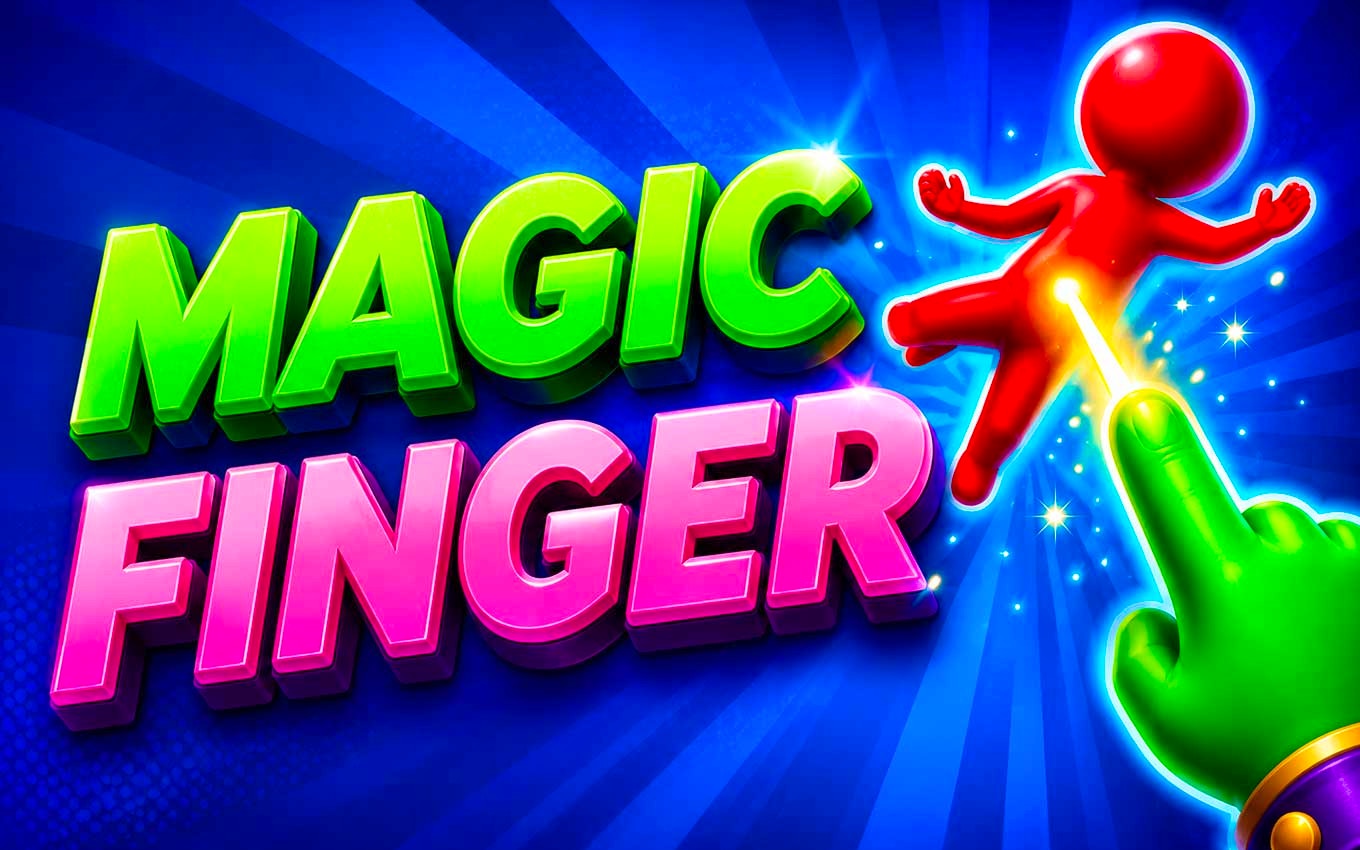
TL;DR: Magic Finger 3D is a casual game where you use gestures to defeat alien invaders in a dynamic 3D world.
I was looking for a quick game to play between meetings, and Magic Finger 3D caught my eye. The game is simple: you swipe, tap, and manipulate objects to take down aliens. I played a few rounds before realizing how engaging it was. The levels start simple but quickly escalate in difficulty.
What is Magic Finger 3D?
Magic Finger 3D is a casual, gesture-based game with 3D graphics and alien-themed challenges.
The game has a unique blend of physics and strategy. You'll use your finger to manipulate objects, creating combos and chain reactions to defeat enemies. The graphics are colorful and vibrant, making it a fun experience.
How do you play Magic Finger 3D?
You play by using gestures to interact with the game world and defeat aliens.
To start, you'll swipe, tap, or hold your finger to launch objects, create waves, or trigger special effects. As you progress, new mechanics are introduced, requiring you to think creatively and use the environment to your advantage. We love how the controls feel intuitive, making it easy to pick up and play.
Tips That Actually Work
One key strategy is to observe the level layout and plan your moves. Look for objects that can be used to create chain reactions or distract enemies. Timing is also crucial , wait for the right moment to strike. If you've played games like Fruit Ninja or Puzzle & Dragons, you'll recognize some of these tactics.
Is Magic Finger 3D good for casual gamers?
Yes, Magic Finger 3D is perfect for casual gamers looking for a fun, easy-to-play experience.
The game is great for short breaks or when you need a quick distraction. The levels are engaging, and the difficulty curve is well-balanced. However, if you're looking for deep strategy or complex gameplay, this might not be the best fit.
The Experience
What I noticed early on was how smooth the gameplay felt. The hitbox is generous, making it forgiving for quick gestures. The sound effects are satisfying, with a nice mix of magical sounds and alien screeches. One minor criticism is that the music can get repetitive after a while.
After my first session, I was surprised by how addictive the game was. The combination of physics and strategy kept me engaged. We tried playing it on different devices, and it ran smoothly across the board.
Frequently Asked Questions
Is Magic Finger 3D free to play?
Yes, Magic Finger 3D is free to play, with optional ads or in-app purchases.
Can I play Magic Finger 3D on my phone?
Yes, the game is designed for portrait mode and is compatible with most mobile devices.
How do I save my progress?
The game automatically saves your progress as you play.
Are there different difficulty levels?
Yes, the difficulty level increases as you progress through the game.
Can I play Magic Finger 3D offline?
Some features require an internet connection, but you can play the core game offline.
In summary, Magic Finger 3D is a fun, casual game that's perfect for short breaks. It's easy to pick up, with a unique blend of physics and strategy. If you're looking for a game to play between meetings or during your commute, give Magic Finger 3D a try ▶.
Table of Contents
Recent Posts

High-Speed Action in Grandfather Road Chase
13 hours ago
Moonbound Adventure: Is Diggy Worth Your Time?
13 hours ago
Surviving the Meme Monster: OBUNGA Game Review
1 day ago
Surviving the Chilling Horrors of a Gothic Manor
1 day ago
Audio Trimmer Online Free: Cut, Keep, or Remove Any Section
2 days ago
Get Ready to Ride: Skateboard Wheelie Review
2 days ago