Push the Block Review: A Sneaky Hard Arcade Puzzler

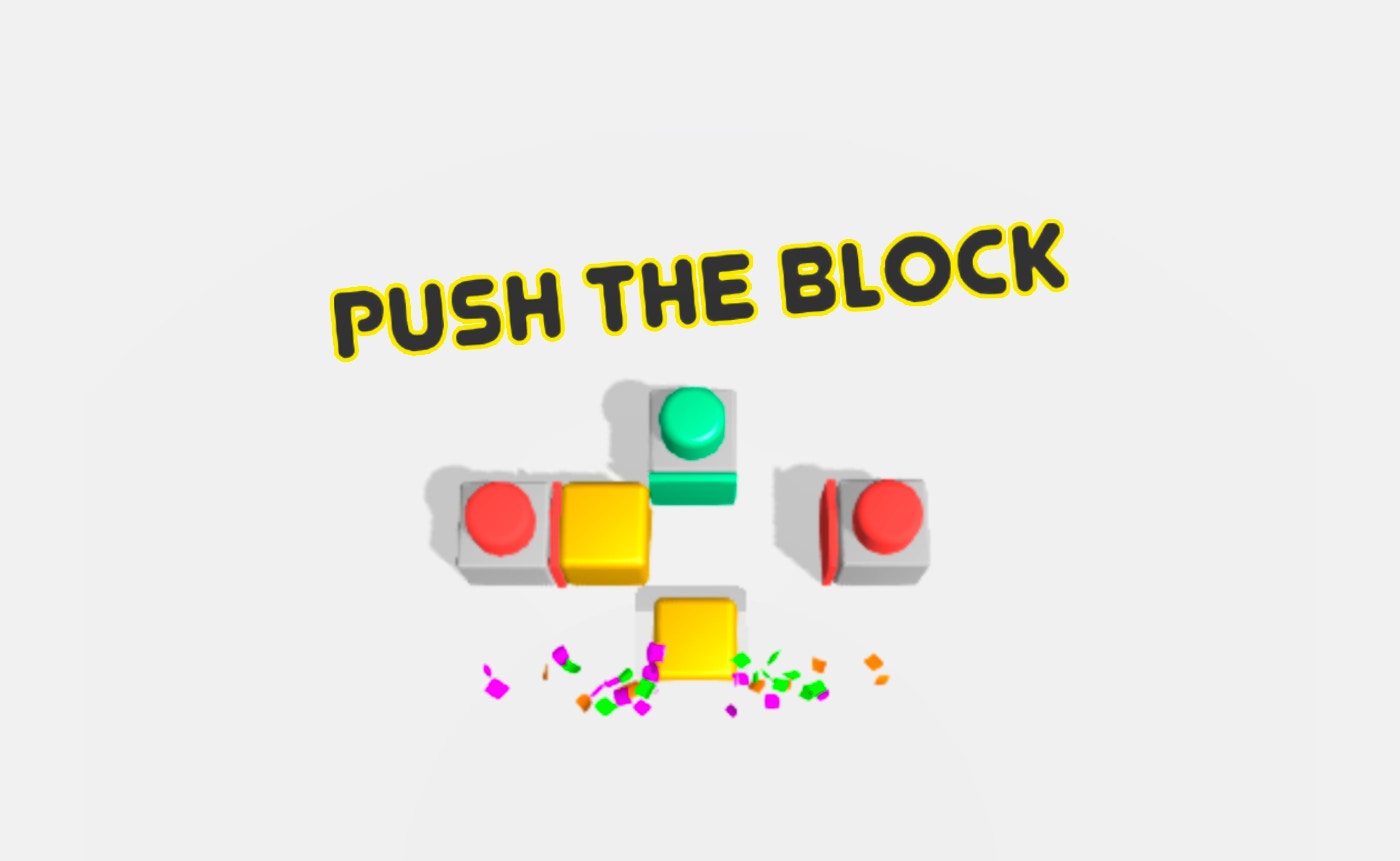
TL;DR: Push the Block is a free browser puzzle game where you slide blocks into craters. It starts simple but gets tricky fast. You'll need patience and sharp planning. Perfect for quick brain breaks, but don't expect flashy graphics or a deep story.
I stumbled on this game while waiting for a download. You know those moments: you need something quick, no install, just pure distraction. Push the Block fit that gap perfectly. The name tells you exactly what you're getting into. But the description undersells how quickly it hooks you.
My first session lasted way longer than I planned. The first few levels feel like a warm hug. You slide a yellow block into a hole. Easy. Then the game introduces conveyor belts. Then multiple blocks that need to go into different craters. By level 10, I was staring at the screen, mapping out moves like a tiny general planning a battle.
What is Push the Block?
Push the Block is a free browser-based puzzle game in the arcade category. You slide colored blocks across a grid into matching craters. Each level is a self-contained puzzle that grows more complex. The game runs in portrait mode at 600x800, so it fits nicely on a phone screen or a small browser window.
It lives in the same neighborhood as classic sliding puzzles like Sokoban. If you've played that warehouse-pushing gem, the core mechanic will feel familiar. But this title swaps out crates for colored blocks and adds modern touches like conveyor belts and machines. The goal is simple: get every block into its crater. The path to that goal is where your brain gets a workout.
How do you play Push the Block?
You tap or click a block to select it, then swipe or drag in the direction you want it to move. The block slides until it hits a wall or another obstacle. Your job is to sequence these slides so every colored block lands in its matching crater. Machines and moving parts add layers to the puzzle later on.
Controls are dead simple. I played on a touchscreen and with a mouse. Both felt responsive. There's no jump button, no timer ticking down, no enemies chasing you. Just you, the grid, and the blocks. The challenge comes from the layout. One wrong slide can wedge a block in a corner with no way back. I had to restart a few levels because I pushed a red block behind a conveyor belt and couldn't retrieve it. That's when I learned: think three moves ahead, not one.
Tips That Actually Work After Playing
After burning through the first 15 levels, I picked up some tricks. First, scan the whole grid before you touch anything. Look for blocks that only have one path to their crater. Move those last, not first. Second, conveyor belts are not your enemy. They can carry a block across the map while you focus on another. Use them like a free taxi service.
Third, don't be afraid to hit the restart button. This game has no penalty for resetting a level. I wasted five minutes once trying to undo a bad move by shuffling other blocks around. It never worked. A quick restart solved it in 30 seconds. Fourth, the machines that flip or rotate blocks look intimidating. They're actually predictable. Watch one cycle before you send a block through it. Knowing the timing saves you from chaos.
Is Push the Block good for a quick brain break?
Yes, it's excellent for short mental resets. Each puzzle is self-contained. You can finish a level in two minutes or less once you spot the solution. There's no long-term commitment, no account to create, no progress you lose if you close the tab. It's ideal for a coffee break or the gap between meetings.
That said, the later levels demand real focus. If you're mentally fried, skip the hard puzzles. I tried level 18 after a long workday and just stared blankly at the screen. Not the game's fault. It's designed to stretch your planning skills. Save the tough ones for when you're sharp. For mindless zoning out, more arcade games in the library might fit better.
What surprised me after a few sessions
The difficulty curve caught me off guard. Levels 1 through 5 are practically a tutorial. You learn the basic slide mechanic. Then level 6 drops a conveyor belt and suddenly you're juggling movement timing. By level 12, I was dealing with two machines, three blocks, and a grid layout that felt like a maze designed by someone who hates shortcuts.
I also noticed the sound design is minimal. There's a soft click when blocks move and a satisfying thunk when one drops into a crater. No music loop, no dramatic fanfare. I actually liked this. It keeps the game quiet enough to play in a waiting room without headphones. The visuals are clean and functional: colored squares, gray grids, simple machine icons. Nothing distracts from the puzzle itself.
One honest gripe: the block colors can be hard to tell apart if your screen brightness is low. The red and orange blocks look similar in dim light. I misread them twice and had to restart. A small contrast tweak would help. Also, after about 25 levels, the core loop stays the same. New machines appear, but the fundamental "slide block into hole" rhythm doesn't evolve much. If you crave variety, this might feel repetitive.
Why It's Worth Your Time
Push the Block respects your intelligence without wasting your time. No ads interrupted my play session. No pop-ups begged me to sign up. It's just the game, running in a browser tab, ready when you are. That's rarer than it should be in free browser games.
The satisfaction of solving a level that stumped you for three minutes is real. There's a quiet "aha" moment when the sequence clicks into place. You slide the last block home and the level clears with a clean snap. That loop, simple as it is, kept me coming back. If you enjoy logic puzzles that don't hold your hand, start playing here and see how far you get.
You won't find a story mode or character upgrades. This isn't that kind of game. But for pure, stripped-down puzzle solving in a portrait window, it delivers. When you need a change of pace, browse our games library for hundreds more free titles across every genre.
Frequently Asked Questions
Do I need to download anything to play Push the Block?
No downloads needed. The game runs directly in your web browser. Just visit the play page and it loads instantly. It works on both desktop and mobile browsers.
Is Push the Block free?
Yes, it's completely free to play. There are no paywalls, no premium levels, and no in-game purchases. You get the full experience at no cost.
How many levels does Push the Block have?
The game offers a substantial number of levels that increase in difficulty as you progress. New machines and obstacles get introduced regularly to keep the puzzles fresh.
Can I play Push the Block on my phone?
Absolutely. The game is designed in portrait orientation at 600x800, which fits phone screens perfectly. Touch controls work smoothly for selecting and sliding blocks.
What if I get stuck on a level?
You can restart any level instantly with no penalty. There's no move counter or time limit. Take your time, study the grid, and try different sequences until you find the solution.
Table of Contents
Recent Posts

Surviving the Meme Monster: OBUNGA Game Review
9 hours ago
Surviving the Chilling Horrors of a Gothic Manor
9 hours ago
Audio Trimmer Online Free: Cut, Keep, or Remove Any Section
1 day ago
Get Ready to Ride: Skateboard Wheelie Review
1 day ago
Fun Shopping Fun: Review of Funny Shopping Supermarket
1 day ago
Racing to Fun: A Look at Super Star Body Race
2 days ago