Real Car Parking 3D: A Brutally Honest Parking Sim Review

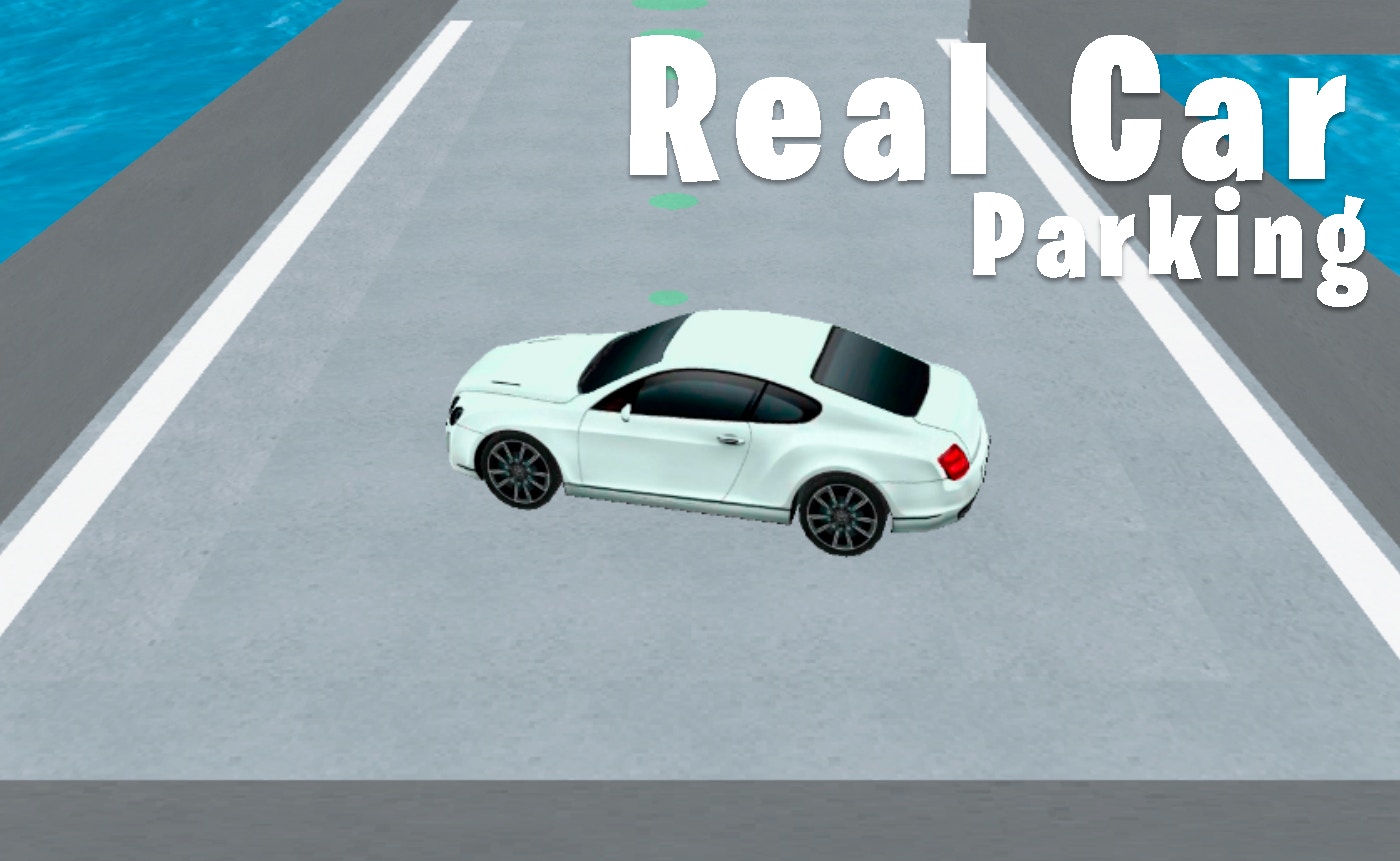
TL;DR: Real Car Parking 3D is a free browser-based parking simulator that tests your precision driving. The 3D environments look sharp, and the controls demand real patience. It's not a racing game, it's a slow-burn skill challenge where crates punish sloppy driving but won't end your run.
I stumbled onto Real Car Parking 3D during a slow afternoon, looking for something different from the usual arcade racers. Most driving games I play are all about speed and drifting. This one asked me to slow down, breathe, and squeeze a sedan into a space barely wider than the car itself. It felt oddly satisfying, like solving a puzzle with a steering wheel.
After a few rounds, I realized this isn't a game you rush through. The first level lulls you into confidence with wide, open lots. By the third stage, you're navigating around shipping containers and tight corners that punish overconfidence. What surprised me most was how the crates work. They aren't instant fail points. You'll bump them, they'll slide, and you lose momentum. It's a clever way to teach precision without frustration.
What is Real Car Parking 3D?
Real Car Parking 3D is a browser-based driving game focused entirely on parking challenges. You control a car from a third-person perspective and must navigate into marked parking spots without damaging your vehicle. The game emphasizes control and patience over speed.
Unlike traditional racing titles, there are no opponents, no timers, and no finish lines. You progress by completing increasingly tight parking scenarios. The 3D environments include warehouses, lots, and obstacle-filled courses. If you've played Parking Mania or the parking segments in Grand Theft Auto, the concept is familiar, but this title strips away everything except the parking itself.
How do you play Real Car Parking 3D?
You control the car using the arrow keys or WASD. Up or W accelerates, down or S brakes and reverses, and left and right steer. The goal is to guide your car into a glowing yellow parking space without hitting obstacles. Crates and barriers slow you down but don't destroy your car.
The controls feel weighty at first. The turning radius is realistic, which means you can't just whip the car into a spot. You'll need to use reverse, adjust your angle, and creep forward. I spent my first few minutes overcorrecting and tapping walls. The key is small, deliberate movements. Once you accept that speed is the enemy, the handling clicks. The camera sits behind the car and pivots smoothly, giving you a clear view of the space you're aiming for.
Tips That Actually Work
After a dozen levels, I picked up a few tricks that made the later stages less punishing. The game doesn't explain these, so they're worth knowing.
First, use the full camera angle to your advantage. The automatic third-person view is decent, but you can judge your position better by watching the car's shadow. It shows exactly where your wheels are relative to the parking lines. Second, don't be afraid to tap the reverse key lightly. Many new players slam into reverse and overshoot. Short taps give you more control. Third, approach wide and straighten out. This is real parking logic. Come in at a shallow angle, then straighten the wheel as you enter the spot. It works in the game just like it does in a real lot.
Is Real Car Parking 3D good for kids?
Yes, Real Car Parking 3D is a great choice for kids who enjoy vehicles and puzzles. There's no violence, no time pressure, and no inappropriate content. The challenge comes from spatial reasoning, which is a valuable skill for younger players to develop.
The game is forgiving enough that younger players won't feel punished. Crates move when hit, and the car never takes visual damage. That said, the difficulty curve can spike around the fifth level. Some tight spaces may frustrate players under eight. For patient kids who love building and problem-solving, this is a solid pick.
What the Game Gets Right and Where It Stumbles
I was genuinely impressed by the 3D environments. For a browser game running at 800x600, the lighting and textures are clean. The car model is simple but reads well, and the yellow parking indicators are easy to spot. The physics feel consistent, which is rare in free web games.
My main gripe is the lack of variety in the sound design. The engine hum is constant and doesn't change much. After ten minutes, I muted the tab and played my own music. The game also lacks a level select screen, so if you close the browser, you start from the beginning. That's a minor annoyance for a free game, but it's worth knowing. If you want deep progression systems or car customization, you won't find them here. This is a pure, focused skill challenge.
What surprised me was how meditative the game became. Once I stopped trying to rush, the slow navigation felt almost therapeutic. It's a perfect five-minute break between tasks. The game demands just enough attention to pull you away from stress without overwhelming you.
You can play Real Car Parking 3D right now in your browser. If parking sims aren't your thing, you can explore more racing games or browse our full games library for something that fits your mood. For another precision driving challenge, start playing here and see how far you get.
Frequently Asked Questions
Is Real Car Parking 3D free to play?
Yes, the game is completely free and runs in your browser. There's no download required and no payment wall. You can start playing immediately on the website.
What are the controls for Real Car Parking 3D?
The game uses arrow keys or WASD for movement. Up or W accelerates, down or S brakes and reverses, and left and right steer the car. The controls are simple but require practice to master the tight turns.
Can I play Real Car Parking 3D on my phone?
The game is designed for desktop play in landscape orientation at 800x600 resolution. Mobile browsers may load the game, but the keyboard controls aren't optimized for touchscreens. A computer with a keyboard is recommended.
Does Real Car Parking 3D have different cars or levels?
The game focuses on a single car model across multiple levels. Each level presents a new parking scenario with tighter spaces and more obstacles. There are no unlockable vehicles or cosmetic upgrades.
Is this game suitable for learning real parking skills?
While the game mimics some parking logic like approach angles and spatial awareness, it's not a substitute for real-world practice. It can help with understanding how cars pivot and turn, but actual parking involves many more variables.
Table of Contents
Recent Posts

Surviving the Meme Monster: OBUNGA Game Review
12 hours ago
Surviving the Chilling Horrors of a Gothic Manor
12 hours ago
Audio Trimmer Online Free: Cut, Keep, or Remove Any Section
1 day ago
Get Ready to Ride: Skateboard Wheelie Review
1 day ago
Fun Shopping Fun: Review of Funny Shopping Supermarket
1 day ago
Racing to Fun: A Look at Super Star Body Race
2 days ago