Rhythm Heaven Meets Browser Gaming: Music Tools Review

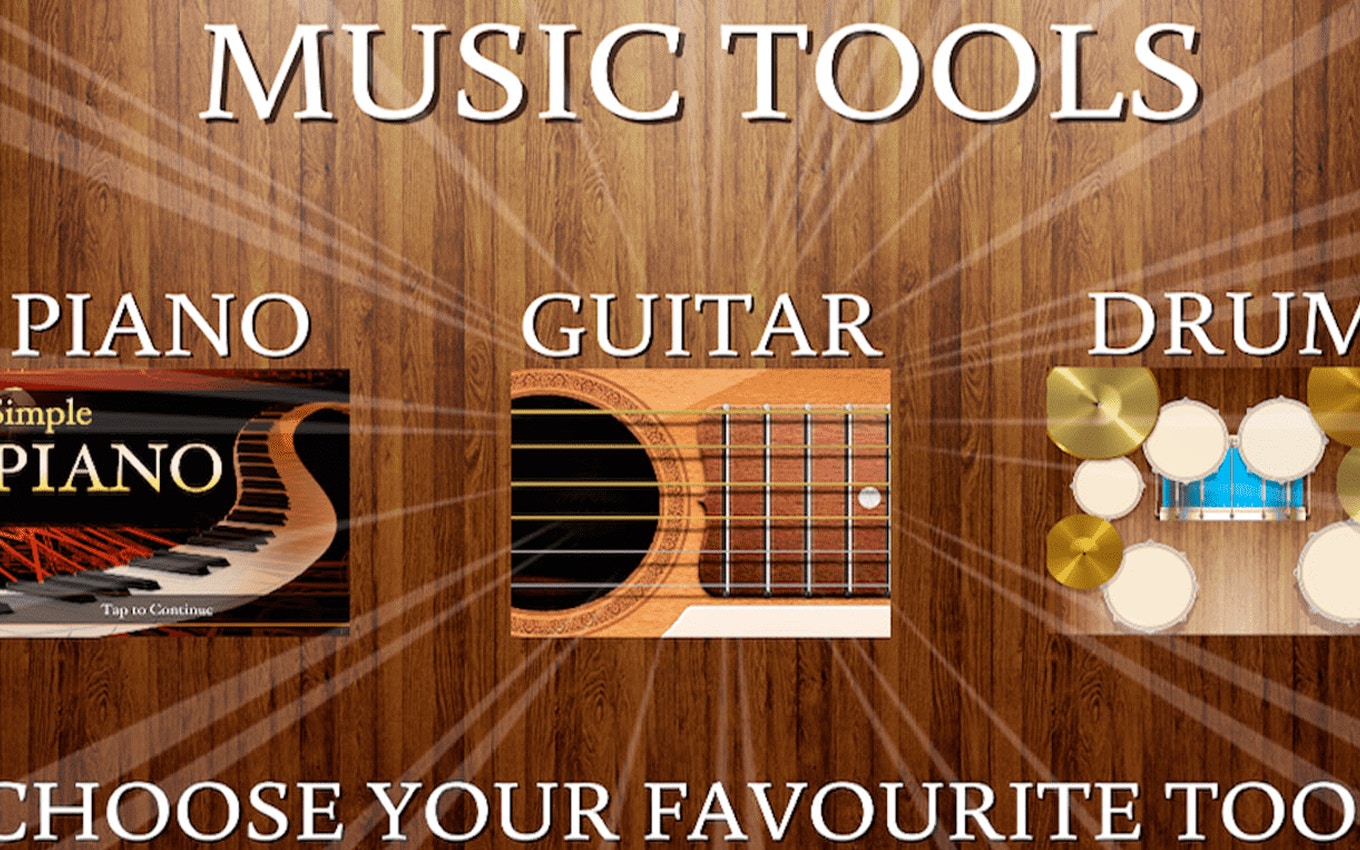
TL;DR: Music Tools is a browser game that lets you play piano, guitar, or drums, create your own music, and compete on leaderboards.
I was surprised to find a music game that actually felt like playing an instrument, not just tapping buttons. Music Tools is one such title that grabbed my attention. As I started playing, I was hooked by the variety of instruments and the freedom to experiment.
What is Music Tools?
Music Tools is a browser-based music game where you can play and master three instruments: piano, guitar, and drums.
The game offers a simple interface that lets you switch between instruments and create your own compositions. I was impressed by the decent sound quality and the responsiveness of the controls.
How do you play Music Tools?
You play Music Tools by interacting with the on-screen instruments using your mouse or keyboard.
For piano and guitar, you'll press keys or click on strings to produce sounds. Drums work similarly, with different areas of the drum kit responding to clicks. I found the controls intuitive, but it took a few minutes to get comfortable with the layout.
Tips That Actually Work
To improve your skills in Music Tools, focus on timing and rhythm. Start with simple melodies and gradually build complexity. Experimenting with different instruments helps too - I found that switching between piano and guitar gave me new ideas.
Another tip is to use the game's built-in sounds and effects to enhance your compositions. Don't be afraid to try weird combinations - that's where the fun is.
Is Music Tools good for casual gamers?
Yes, Music Tools is perfect for casual gamers looking for a relaxing music experience.
The game doesn't require intense focus or complex strategies, making it ideal for short breaks or unwinding. If you're a fan of music games like Fuser or even Guitar Hero, you'll likely enjoy Music Tools.
The Music Tools Experience
One thing that stood out to me was how the game balanced simplicity with depth. You can noodle around on the instruments without much structure, but there's also a sense of progression as you climb the leaderboards.
My only minor criticism is that the music can get a bit repetitive if you're playing the same instrument for too long. But this is easily fixed by switching to a different instrument or experimenting with new sounds.
Is Music Tools worth playing?
Yes, Music Tools is worth playing if you enjoy music or are looking for a creative outlet.
It's a great way to pass the time, and the leaderboard feature adds a fun competitive element. If you're looking for more music games, you can find more music games here.
Conclusion: Music Tools is a great browser game that offers a fun music experience. We love the variety of instruments and the freedom to create. Give it a try if you need a creative break - you can play Music Tools here ▶.
Frequently Asked Questions
Is Music Tools free?
Yes, Music Tools is completely free to play in your browser.
Do I need to download anything?
No, Music Tools runs directly in your browser, so no downloads are required.
Can I play Music Tools on mobile?
Yes, Music Tools is playable on mobile devices, although the experience is optimized for desktop.
How do I save my progress?
Your progress is saved automatically as you play, and you can compete on the leaderboards.
Are there other music games available?
Yes, you can explore more music games on our site.
Table of Contents
Recent Posts
Squid Hero Impostor: Unmasking Fun in Pixelated Worlds
8 hours ago
Flappy Bird 3D Brings the Classic Challenge to a New Dimension
1 day ago
Cute Puzzle Fun: Protect My Dog Review
1 day ago
Why Are My iPhone Photos HEIC? (And How to Get JPG Instead)
2 days ago
Unblock That: A Challenging Puzzle Game for Casual Players
2 days ago
Crush Crabs and Humans in This Addictive Top-Down Shooter
3 days ago