TimberMan Review: A Lightning-Fast Chopping Game Kids Love

TL;DR: TimberMan is a free browser arcade game where you chop a tree as fast as possible while dodging branches. Simple two-button controls, a ticking clock, and instant restarts make it perfect for quick play sessions. It lives in the "kids" category but honestly, adults get hooked too.
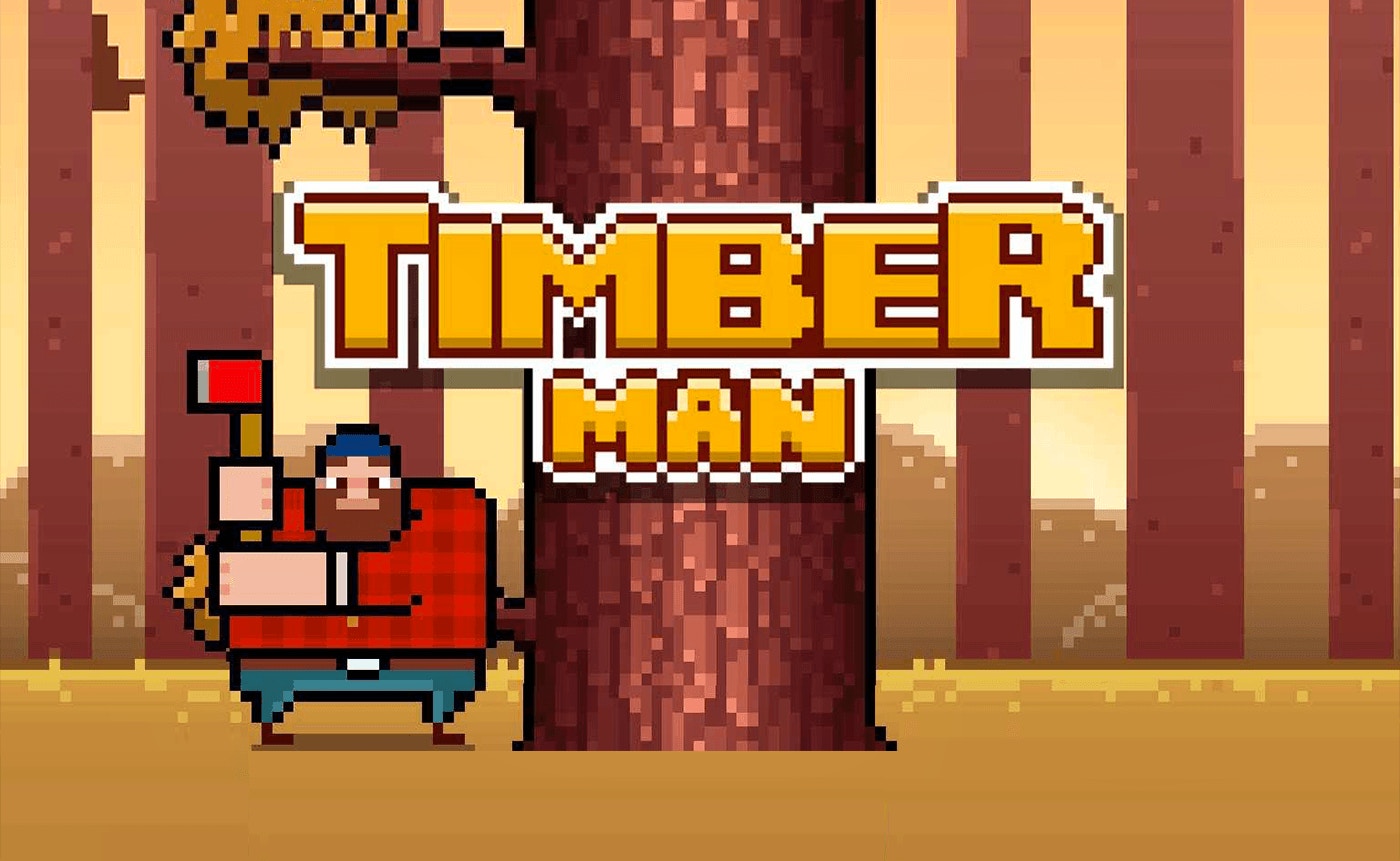
I opened TimberMan expecting a slow, gentle lumberjack game. That illusion shattered in about four seconds. A bearded character stood beside a massive tree, axe in hand, and the moment I tapped, the pace kicked in hard. No tutorial, no hand-holding. Just chop or get squashed. I lost my first round almost immediately because I was too busy laughing at how fast the branches came down.
After my first session, I understood the appeal. It's a pure reaction test wrapped in a cute, woodsy package. The game doesn't pretend to be anything else. You tap left to chop on one side, tap right to chop the other, and avoid the dark branches that slide down the tree trunk. That's it. But "that's it" carries a lot of weight when the speed keeps climbing and your high score hangs in the balance.
If you've played something like Flappy Bird or Crossy Road, you know this type of tension. One mistake ends the run. No extra lives, no second chances. TimberMan belongs to that same family of "one more try" games. The difference here is the rhythm. It's less about timing gaps and more about maintaining a steady, accelerating chop pattern while staying ready to switch sides instantly.
What is TimberMan?
TimberMan is a browser-based arcade game where you chop down a tree while dodging branches. The goal is simple: survive as long as you can and rack up a high score. The game runs in portrait mode at 600x800 pixels, which makes it feel like a mobile game right in your desktop browser. It's categorized for kids, but the difficulty curve appeals to all ages.
Visually, the game is clean and easy to read. The lumberjack character sits on one side of the tree, and you see the trunk clearly divided into left and right sections. Branches protrude from alternating sides, and the dark ones will knock you out. The art style is cartoonish and friendly, with a bright green forest background. No violence, no scary imagery. Just a guy with an axe and a tree that fights back.
How do you play TimberMan?
You use two buttons or keys to chop the tree: one for the left side and one for the right. On desktop, that means tapping the left and right arrow keys. On touchscreens, you tap the left or right half of the screen. The lumberjack swings his axe to whichever side you press. Dark branches appear on either side, and you must avoid them by chopping on the opposite side. The game ends when a branch hits you.
What surprised me was how tight the controls feel. There's no lag between your press and the chop. The hitbox for the branches is fair but unforgiving. You can't just graze a branch and survive. On my third try, I noticed something important: the branches don't come at random. They follow a pattern that speeds up gradually. Once you lock into the rhythm, you can survive much longer. The first 30 seconds feel frantic, but after that, your brain starts anticipating the next move before your fingers act.
Tips That Actually Work
After about a dozen runs, I developed a few strategies that helped me climb the leaderboard. These aren't generic tips. They come from losing, a lot, and noticing patterns.
First, keep your eyes on the top of the tree, not the lumberjack. The branches appear from above, and you need to see them coming. Watching your character is a trap. Second, tap lightly. Mashing the keys doesn't make you chop faster. It just makes you sloppy and more likely to hit the wrong side. Third, alternate your chops steadily. A consistent left-right-left-right pattern keeps you centered and ready to dodge. When a dark branch appears on the left, you skip that chop and hit right twice. The double-tap is the most important move to practice.
One limitation I found: the game doesn't have any power-ups or combo systems. There's no "super axe" or temporary shield. It's purely about raw score. That's both a strength and a weakness. It keeps the game pure, but after about ten minutes, you might wish for a little variety.
Is TimberMan good for younger kids?
Yes, TimberMan is a solid choice for younger kids, especially those who are developing hand-eye coordination. The controls are simple enough that a five-year-old can understand them. Tap left, tap right. The cartoon graphics are friendly, and there's no violence beyond a bump on the head from a branch. The game doesn't punish failure harshly. You just restart instantly with one click.
That said, very young children might get frustrated by the speed. After about 30 chops, the pace picks up noticeably. A child who struggles with quick reactions might hit a wall quickly. The game is best for kids who enjoy a challenge and don't mind losing often. It teaches persistence. Every run is a fresh chance to beat your own score, and that's a healthy loop for young players.
The Feel of the Game
What keeps me coming back to TimberMan is the sound design. The chop sound is satisfying, a crisp thwack that lands with each successful strike. When you dodge a branch, there's a little whoosh that makes you feel like you just pulled off something slick. The background music is a bouncy folk tune that fits the lumberjack theme. It's cheerful without being annoying, though after about 20 rounds it does start to loop in your head.
The game runs smoothly in any browser. I played on Chrome, and there was zero lag. That matters for a reaction-based game. If you're on a slow connection, it still loads fast because the graphics are lightweight. The portrait orientation makes it feel natural on a phone, but it works fine on desktop too. You just get a tall, narrow game window that mimics a mobile screen.
One honest criticism: the game doesn't save your high score if you close the browser. There's no account system or local save. You're chasing a personal best that vanishes when you leave the page. For a kids' game, that's fine. But if you're competitive, you'll want to take a screenshot of your best run.
Why It's Worth Your Time
TimberMan fills a specific role: a quick, zero-commitment break. You don't need to learn complex mechanics or remember a story. You open the page, play for three minutes, and walk away. It's perfect for waiting rooms, bus rides, or that weird gap between dinner and evening plans. The game is free, there's no download, and it doesn't pester you with ads between every round.
If you want deep strategy or a long campaign, this isn't your game. But for a 5-minute break between meetings, it nails it. The satisfaction comes from beating your own best score, not from unlocking content. And sometimes, that's exactly what you need.
I recommend giving TimberMan a try if you want a fast, free arcade game. You can also start playing here right in your browser. If you're looking for similar titles, more kids games are available in the same category. And when you're ready to branch out, you can browse our games library for hundreds of other free titles.
Frequently Asked Questions
Is TimberMan free to play?
Yes, TimberMan is completely free to play in your browser. There are no in-app purchases or hidden costs. You just visit the page and start chopping.
Can I play TimberMan on my phone?
Yes, the game works on mobile browsers. The portrait orientation and tap controls are designed for touchscreens. Just tap the left or right side of the screen to chop.
What is the highest score possible in TimberMan?
There is no official maximum score. The game speeds up as you progress, and eventually the branches come too fast for human reaction times. Top scores usually land in the hundreds.
Is TimberMan safe for kids?
Absolutely. There is no violence, no scary imagery, and no chat features. The game is simply a cartoon lumberjack chopping a tree and dodging branches.
Does TimberMan save my high score?
No, the game does not save your score if you close the browser window. If you want to keep track of your best runs, take a screenshot before you leave the page.
Table of Contents
Recent Posts

Surviving the Meme Monster: OBUNGA Game Review
7 hours ago
Surviving the Chilling Horrors of a Gothic Manor
7 hours ago
Audio Trimmer Online Free: Cut, Keep, or Remove Any Section
1 day ago
Get Ready to Ride: Skateboard Wheelie Review
1 day ago
Fun Shopping Fun: Review of Funny Shopping Supermarket
1 day ago
Racing to Fun: A Look at Super Star Body Race
2 days ago