Windows 10 Turns into a Fun Game - Review

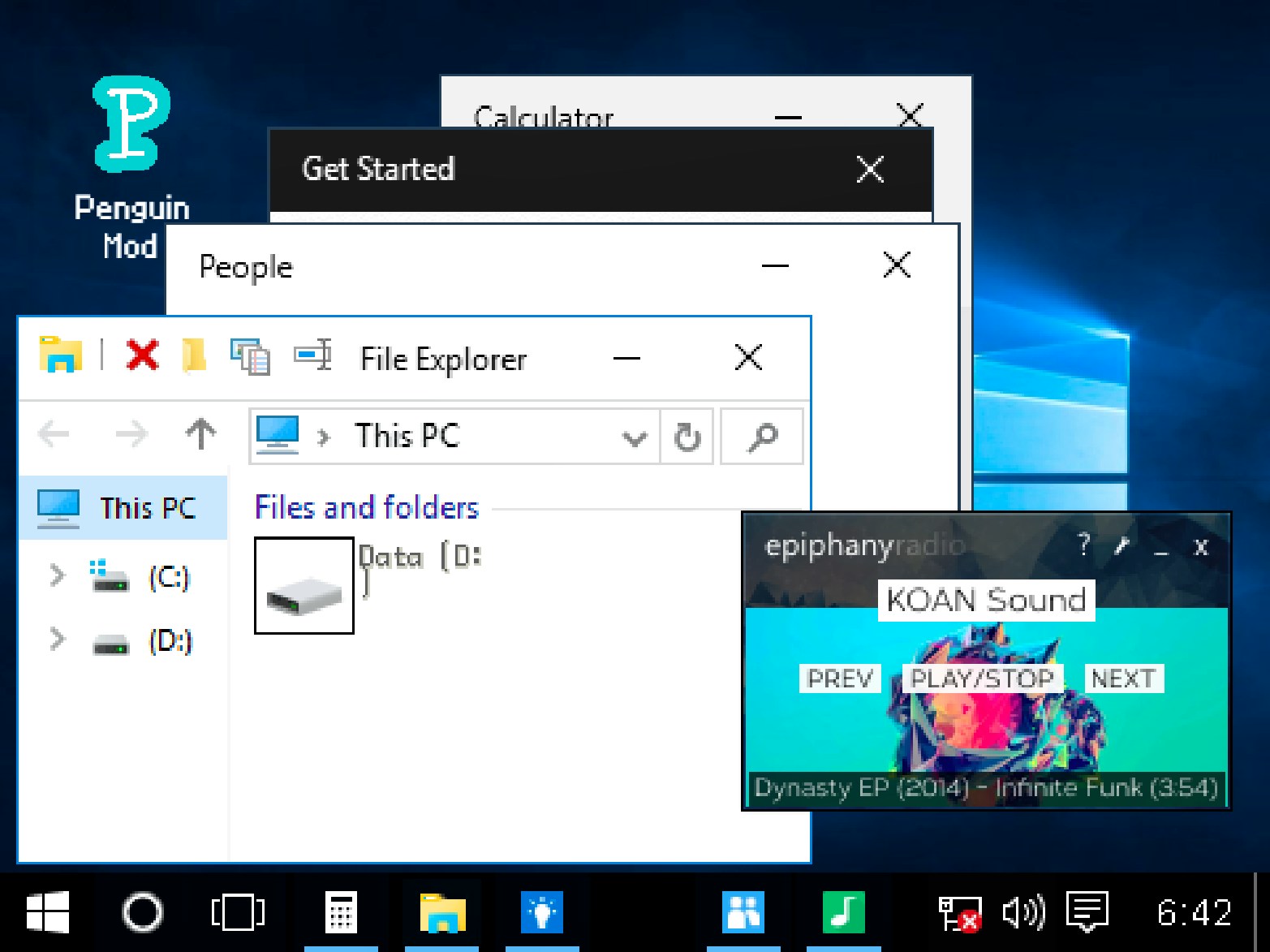
TL;DR: The Windows Game turns the Windows 10 interface into a creative playground with mini-games and challenges. It's a fun, nostalgic experience with a twist of addictive gameplay.
I was browsing through some old Windows 10 screens the other day, and that's when I stumbled upon The Windows Game. It caught my attention immediately. The game transforms familiar system elements into an engaging playground of mini-games and creativity. I was curious to see how it worked.
What is The Windows Game?
The Windows Game is a simulation game that turns the Windows 10 interface into a series of mini-games and challenges.
You'll navigate through familiar elements like the taskbar and start menu, but instead of doing usual tasks, you'll be playing games like shooting simulations and painting challenges. The game has a landscape orientation and a resolution of 800x600, making it easy to play on most devices.
How do you play The Windows Game?
You play The Windows Game by interacting with the Windows 10 interface in different ways, such as clicking on icons or dragging files.
After my first session, I noticed that some elements had hidden games or challenges. For example, the recycle bin turned into a shooting gallery, and the paint app became a timing challenge. The controls were intuitive, but it took me a few tries to get used to the different interactions.
Tips That Actually Work
One thing that helped me was to explore every element of the interface. Don't just click on the obvious buttons - try dragging files, right-clicking on icons, and hovering over different elements. You might discover a hidden game or challenge.
Also, keep an eye on your score and try to beat it on your next attempt. The game has a meta aspect to it, where you can improve your skills and unlock new challenges.
Is The Windows Game good for casual gamers?
Yes, The Windows Game is suitable for casual gamers who are looking for a fun, lighthearted experience.
If you've played games like SimCity or Cities: Skylines, you'll appreciate the simulation aspect of The Windows Game. However, it's not as complex as those games, making it more accessible to casual players. The game is perfect for a 5-minute break between meetings or a quick gaming session.
The Feel of Playing The Windows Game
What I noticed early on was the authentic soundscapes and nostalgic feel of the game. It feels like you're playing with an old version of Windows, but with a modern twist. The music is catchy, but it can get a bit repetitive after a while. Still, it's a minor complaint in an otherwise fun experience.
On my third try, I started to appreciate the little details, like the sound effects and the animations. They add to the overall experience and make the game more engaging.
Conclusion
The Windows Game is a fun, creative take on the Windows 10 interface. It's perfect for casual gamers looking for a lighthearted experience. We love the nostalgic feel and the addictive gameplay. If you're looking for a new game to try, give The Windows Game a try ▶ by visiting play The Windows Game. You can also browse our games library for more free games.
Frequently Asked Questions
Is The Windows Game free?
Yes, The Windows Game is free to play. You can start playing right away without any downloads or sign-ups.
Can I play The Windows Game on mobile?
Yes, The Windows Game is available on mobile devices. However, the controls might be a bit awkward at first due to the landscape orientation and 800x600 resolution.
Are there any ads in The Windows Game?
Yes, there are ads in The Windows Game, especially on mobile devices. However, they don't disrupt the gameplay too much.
Is The Windows Game suitable for kids?
Yes, The Windows Game is suitable for kids. It's a fun, lighthearted experience that's perfect for kids who love playing games.
Can I play The Windows Game offline?
No, The Windows Game requires an internet connection to play. You can find more simulation games on our website that might work offline.
Table of Contents
Recent Posts
Surviving the Desert: A Fun Idle Adventure
17 hours ago
Balloon Smash: Casual Fun with a Thorn Twist
17 hours ago
Hidden Object Puzzle Fun with Grimace Shake
1 day ago
Summer Fun in Your Pocket: Fun Summer Holiday Review
2 days ago
Feline Fashion Frenzy: A Fun Kitty Makeover Game
2 days ago
Pixel Perfect Farming: A Relaxing Strategy Game
3 days ago