Build Robots Your Way: A Fun Creative Experience

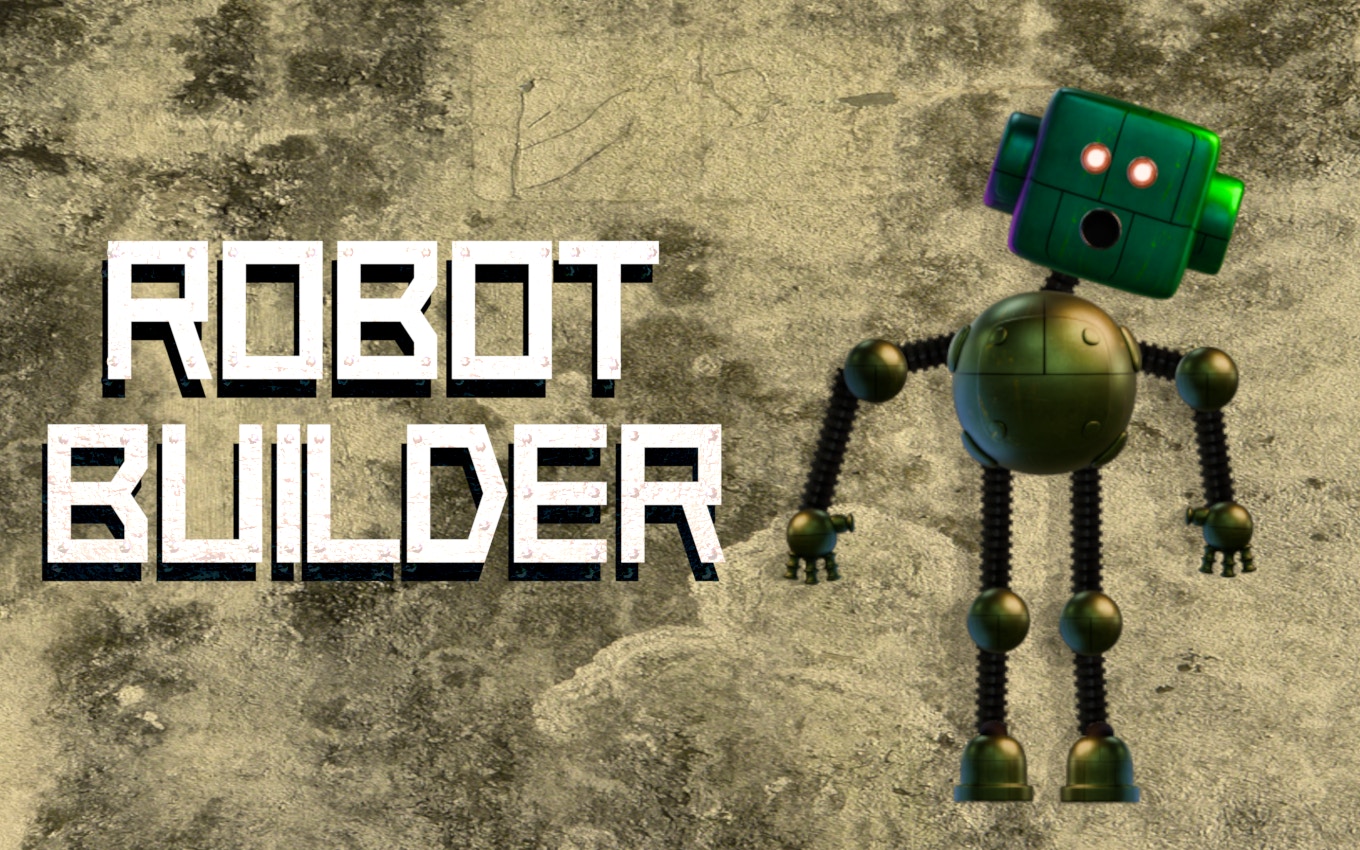
TL;DR: Robot Builder lets you design and customize robots with various parts, colors, and poses. It's a relaxing, creative experience perfect for short breaks or casual play.
I was browsing through a list of free online games when I stumbled upon Robot Builder. The game caught my attention with its simple yet intriguing concept. I decided to give it a try, and after a few minutes of playing, I was hooked. Robot Builder offers a unique blend of creativity and customization that sets it apart from other games.
What is Robot Builder?
Robot Builder is a game where you design and customize your own robots using various parts and colors.
The game provides a range of components, from bodies and arms to legs and heads. You can mix and match these parts to create a robot that suits your taste. The customization options are extensive, allowing you to personalize every aspect of your robot's appearance.
How do you play Robot Builder?
You play Robot Builder by selecting and customizing robot parts, rotating and resizing them, and saving your creations.
To start, you'll be presented with a basic robot template. From there, you can begin selecting different parts and adjusting their size, rotation, and color. The game is designed to be intuitive, with controls that are easy to pick up. If you've played other customization games like Sandbox or Lego Digital Designer, you'll feel right at home.
Tips for Creating Unique Robots
One tip for creating unique robots is to experiment with different part combinations. Try pairing unusual components together to create something entirely new. You can also play with the sizing and rotation options to add more character to your robots. Don't be afraid to try out weird and wacky designs , it's all part of the fun.
Is Robot Builder good for kids?
Yes, Robot Builder is suitable for kids due to its safe and creative environment.
The game is free from ads and in-app purchases, making it a great option for parents looking for a safe online experience for their children. The gameplay is also easy to understand, allowing kids to pick it up quickly and start creating their own robots.
The Robot Builder Experience
One thing I noticed early on was how relaxing the game is. The music is calming, and the gameplay is soothing. It's the kind of game you can play during a short break and come back to later. The only minor drawback is that the music can get a bit repetitive after a while. Still, it's a great way to unwind and express your creativity.
Is Robot Builder worth playing?
Yes, Robot Builder is worth playing if you enjoy creative games or are looking for a relaxing experience.
The game offers a unique blend of customization and creativity that's hard to find elsewhere. If you're looking for a game to play during your lunch break or while waiting in line, Robot Builder is a great choice. You can play Robot Builder directly in your browser.
In summary, Robot Builder is a great creative outlet that's easy to pick up and play. It's perfect for casual players and kids alike. With its relaxing atmosphere and extensive customization options, it's definitely worth checking out. So why not give Robot Builder a try ▶?
Frequently Asked Questions
Is Robot Builder free?
Yes, Robot Builder is completely free to play. You can access it directly in your browser without any downloads or purchases.
Can I save my robot creations?
Yes, you can save your robot creations within the game. This allows you to come back to them later and continue customizing or simply to keep a record of your designs.
Is Robot Builder available on mobile?
Yes, Robot Builder is designed to be mobile-friendly and can be played on both desktop and mobile devices.
Are there any ads in Robot Builder?
No, Robot Builder is ad-free, providing a clean and distraction-free gaming experience.
Can I share my robot creations?
Currently, Robot Builder doesn't have a built-in sharing feature. However, you can take screenshots of your creations and share them on social media or with friends.
Table of Contents
Recent Posts
Retro Speed: A Thrilling Racing Fix for Busy Days
16 hours ago
Arcade Thrills in Pixels: Steve Adventurecraft Review
16 hours ago
PDF to JPG Blurry? How to Convert a PDF Page With Sharp Text
1 day ago
Surviving the Desert: A Fun Idle Adventure
1 day ago
Balloon Smash: Casual Fun with a Thorn Twist
1 day ago
Hidden Object Puzzle Fun with Grimace Shake
2 days ago