BMI Calculator: What Your Result Means and What It Misses


FileReadyNow's BMI Calculator divides your weight by your height squared and tells you which BMI category the result falls in. It also shows a healthy weight range for your height, a BMI Prime value and, if you add age and gender, an estimated body fat figure. BMI is a screening number, not a diagnosis, and this post is general information, not medical advice. FileReadyNow built this tool, so read this as a guide from the maker.
What does the BMI Calculator show?
According to the tool page, you enter height and weight and get five outputs: the BMI value, the category, a healthy weight range for your height, BMI Prime and estimated body fat. The healthy range is shown in the units you entered.
It works in metric (cm and kg) or imperial (ft, in and lbs). Age and gender are optional. The page says they are used for the body fat estimate, which stays as a blank placeholder until both are filled in. The page names the Deurenberg formula for that estimate but does not show it, so treat the figure as a rough estimate.
How do you use it, step by step?
- Choose "Metric (cm, kg)" or "Imperial (ft, lbs)" with the unit toggle.
- Enter your height. In imperial mode there are separate boxes for feet and inches.
- Enter your weight in kilograms or pounds.
- Optionally add your age and pick Male, Female or "Prefer not to say". Only the body fat estimate needs these.
- Read the result panel. The page says results update live as you type, and "Calculate BMI" scrolls you to the panel.
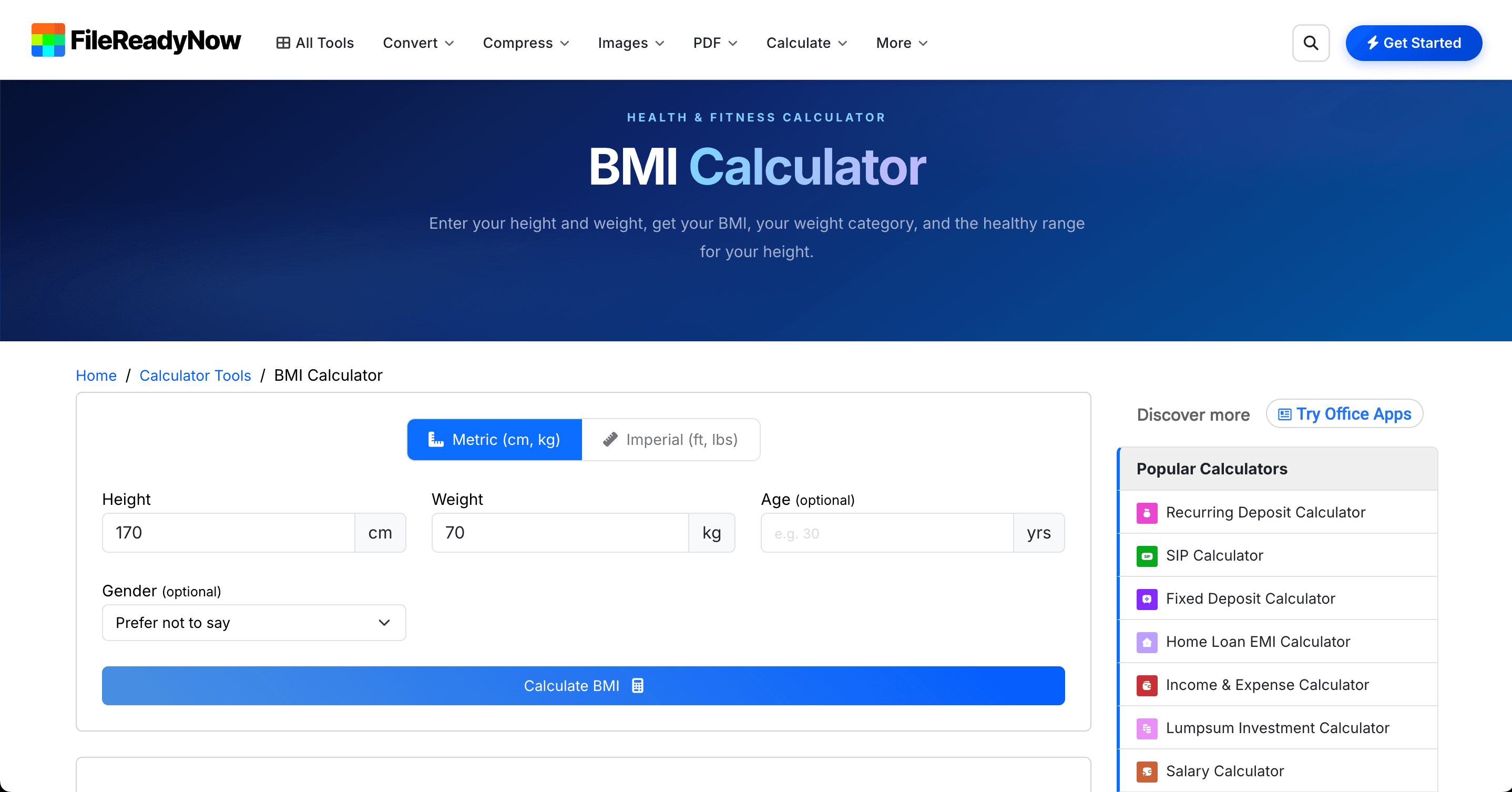
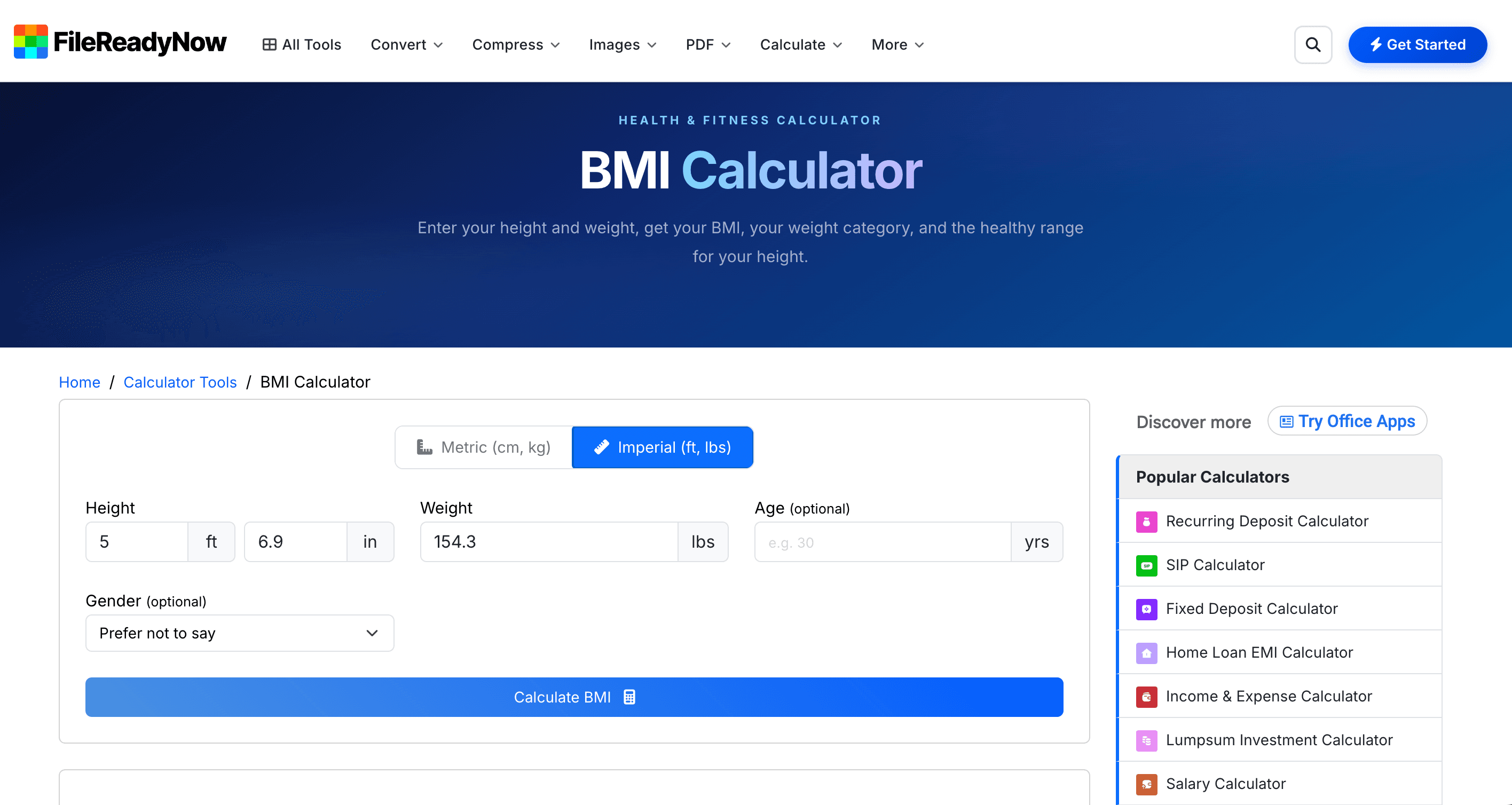
If you see "Please enter valid height and weight.", check that both boxes hold a number. The page does not state minimum or maximum values.
How is BMI calculated?
The tool page shows two formulas. In metric, BMI equals weight in kilograms divided by height in metres squared. In imperial, BMI equals weight in pounds times 703, divided by height in inches squared.
The page's worked example is a person who is 170 cm tall and weighs 70 kg. That gives a BMI of 24.2, in the Normal range. You can confirm it by hand: 1.70 squared is 2.89, and 70 divided by 2.89 is about 24.2.

Two more checks, both my own arithmetic and not tool output. A person who weighs 150 lb and is 5 ft 7 in (67 in) tall has 150 times 703 divided by 67 squared, which is about 23.5. BMI Prime is BMI divided by 25, so a BMI of 24.2 gives a BMI Prime of about 0.97. A value below 1 means a BMI below 25.
The page does not show how it works out the healthy weight range. Using the 18.5 and 24.9 band edges, my own arithmetic for a 170 cm height is about 53.5 kg to 72.0 kg. Enter 170 cm and compare it with what the tool shows. A small rounding difference is normal.
What do the BMI categories mean?
The tool page uses six bands. I compared them with the CDC adult BMI page, and the cut-offs match. The World Health Organization's obesity and overweight fact sheet uses the same adult thresholds of 25 and 30 for overweight and obesity.
| Tool page category | BMI range | CDC adult category |
|---|---|---|
| Underweight | Under 18.5 | Underweight |
| Normal weight | 18.5 to 24.9 | Healthy weight |
| Overweight | 25.0 to 29.9 | Overweight |
| Obese Class I | 30.0 to 34.9 | Obesity, class 1 |
| Obese Class II | 35.0 to 39.9 | Obesity, class 2 |
| Obese Class III | 40.0 or higher | Obesity, class 3 (severe) |
The tool page also attaches a health-risk label to each band. I could not match those labels to a source, so this post does not repeat them. A category tells you where a number sits on a scale. It does not tell you what is happening in your body.
What does BMI miss?
A lot. The CDC says BMI is a screening measure and is not intended to diagnose disease or illness, and it calls BMI one potential health indicator among several. The CDC lists medical history, health behaviours, physical exam findings and lab results as other factors. The tool page makes the same point. It says BMI does not account for muscle mass, bone density or where the body stores fat, and it advises using the number as a starting point.
The WHO fact sheet adds that other measures, such as waist circumference, can also identify overweight or obesity. If your number surprises you, or you are making a health decision, take it to a doctor or dietitian along with other measurements. This post cannot tell you what your result means for you.
Can you use it for a child or teenager?
No, not with these categories. The CDC child and teen BMI page says BMI for ages 2 through 19 is read against sex-specific BMI-for-age percentiles, because children are still growing. The WHO fact sheet also uses different references for children and adolescents. The tool page shows the adult-style bands and does not say it applies percentiles, so use the CDC's child and teen calculator for anyone under 20.
Is the BMI Calculator private?
The tool page says the calculation runs in your browser: "All calculations run in your browser." It also says your health data stays on your device, that no file is uploaded, and that FileReadyNow does not sell, share or manually open your files or use them for training. Those are the tool page's statements. FileReadyNow's Security page describes how its browser-based tools work in general.
You can check it yourself in about a minute:
- Open the tool page, press F12 (or right-click and choose Inspect), and open the Network tab.
- Tick Preserve log and clear the list.
- Enter a test height and weight, such as 170 cm and 70 kg, and press "Calculate BMI".
- Look at any new requests. If the page is calculating in your browser, none of them should carry your numbers. Open a request and read its payload or URL to be sure, because the page may still load scripts or analytics on its own.
What should you do with the result?
Treat it as one data point. Write down the number, the date and how you measured your height and weight, and compare it over time instead of reacting to a single reading. If the result sits outside the Normal band, or you have a health concern whatever the number says, speak to a healthcare professional.
If you are curious about energy needs, FileReadyNow's Maintenance Calorie Calculator is a separate tool. Its page says it estimates daily maintenance calories (TDEE) from age, sex, height, weight and activity level. That is an estimate too, not a prescription.
Frequently asked questions
Is the BMI Calculator free?
Yes. The tool page says it is free, with no sign-up, and that everything runs in your browser. The site header does show Get Started and Sign In links, so check the page for current terms. You enter height and weight, and the page shows your BMI, category and healthy weight range.
What BMI counts as normal?
For adults, a BMI from 18.5 to 24.9 is the Normal weight band on the tool page, and the CDC calls the same range healthy weight. Below 18.5 is underweight, and 25 or above is overweight. A category is a screening label, so ask a healthcare professional what your own number means.
Is a BMI result accurate?
The arithmetic is exact, but what it tells you is limited. The CDC says BMI is a screening measure, not a diagnosis. The tool page says it ignores muscle mass, bone density and where fat is stored. Use the result as a starting point and talk to a healthcare professional about the full picture.
Can I enter feet and pounds?
Yes. Switch the unit toggle to "Imperial (ft, lbs)", then enter feet and inches for height and pounds for weight. The page's imperial formula multiplies weight in pounds by 703 and divides by height in inches squared. Metric mode takes centimetres and kilograms, and both modes give the same category for the same person.
Can I use it for my child?
Not with these categories. The CDC says BMI for ages 2 through 19 is read against sex-specific BMI-for-age percentiles, because children are still growing. The tool page shows adult-style bands and does not describe percentiles. Use the CDC's child and teen BMI calculator, and ask your child's doctor how to read the result.
Related tools and next reads
Try the Maintenance Calorie Calculator, read how browser-based tools are described on the Security page, or return to the BMI Calculator and test it with the 170 cm and 70 kg example.
Sources, accessed 24 November 2026: CDC, adult BMI; CDC, child and teen BMI; WHO, obesity and overweight; FileReadyNow tool pages linked above.
Last updated: 24 November 2026.
Table of Contents
Recent Posts

Compress vs Merge vs Split PDF: Which Tool Do You Need?
2 days ago
Why Is My PDF File So Large? Causes and Fixes
2 days ago
PDF to Excel: Convert PDF Tables to XLSX, CSV or ODS Free
5 days ago
JPG to PNG: What It Fixes, What It Cannot, Transparency
1 week ago
PNG to JPG: What Happens to Transparency and File Size
1 week ago
JWT Decoder: Read a Token and Know What It Cannot Prove
1 week ago