15 Meta Tag Optimization Tips for Better SEO

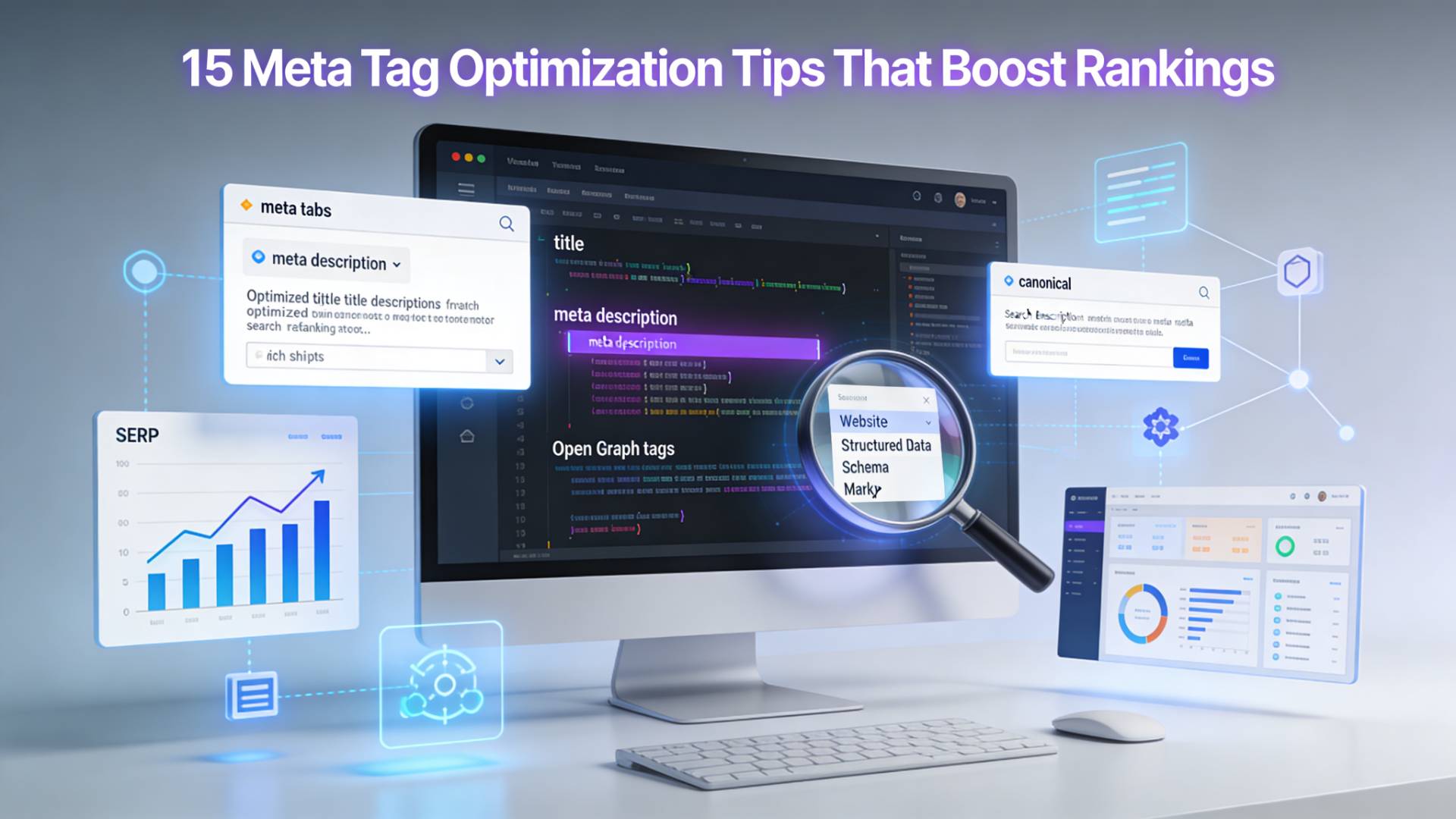
Here's something most people don't think about: before a single person clicks on your page, Google has already made a judgment call. It looked at your meta tags, processed them, weighed them against your competitors, and decided where you belong in the results. And all of that happened in a fraction of a second, based on a few lines of HTML nobody ever actually sees.
Meta tags are the invisible architecture of your page's relationship with search engines. Get them right and they do a quiet, consistent job. Get them wrong and even your best content can end up three pages deep in search results, which is basically the internet's version of being forgotten.
A lot of content about meta tags is either too vague to be useful or too technical to be readable. This guide aims to be neither. These 15 tips are practical, grounded in how Google actually behaves today, and written for people who want results, not just theory.
What Are Meta Tags and Why Should You Care?
Meta tags are HTML elements that sit inside the <head> section of a webpage. They describe the page to search engines and, in some cases, to social platforms and browsers. The visitor never sees them directly. But they shape everything — from what your search snippet looks like to how robots crawl your site.
Think of them like the packaging on a product. The product is your content. The packaging is what people see first when they're scanning store shelves, or in this case, a search results page. Great content in lousy packaging gets passed over. Every time.
There are dozens of meta tag types, but only a handful are genuinely meaningful for SEO. The rest are either outdated, ignored by modern search engines, or useful only in very specific contexts. This guide focuses on the ones that actually move the needle.
15 Meta Tag Optimization Tips That Actually Work
1. Write Your Title Tag Like It's an Ad Headline
The title tag is the single most important meta element for SEO. It tells Google what your page is about and it appears as the clickable blue link in search results. Most people treat it as a formality. That's a mistake.
Your title tag should do two jobs simultaneously: signal relevance to the search algorithm and earn the click from a real human. Those goals are more aligned than they seem. A title that genuinely describes the page's value tends to rank better and get clicked more often.
⚡ Quick Rule
Keep titles between 50–60 characters. Include your primary keyword as close to the beginning as natural. And write for the person scanning results at 11pm, not for a crawler running in a data center.
| ❌ Weak Title | ✅ Stronger Title |
|---|---|
| Welcome to Our Blog – Page About SEO Tips | 15 Meta Tag Optimization Tips for Better Rankings |
| Meta Tags Information and Overview | How to Write Meta Tags That Google (and People) Love |
2. Treat the Meta Description as a Sales Pitch, Not a Summary
Here's a counterintuitive truth: the meta description doesn't directly influence your ranking. Google doesn't use it as a ranking signal. And yet, it has a massive indirect effect, because it controls whether someone clicks your result or your competitor's.
Higher click-through rate signals to Google that your result is satisfying searcher intent. Over time, that affects where you rank. So the meta description is doing backend ranking work disguised as copywriting.
✅ Best Practice
Keep it under 160 characters. Make it answer the question: "Why should I click this result?" Include a natural use of your target keyword, Google bolds it when it matches the search query, which catches the eye.
3. Use One H1 Per Page, and Make It Count
Technically, H1 isn't a meta tag. But it functions like one in terms of communicating page topic to search engines, so it belongs in this conversation. The H1 should clearly state what the page is about, closely match the title tag (without being identical), and include your primary keyword in a natural way.
Having multiple H1s on one page confuses the crawl. Having zero is worse. One clear H1 is the rule, treat it like a chapter title in a book that you're handing directly to Google.
4. Never Skip the Robots Meta Tag on Sensitive Pages
The robots meta tag tells search engines what to do with a given page. Most pages don't need it because the default behavior (index and follow) is what you want. But for certain pages, login portals, thank-you pages, internal search results, staging environments, you absolutely need to tell crawlers to stay out.
<meta name="robots" content="noindex, nofollow">⚠️ Warning
Forgetting this is the kind of silent error that can quietly tank a site's crawl budget and dilute its authority. Audit your sensitive pages. Make sure they're telling crawlers exactly what you want them to hear.
5. Set a Canonical Tag on Every Indexable Page
Duplicate content is one of the most common and most invisible SEO problems. It happens when the same content is accessible under multiple URLs, with and without www, HTTP vs HTTPS, trailing slashes, parameter variations. Google has to pick one version to index. If you don't tell it which one, it guesses. Sometimes it guesses wrong.
🔧 The Fix
Add a <link rel="canonical" href="..."> tag pointing to the preferred URL. It's a simple declaration that tells Google: "This is the real one. Consolidate all ranking signals here."
6. Optimize Your Open Graph Tags for Social Reach
Open Graph tags (og:title, og:description, og:image) control how your content looks when shared on Facebook, LinkedIn, and other platforms. They're not Google ranking signals, but they're absolutely traffic signals. A well-optimized og:image alone can double or triple engagement on social shares.
Use a high-quality, relevant image in a 1200×630px format. Write an og:title that's compelling even without search context. And always specify og:type (usually "article" for blog posts).
7. Add Twitter Card Tags — Even If You're Not on Twitter
Twitter Card meta tags control how links appear when shared on X (formerly Twitter). More importantly, they're increasingly used by other platforms and messaging apps to generate rich link previews. Setting twitter:card, twitter:title, and twitter:description takes five minutes and pays off every time someone shares your link.
📝 Note
If your Open Graph tags are already set correctly, Twitter will fall back to them. But explicit Twitter Card tags give you more precise control, especially over the image crop and card layout type.
8. Don't Stuff Keywords Into Meta Tags, It Backfires
Keyword stuffing in meta tags was a tactic that worked in 2003. Today it's treated as a spam signal. Cramming your title with six variations of your target keyword doesn't make you rank for all of them, it makes you look untrustworthy to both the algorithm and the human reading the result.
Write naturally. Use the primary keyword once in the title, once in the meta description if it fits organically. Secondary keywords belong in the body content, not sandwiched into 60-character titles.
9. Use Unique Title Tags Across Every Page
Duplicate title tags across multiple pages is one of those mistakes that's easy to make at scale and surprisingly hard to catch without an audit. When two pages share the same title, Google struggles to determine which one is more relevant for a given query, and typically ends up underserving both.
🏗️ For Large Sites
Automate title tag generation using templates that pull from page-specific fields (product names, category names, article titles). Even a formula like [Product Name] – [Category] | Brand beats a page full of "Product – Our Store".
10. Set the Viewport Meta Tag for Mobile Optimization
This one is non-negotiable. The viewport meta tag tells mobile browsers how to scale and render your page. Without it, mobile users get a shrunken desktop view, engagement tanks, and Google's mobile-first index penalizes you accordingly.
<meta name="viewport" content="width=device-width, initial-scale=1">🚨 Action Required
If your site doesn't already have this in the <head>, that's worth fixing today — not next sprint.
11. Include Image Alt Attributes as Part of Your Metadata Strategy
Alt text isn't technically a meta tag, but it's part of the same metadata ecosystem that governs how search engines understand your page's content. Every image that carries meaningful information should have a descriptive, natural-language alt attribute. Decorative images can get an empty alt tag, that tells screen readers (and crawlers) to skip them.
This matters for image search visibility, accessibility compliance, and overall content coherence. Speaking of images, if you're working with image files and want to check what data is embedded in them, tools like a photo metadata viewer let you see exactly what information is attached to an image file. That kind of metadata hygiene matters more than most people realize, especially for SEO and privacy.
12. Leverage Schema Markup to Unlock Rich Snippets
Schema markup (structured data) lives inside your page's code and speaks directly to Google's understanding of what your content means, not just what it says. Adding the right schema can unlock rich snippets: star ratings in search results, FAQ dropdowns, recipe cards, event dates, and more.
These enriched results occupy more visual real estate, earn higher click-through rates, and signal strong topical authority. For articles, use Article or BlogPosting schema. For products, use Product. For FAQs, use FAQPage. The ROI on implementation time is significant.
"Rich snippets don't just look better in search results. They're proof that Google understood your page well enough to feature it differently."
13. Audit Your Meta Tags Regularly, Not Just at Launch
Meta tags drift. Pages get updated, CMS templates change, redirects get added, and suddenly you've got canonical tags pointing to 404s, title tags that were great two years ago but now miss the current keyword intent, and meta descriptions that were never written at all on new content.
Scheduled audits, quarterly at minimum, catch this drift before it costs you. A quick way to check what metadata is actually attached to your pages is to run them through a metadata checker like FileReadyNow, which lets you inspect what's really there versus what you think is there.
✅ Audit Checklist
- All indexable pages have unique title tags and meta descriptions
- Canonical tags point to live, correct URLs
- Noindex tags are only on pages that should be excluded
- Open Graph images are correctly sized and loading
- Schema markup is valid and returning no errors in Google's Rich Results Test
14. Match Title Tag Intent to the Query You're Targeting
Search intent is the context behind a query, what the person actually wants when they type something into Google. Someone searching "meta tag optimization" probably wants a guide. Someone searching "meta tag tool" wants software. Someone searching "what is a meta tag" wants a definition.
Your title tag should match the dominant intent of your target keyword. If the top-ranking pages for your keyword are all listicles, a title promising a definitive guide is misaligned. Read the results page like a document. It's Google telling you what it thinks searchers want.
15. Test Titles and Descriptions Like You Test Ad Copy
If you run Google Ads, you know the culture of testing. Two headlines go head to head. You measure click-through rate. The winner stays. The loser gets replaced by a new challenger. Most organic SEO teams never bring this mindset to meta tags, and they're leaving performance on the table because of it.
Use Google Search Console to monitor click-through rates on individual pages. If a high-ranking page has a low CTR, the meta tags are the first thing to look at. Try a different framing. Change the emotional hook. Lead with a number, a question, a direct benefit. Track the change. Repeat.
💡 The Mindset Shift
Your meta tags are not set-and-forget. They're the first conversation your page has with a potential visitor. Keep improving that conversation until it's converting at its full potential.
Your Pre-Publish Meta Tag Checklist
Before any page goes live, run through this. It takes under three minutes and prevents the kind of mistakes that take months to recover from.
📋 Pre-Publish Checklist
- Title tag is 50–60 characters and includes primary keyword near the start
- Meta description is under 160 characters and answers "why click this?"
- Canonical tag is set and pointing to the correct, live URL
- Robots tag is appropriate (or absent, meaning default index/follow)
- Viewport meta tag is present
- Open Graph title, description, and image are set
- Twitter Card tags are set
- H1 is present, unique, and matches page intent
- All images have meaningful alt text
- Schema markup is present for eligible content types
- No duplicate title or description exists elsewhere on the site
Common Meta Tag Mistakes That Kill Rankings
Most SEO issues aren't exotic. They're the same handful of mistakes made at scale across millions of pages. Here are the ones that show up most often.
❌ Writing the title tag for Google and not for people. You know the type, stuffed with keywords, grammatically awkward, reads like it was written by a person trying to trick an algorithm. Google has gotten significantly better at detecting this, and real users click away from it.
❌ Leaving meta descriptions blank. When you don't write a meta description, Google auto-generates one from your page content. Sometimes it picks something reasonable. Often it doesn't. You lose control of that first impression entirely.
❌ Using the same title tag across category pages. E-commerce sites are especially guilty of this. "Shop Now | Brand Name" appearing on forty category pages gives Google nothing to differentiate them by. Each page needs its own identity.
❌ Forgetting to update meta tags after content revisions. You rewrote the article. You changed the focus. You added new sections. But the title tag still reflects the old version. Misalignment between meta tags and actual content can suppress rankings even when the content itself is excellent.
Meta Data Goes Beyond Web Pages
When most SEO guides talk about metadata, they mean HTML meta tags. But meta data, in the broader sense, is information embedded in files themselves. Every photo you take contains photo metadata: timestamps, GPS coordinates, camera settings, sometimes even the device model and software used. Every PDF has document properties. Every video has embedded technical data.
This matters for SEO in more ways than one. Image metadata can affect how search engines index and understand visual content. For anyone publishing images professionally, journalists, photographers, e-commerce teams, understanding what's in that data using an image metadata viewer is a basic due diligence step. Sometimes that data includes sensitive location information you didn't intend to publish. Sometimes it's missing information that would help search engines categorize the image correctly.
💡 Good to Know
Good metadata hygiene covers both worlds: the tags you write deliberately in your HTML and the embedded data your files carry automatically.
The Bottom Line
Meta tags are small. The effort to optimize them properly is genuinely modest compared to producing high-quality content or building backlinks. But they operate at every point of contact between your site and Google, and between your search result and the person deciding whether to click it.
The 15 tips in this guide aren't theoretical. They're the consistent, proven elements that separate well-optimized pages from ones that underperform despite strong content. Start with the basics, title, description, canonical, robots, get those right across every page, then layer in schema, social tags, and ongoing testing.
Frequently Asked Questions
Gemini Spark is Google's new 24/7 personal AI agent, announced at Google I/O 2026. Unlike a regular chatbot, it works proactively in the background — learning your patterns, preparing a personalized Daily Brief each morning from your calendar, email, and the news, and surfacing information before you ask. It is rolling out to Google AI Plus, Pro, and Ultra subscribers.
.Gemini 3.5 Flash is built for speed and agentic tasks — it is Google's fastest frontier model and is designed to execute complex workflows. Gemini Omni is built for multimodal creation: it accepts text, images, audio, and video as input and outputs editable video grounded in real-world knowledge. They are both part of the broader Gemini 3.5 family but serve different purposes.
Significantly. With AI Information Agents now handling complex queries directly in Search, your content structure becomes more critical than before. AI agents rely on metadata, page titles, descriptions, and clean site architecture to decide what to surface. If those elements are incomplete or poorly written, your pages are more likely to be skipped over in favor of better-optimized sites.
Frequently Asked Questions
Meta tags are HTML elements placed in the section of a webpage that provide information about the page to search engines and browsers. They help search engines understand your content and influence how your page appears in search results.
.The title tag is generally considered the most important meta tag for SEO. It helps search engines understand the page topic and appears as the clickable headline in search engine results pages (SERPs).
Meta descriptions are not a direct ranking factor. However, they can improve click-through rates by encouraging users to click your result, which may indirectly support SEO performance.
Table of Contents
Recent Posts

PDF to JPG Blurry? How to Convert a PDF Page With Sharp Text
5 days ago
HEX vs RGB vs HSL vs CMYK: Which Color Code Should You Use?
1 week ago
Video Converter Online Free: Which Format to Pick and Why
2 weeks ago
Audio Trimmer Online Free: Cut, Keep, or Remove Any Section
2 weeks ago
How Strong Should Your Password Actually Be in 2026?
3 weeks ago
HEIC vs JPG: Which Should You Actually Use?
1 month ago