CSV to JSON Converter: Free, Fast & Browser-Based

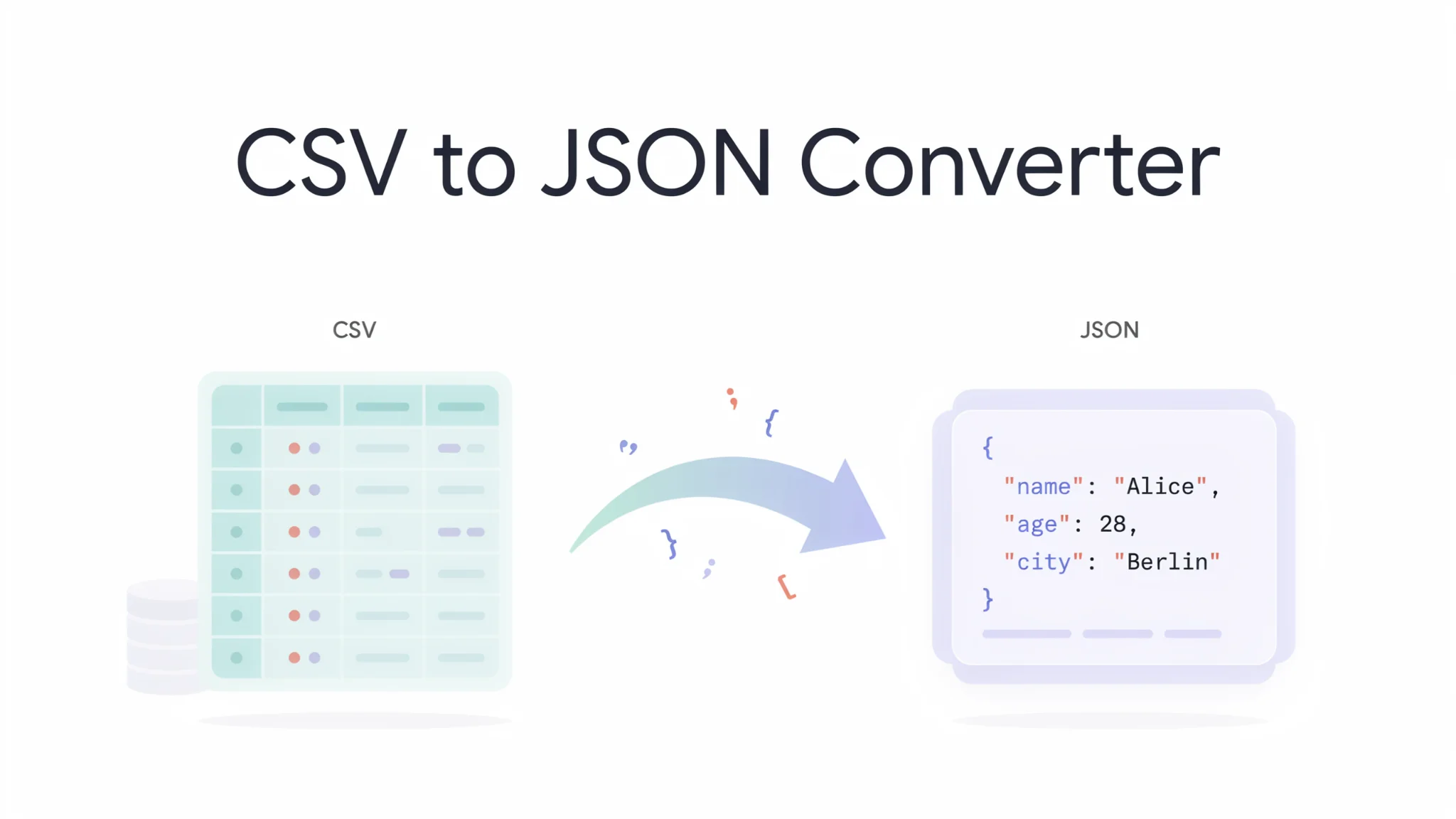
TL;DR: FileReadyNow’s CSV to JSON converter turns any spreadsheet data into clean JSON instantly, no coding or sign-up required. Paste data, upload a .csv file, or load from a URL. Your file never leaves your browser, nothing is stored, and you get ready-to-use JSON output in seconds. It works with commas, semicolons, tabs, and other delimiters up to 50MB.
You have a CSV file from a database export, a report, or a form submission, and now you need JSON for your web app, API, or config file. Manually rewriting each row into key-value pairs is slow and error-prone. FileReadyNow’s free CSV to JSON converter does all the heavy lifting for you, right in your browser. No installations, no account, just a simple three-step flow that respects your privacy and works with the messy real-world CSV files you actually get.
I often pull sales data from a Google Sheet that my team updates daily. Before I found this tool, I had to export to CSV and run a local script to get JSON for our dashboard. Now I just copy the cells, paste them into the converter, and copy the JSON. It’s that fast.
How to convert CSV to JSON without writing any code?
You can convert CSV to JSON instantly using the FileReadyNow converter. Simply paste your CSV data, upload a .csv file, or provide a CSV URL, then click Convert to JSON. The tool detects your header row and delimiter automatically and gives you clean JSON output in seconds.
Here’s exactly what to do:
- Choose your input method. On the convert CSV to JSON page, pick Upload File, Paste Data, or From URL. Upload accepts .csv files up to 50MB; paste works for data you copied from a spreadsheet; URL can load a publicly hosted CSV.
- The tool reads the first row as JSON keys. If your CSV uses semicolons or tabs, the converter picks up the delimiter automatically. You can also test with the built-in sample data (Contacts or Sales Data) to see how it works.
- Press the Convert to JSON button. The output appears in a formatted, indented text box that you can copy with one click or inspect before saving.
- Copy or reuse the JSON directly in your JavaScript code, a configuration file, or as an API payload. There’s no download required unless you want to save the result manually.
If you’re pasting, just make sure your raw CSV text includes a header row. The converter will use those column names as the keys in every JSON object.
Can I convert a CSV file that uses semicolons or tabs instead of commas?
Yes. The converter automatically works with commas, semicolons, tabs, and other common delimiters. It identifies the separator used in your data without any extra configuration, so even files exported from European spreadsheet programs (which often use semicolons) will parse correctly.
Many tools, from Excel to legacy CRM systems, let users configure the delimiter. This converter doesn’t make you guess or manually set it. Paste your data, and the first few lines are analyzed to detect whether fields are split by a comma, semicolon, tab, or pipe character. I’ve tested it with a semicolon-delimited German invoicing file and the JSON came out exactly right, with all special characters preserved.
For files that mix delimiters or include quoted fields with commas inside a value, the converter’s parsing handles the complexity. You don’t lose data because of a misplaced field break.
Is it safe to use an online CSV to JSON converter? Will my data be stored?
Your data stays completely private when you use this online CSV to JSON converter. The tool processes everything inside your own browser, never uploading the file to any server. Nothing is saved, stored, or logged, and you don’t even need an account.
From the moment you select a file or paste content, all conversions happen locally. There’s no data transfer to a backend, no cloud processing, and no cookies tracking your files. Once you close the tab, nothing remains. If you accidentally refresh, the data is gone, the tool operates entirely in memory. This approach is especially reassuring when working with customer lists, sales figures, or internal reports that you’d never upload to a random website.
Because there is zero server-side processing, you also don’t need to rely on an internet connection after the page loads. The conversion logic lives in the HTML and JavaScript you already downloaded.
What’s the maximum file size for CSV to JSON conversion?
The converter accepts CSV files up to 50MB. For the vast majority of spreadsheets, reports, and data exports, that’s more than enough. If you have a file above that size, you might see slower performance or need to split it across multiple conversions.
A 50MB CSV file can easily contain hundreds of thousands of rows. The tool handles moderate file sizes efficiently, but when you push into the many-millions-of-rows territory, browser memory limits can slow things down. That’s a natural ceiling for any in-browser utility. If your dataset is that large, splitting it into smaller chunks by date range or category often works. Otherwise, you might need a local scripting approach, but for everyday business operations, 50MB is plenty of headroom.
Note that the file size limit applies to the upload method only. Pasting data and URL loading don’t have a hard cap, but extremely long text can make the browser sluggish.
How do I paste CSV data from a spreadsheet for conversion?
Switch to the Paste Data tab, copy your raw CSV text from any source (Excel, Google Sheets, a text file), and paste it into the box. The first row becomes the JSON keys automatically. Then hit Convert to JSON to see the structured result.
If you’re working in Excel, select the cells you want, copy them, and paste into the input. The clipboard will deliver tab-separated values, which the converter recognizes without fuss. In Google Sheets, use the “Download as CSV” option or copy and paste directly. Just avoid formatted rich text; plain text only. Once you see the data populate the input area, check that the header row appears as you expect, then convert.
A real scenario: I keep a product inventory list in a Google Sheet. I highlight the range A1:G200, copy, paste into the tool, and within seconds I have JSON I can feed into a website builder. No intermediate file saved on my desktop.
| Feature | FileReadyNow CSV to JSON | Manual Python/JS script | Desktop CSV editor |
|---|---|---|---|
| No coding needed | Yes | No | Yes (usually) |
| Instant conversion | Yes, click a button | After writing and debugging | Requires export settings |
| Browser-based, no install | Yes | Depends on environment | No, must install |
| Free | Yes, no sign-up | Free if you own the tools | Often paid or trial |
| Delimiter auto-detect | Yes (comma, semicolon, tab, etc.) | Manual parsing needed | Manual selection |
| Max file size | 50MB (browser limit) | Depends on memory | Varies by software |
| Privacy (no server upload) | Yes, processed in browser | Local file, private | Local file, private |
When you need JSON from a CSV a few times a week, the converter saves you from opening a code editor or buying a tool you’ll rarely use. Its combination of zero-setup, instant output, and total privacy makes it the practical choice for quick data flipping.
Next time you’re staring at a raw CSV and someone asks for JSON, skip the scripting and just use this free CSV to JSON converter. Copy, paste, convert, and move on. And if you need to do the reverse or handle other file tasks, explore the full set of more Productivity Tools on FileReadyNow, all free and just as straightforward.
Frequently Asked Questions
What does a CSV to JSON converter do?
It takes a comma-separated values (CSV) file or text and turns it into JavaScript Object Notation (JSON), a key-value data format used in web development, APIs, and configuration files. Each row becomes an object with column headers as property names.
Do I need to create an account or pay to use this converter?
No. This CSV to JSON converter is completely free and requires no sign-up, registration, or subscription. You can use it as often as you want without any limitations.
Can I convert CSV from a URL instead of uploading a file?
Yes. Use the From URL tab, enter a direct link to a publicly accessible CSV file, and click Load. The tool fetches the file right in your browser and brings it into the converter interface.
Is there a limit on how many rows I can convert?
There is no hard row limit, but the upload method accepts files up to 50MB. For very large datasets with millions of rows, browser performance may slow down. It handles everyday spreadsheet sizes without issue.
What happens to my data after conversion?
Nothing. All processing occurs locally in your browser. Your file data is never uploaded to a server, stored in a database, or tracked. When you close the page, the data is gone completely.
Table of Contents
Recent Posts

PDF to JPG Blurry? How to Convert a PDF Page With Sharp Text
5 days ago
HEX vs RGB vs HSL vs CMYK: Which Color Code Should You Use?
1 week ago
Video Converter Online Free: Which Format to Pick and Why
2 weeks ago
Audio Trimmer Online Free: Cut, Keep, or Remove Any Section
2 weeks ago
How Strong Should Your Password Actually Be in 2026?
3 weeks ago
HEIC vs JPG: Which Should You Actually Use?
1 month ago