Free Online Pixel Art Maker: Draw & Export PNG, No Signup

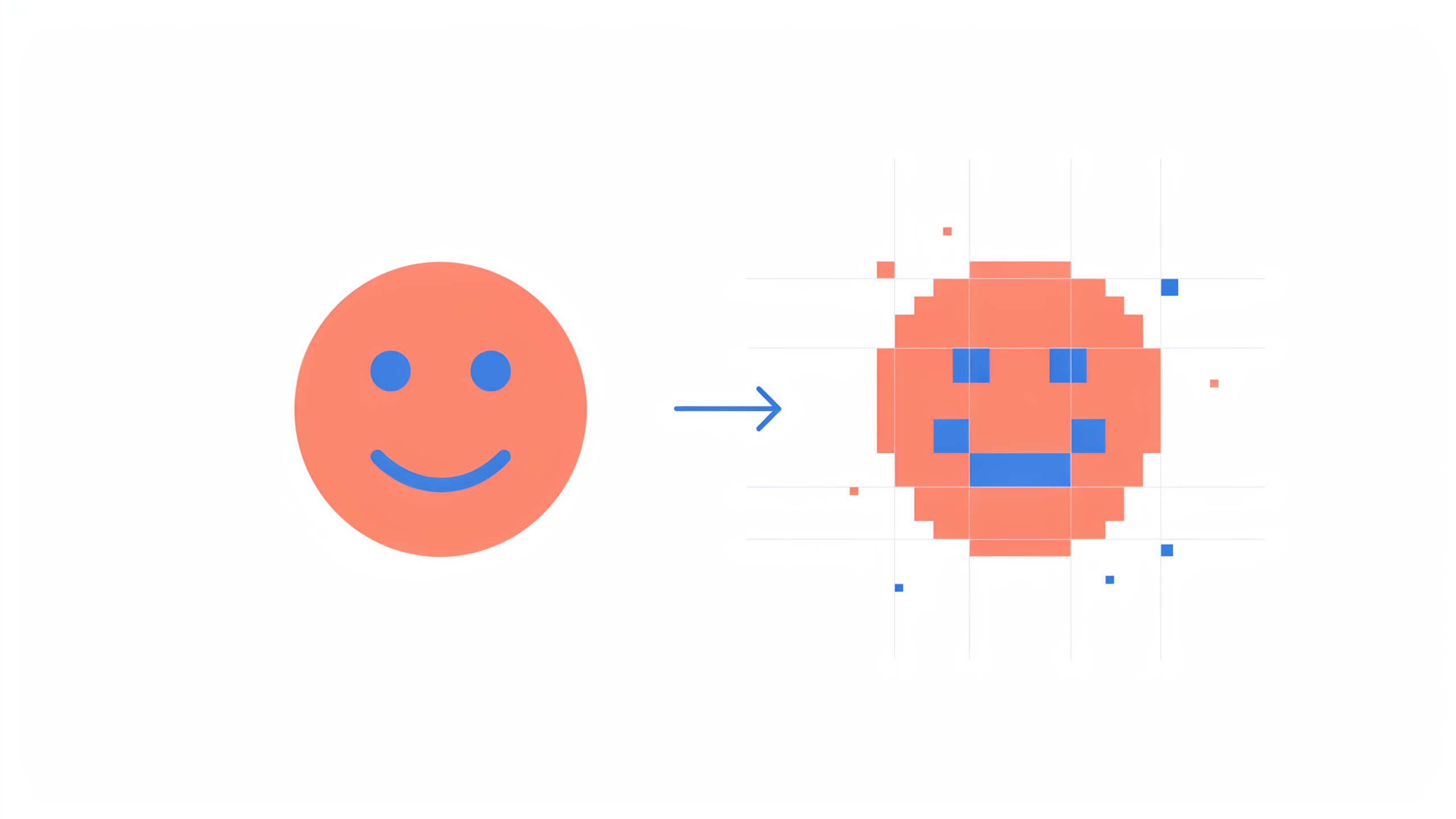
FileReadyNow's free Pixel Art Maker lets you draw pixel art straight in your browser. No signup or software needed. Pick a grid size from 8×8 to 64×64, use a full colour wheel, and download a sharp PNG file with optional transparency. Perfect for icons, sprites, avatars, and quick creative sketches.
Pixel art brings back a lot of nostalgia, but getting started used to mean downloading clunky software or wrestling with complex tools. That barrier disappears the moment you open FileReadyNow's free Pixel Art Maker. I needed a tiny heart icon for a personal project last week. Instead of firing up a full design suite, I opened the pixel art tool on my phone, picked the heart template, changed a few pink squares to red, and downloaded it inside two minutes. It felt refreshingly simple.
The grid canvas sits right in your browser. You choose how many squares you want to work with, grab a colour from the picker or a pre-made palette, and click to paint. The tool gives you three drawing modes: pencil for placing single pixels, a fill bucket for flooding an area, and an eraser for cleaning up mistakes. There's even an undo button that steps back through your last changes, so experimenting doesn't hurt. When I tried it on a 32×32 grid, I was able to build a tiny cat sprite without ever second-guessing a misclick.
How to Make Pixel Art Online Without Installing Anything
Visit the pixel art editor, set your grid size, pick a colour, and click any square on the canvas to fill it. Switch between the draw, fill, and erase tools as you shape your design. Hit "Download PNG" when you're finished. That's the entire workflow: no signups, no installs, no watermarks.
Here's a step-by-step walkthrough based on how I used it:
- Grid size: Slide the selector to anything from 8 to 64. I started with 16 to keep things manageable.
- Colour palette: Use the colour wheel, hex input, or one of the classic palettes like Game Boy or Commodore 64. Your recently used colours appear in a row so you don't lose your shades.
- Drawing tools: The pencil icon is for single squares. The paint bucket fills a connected area with one click. The eraser returns squares to the background colour.
- Symmetry mode: Turn it on to mirror your strokes horizontally or vertically. Handy for symmetrical faces or patterns.
- Export: Choose your download quality (Low to Very High) and whether you want a transparent background. Then click the download button.
The Best Grid Size for Pixel Art: A Quick Guide
The right grid size depends on what you are making. For simple icons and sprites, 16×16 or 32×32 works well. Larger grids like 48×48 or 64×64 give you room for shading and details, perfect for scene compositions or detailed avatars.
To help you decide, I put together a quick reference table based on what I've found:
| Grid Size | Best for | Detail Level |
|---|---|---|
| 8×8 | Very tiny icons, minimalist symbols | Low |
| 16×16 | Simple sprites, favicons, heart or star shapes | Basic |
| 32×32 | Character faces, small game items, profile avatars | Moderate |
| 48×48 | Detailed characters, objects with shading | Medium-high |
| 64×64 | Scenes, larger illustrations, anything needing fine detail | High |
I found 32×32 hits a sweet spot for avatars. There's enough space to suggest eyes, a nose, and hair without getting lost in thousands of squares. One honest limitation: the tool tops out at 64×64. That's plenty for sprites and most pixel art needs, but if you're planning a full-screen retro landscape, you'll need a different tool.
What File Format Does Pixel Art Download In?
Your artwork exports as a PNG file. PNG is ideal for pixel art because it preserves sharp edges, supports transparent backgrounds, and uses lossless compression. JPEG would blur the squares and ruin the hard edges that define the style.
When you click "Download PNG", you can toggle "Show Grid Lines" on or off. Keep it on if you want the grid to stay visible, turn it off for a clean piece. I usually leave it off. The "Transparent Background" checkbox is a lifesaver for game assets or stickers that need to sit on different backgrounds without a white box around them.
Is This Pixel Art Maker Really Free to Use?
Yes, completely free with no account required. You can draw and download as many pieces as you want, no charges, no watermarks, no daily limits. The tool is part of FileReadyNow's suite of more Productivity Tools, all designed to work without paywalls.
I tested this by exporting ten different drawings in one sitting. The download quality slider goes from Low (5 pixels per real pixel) to Very High (30 pixels per real pixel) without any price gates. Every file I saved came through clean and ready to use.
How to Start Pixel Art as a Total Beginner
Start with a small grid, pick a quick-start template, and use only two or three colours. The tool includes built-in templates like a heart, star, or smiley face. Choosing one gives you a simple design to tweak instead of facing an empty white canvas. Keep colours limited so you can focus on placement before learning complex shading.
When I first tried pixel art years ago, I jumped straight into a 64×64 canvas and ended up with a muddy blob. On this tool, I took the cat template, stuck to black, white, and grey, and actually liked the result. After two or three small pieces, I felt ready to experiment with the pastel and earth tone palettes on a larger grid.
Can You Use This Tool for Game Assets?
Absolutely. The pixel art maker works well for designing sprites, icons, tiles, and character frames. The transparent background export option makes it easy to drop your art into a game engine or image editor without extra cleanup.
The grid goes up to 64×64, so it's best suited for smaller game assets. I've used it to mock up a simple platformer character and export each pose as a separate PNG. Keep in mind the tool does not export sprite sheets or animate frames. You'll need to stitch frames together in another app if you're building a full character animation. For static elements like item icons, portrait faces, or menu buttons, this tool fits the bill nicely.
Conclusion
FileReadyNow's Pixel Art Maker removes every friction point from pixel art creation. You open a browser tab, set a grid, and start drawing. The included templates, symmetry mode, and classic colour palettes give you a huge head start, whether you're brand new to pixel art or just want a fast canvas for an idea. I keep it bookmarked for those moments when I need a quick icon or custom avatar without booting up heavy software.
Give it a try: head to the free pixel art maker, pick a template, and download your first PNG in minutes. No accounts, no installs, just a grid and your imagination.
Frequently Asked Questions
Do I need to create an account to use the pixel art maker?
No account is needed. The tool runs entirely in your browser and never asks for a login, email, or payment.
Can I save my work and come back later?
The tool does not have cloud saving. If you close the browser tab, your unsaved work is lost. We recommend downloading a PNG periodically while you work so you don't lose progress.
Does the pixel art maker work on mobile devices?
Yes. Since it's a browser-based tool, it works on smartphones and tablets. Tapping a square on a small screen works smoothly, though larger grids are easier on a bigger display.
How do I get a transparent background?
Before clicking "Download PNG", check the box labeled "Transparent Background". This removes the default white background and saves your art with no backdrop, perfect for overlays and game assets.
Can I print my pixel art after downloading?
Yes. The exported PNG file can be printed like any other image. For crisp results on paper, choose "Very High" quality so the pixels don't look blurry when scaled up.
Table of Contents
Recent Posts

PDF to JPG Blurry? How to Convert a PDF Page With Sharp Text
5 days ago
HEX vs RGB vs HSL vs CMYK: Which Color Code Should You Use?
1 week ago
Video Converter Online Free: Which Format to Pick and Why
2 weeks ago
Audio Trimmer Online Free: Cut, Keep, or Remove Any Section
2 weeks ago
How Strong Should Your Password Actually Be in 2026?
3 weeks ago
HEIC vs JPG: Which Should You Actually Use?
1 month ago