Online Regex Tester: Test & Debug Regex Fast & Free

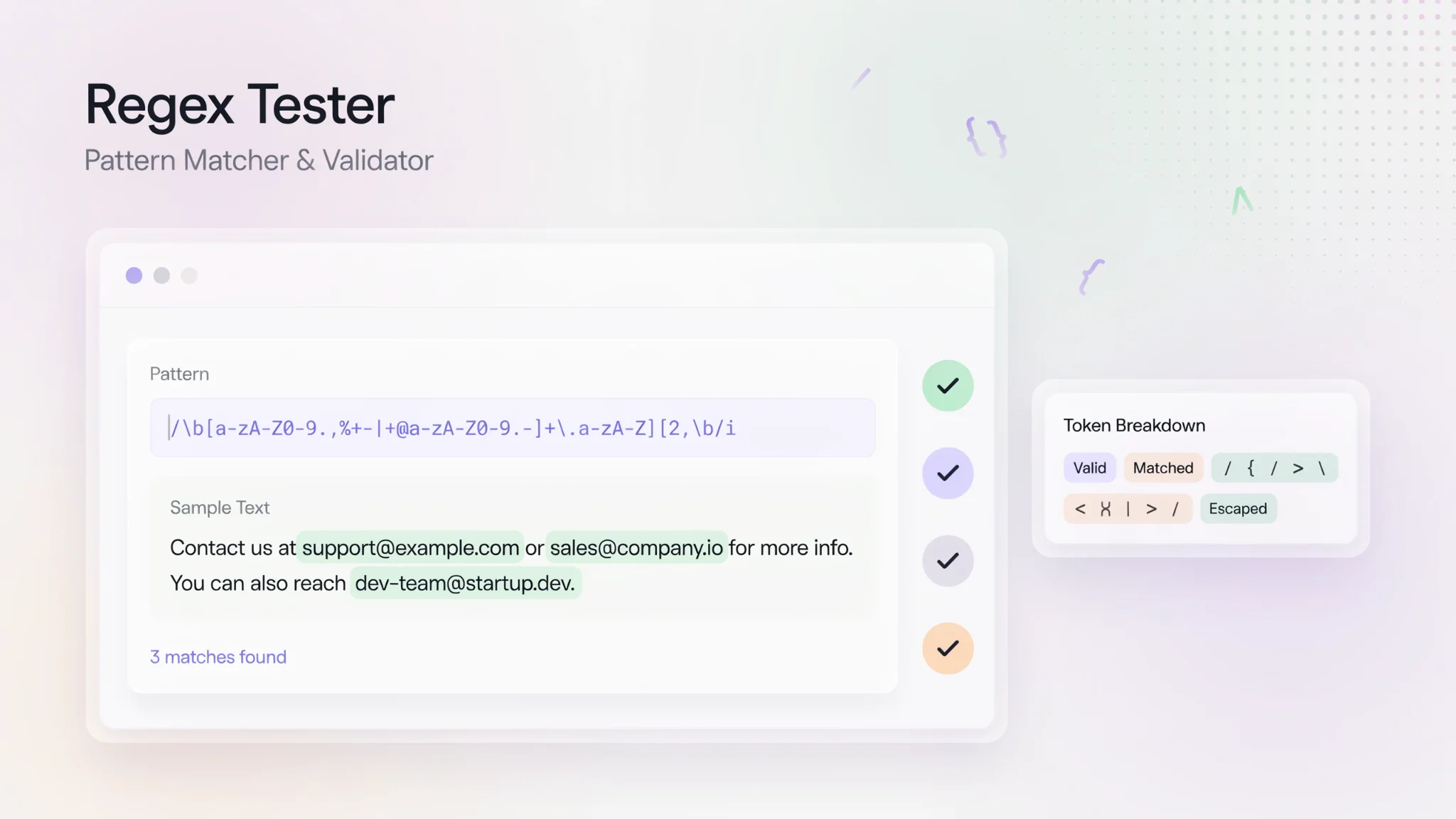
TL;DR: The free online Regex Tester from FileReadyNow helps you write, test, and debug regex patterns instantly. Paste your regex and test string, see live match highlighting, count matches, toggle flags, and catch syntax errors, all in your browser with no signup or ads.
Staring at a regex that won't match? You're not alone. Regular expressions are powerful but maddening to write without instant feedback. The Regex Tester on FileReadyNow solves that pain. It lets you type a pattern, paste test text, and see matches highlighted as you type. No console logs, no refreshing a script. I used to waste time writing a regex, running it in code, tweaking, and running again. This tool cuts that loop to zero. There's no signup, no ads, and everything stays in your browser. It's just you, your pattern, and instant clarity.
How does the FileReadyNow Regex Tester work?
You enter a regular expression and a test string, and the tool highlights matches in real time. It shows the number of matches, each match's position, and any capture groups. If your syntax is wrong, an error message appears right away so you can fix it before using it in production.
Open the tool, and you'll see three main areas: a field for your regex pattern, a box for your test string, and a row of flag checkboxes (global, case‑insensitive, multiline, etc.). Start typing a pattern, paste or type some sample text below, and watch the magic. Matches get a colored highlight. At the bottom, a results panel lists every match with its index and each captured group. There's even a count of total matches. It's that simple.
You can use the regex tester online without any installation, and nothing leaves your browser.
What regex features does this tool support?
It supports everything from simple character classes to advanced lookaheads, quantifiers, groups, and backreferences. The tool handles capture groups natively and shows you exactly what each group matched. You can test patterns with anchors, word boundaries, alternation, pretty much any standard regex construct.
When you test a pattern with groups, the result list breaks down each match into its full match and individual captures. That makes debugging complex expressions way easier. Want to see if your named groups work? Go ahead. Need to test a phone number regex with optional area codes? The tool confirms your logic instantly.
How do I use flags like global, case‑insensitive, or multiline?
Toggle any standard flag with a single click. The tool has checkboxes for global (g), case‑insensitive (i), multiline (m), and others. Check or uncheck a flag, and the matches update immediately so you understand exactly how each flag changes the result.
Say you're writing a regex to find all words starting with "cat." Turn on the case‑insensitive flag and watch it match "Cat," "cat," and "CAT" without changing your pattern. Need to anchor to start or end of lines, not just the whole string? Enable multiline mode. It's all instant, no page reloads.
Is the Regex Tester safe for sensitive data?
Yes, because everything runs locally in your browser. Your patterns and test strings never leave your computer. There's no server processing, no data sent to FileReadyNow, no tracking. For anyone handling proprietary code snippets or private data, that's a big relief.
Of course, this also means the tool doesn't save your history. If you close the tab, your work is gone. That's a tradeoff for privacy: it's perfect for quick checks, but bookmark your favorite patterns if you want to keep them.
Can beginners learn regex with this tool?
Absolutely. The clean interface and instant visual feedback make it ideal for learning. You see your pattern's effect as you type, which beats reading about regex and then guessing. It includes 13 built‑in examples covering common patterns, so you can study real expressions and tweak them.
Start with a simple example like matching an email, then modify the pattern and watch the matches change. That trial‑and‑error loop teaches you regex rules faster than most tutorials. And since there's no signup or clutter, you can focus entirely on understanding the syntax.
How does it compare to other regex testers?
For speed and simplicity, this tool is hard to beat. It doesn't have the deep explanation panel that some advanced tools offer, but it gives you exactly what you need to debug most patterns: live highlighting, capture groups, flag toggles, and error detection. The lack of ads and signup means you get from zero to testing in seconds.
| Feature | FileReadyNow Regex Tester | Regex101 |
|---|---|---|
| Live match highlighting | Yes | Yes |
| Capture group display | Yes | Yes |
| Syntax error detection | Yes | Yes |
| Flag toggles with instant update | Yes | Yes |
| Explanation/breakdown panel | No | Yes |
| Ad‑free & no signup | Yes | Free version has ads; signup optional |
| Runs entirely in browser | Yes | Yes (client‑side) |
| Built‑in examples | 13 examples | Community library |
If you need a no‑fuss checker that gets the job done without logging in, the FileReadyNow tool is the clear pick. You can always hop over to a deeper debugger for tricky edge cases. For everyday regex writing, it's all you need.
What's a real‑world scenario where this Regex Tester shines?
Imagine pulling a log file and needing to extract IP addresses. Paste a chunk of the log into the test string box, write a regex for an IP address with four octets, and watch it light up every valid IP. You'll see at a glance if your pattern accidentally matches something that isn't an IP. Adjust the pattern, refine the capture groups, and you're done. I've used this exact workflow to clean server logs before feeding data into a report. It saved me from a regex mistake that would have thrown off the whole CSV export.
Conclusion
Regex doesn't have to be a guessing game. With the free online Regex Tester, you get instant feedback that turns frustration into fast, correct patterns. It works right in your browser, respects your privacy, and never gets in your way with signup walls. Whether you're a developer debugging a one‑liner or a newcomer trying to wrap your head around regular expressions, this tool makes the process clear and quick. Try it now and see the difference live highlighting makes. For other handy no‑signup utilities, check out the full set of productivity tools.
Frequently Asked Questions
Is this tool better than Regex101?
It depends on your need. Regex101 offers deep explanations and extra debug info, but it also has ads and a more complex layout. FileReadyNow's Regex Tester focuses on doing the core job fast, with zero distractions. If you want a lightweight tool that loads instantly and never asks you to sign up, it's a great choice.
Can I use this for Java‑specific regex patterns?
Yes. The tool supports standard regex that works in Java, like lookaheads, quantifiers, and character classes. But because regex engines can differ slightly, always test your final pattern in your actual Java environment too. It's perfect for quick prototyping before you copy the pattern into your IDE.
Does the tool support complex expressions?
Absolutely. You can test nested groups, alternation, backreferences, and advanced tokens. The capture group panel shows exactly what each part of your expression matches, so even multi‑level groups become manageable.
Is it suitable for beginners?
Definitely. The instant feedback and 13 example patterns make it a safe playground for learning. You see the effects of each character you type, which is far more effective than static regex tutorials.
Do I need to install anything?
No installation required. The tool runs entirely in your browser, so you just visit the page and start testing. It works on any operating system with a modern browser.
Table of Contents
Recent Posts

PDF to JPG Blurry? How to Convert a PDF Page With Sharp Text
5 days ago
HEX vs RGB vs HSL vs CMYK: Which Color Code Should You Use?
1 week ago
Video Converter Online Free: Which Format to Pick and Why
2 weeks ago
Audio Trimmer Online Free: Cut, Keep, or Remove Any Section
2 weeks ago
How Strong Should Your Password Actually Be in 2026?
3 weeks ago
HEIC vs JPG: Which Should You Actually Use?
1 month ago